
Remusic FAQs
This AI music generator creates high-quality, full-length songs up to 4 minutes from text or lyrics, offering various production tools.

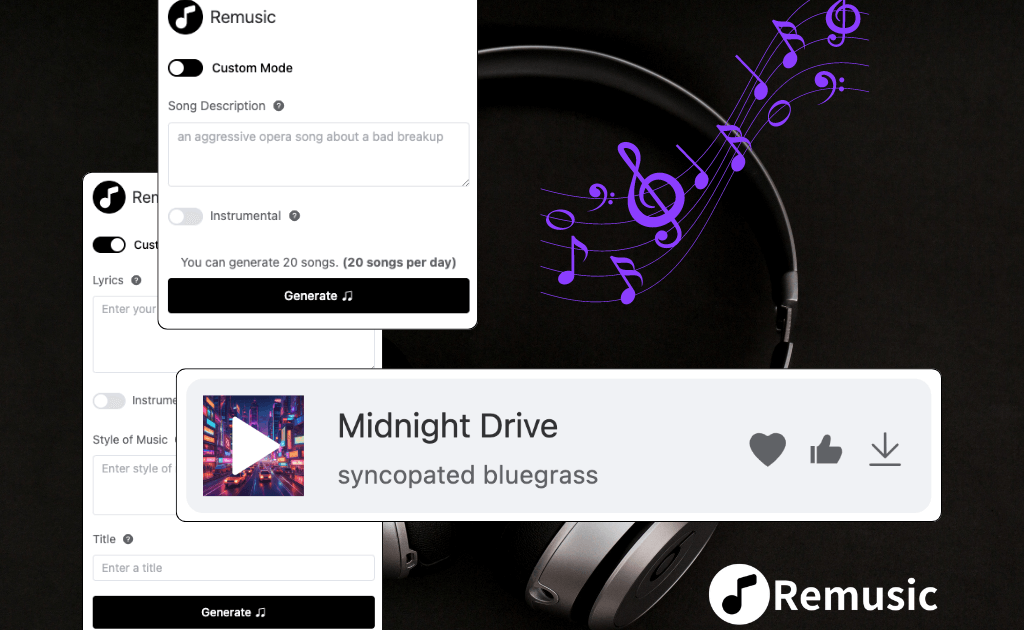
FAQs of Remusic
What is Remusic?
Remusic is an AI-powered platform designed for music creation, allowing users to generate unique music, lyrics, and covers. It aims to transform the music production and consumption experience, offering tools for both professional musicians and aspiring artists.
How does Remusic’s AI music generator work?
Remusic’s AI music generator functions by creating songs based on user-provided text prompts or lyrics. It produces high-quality compositions across various genres and styles, facilitating the creation of both full-length tracks and shorter musical pieces.
Can users customize the vocals for song covers in Remusic?
Yes, Remusic provides extensive customization options for vocals in its cover generator. Users can select from a library of over 10,000 preset voices or utilize the voice cloning feature to personalize covers with their own voice.
How accurate is the AI-generated sheet music in Remusic?
Remusic’s AI technology generates accurate sheet music from melodies, adhering to established music theory principles. This feature is beneficial for musicians requiring precise notation for their compositions or for learning purposes.
Is it possible to generate lyrics in multiple genres using Remusic?
Yes, Remusic’s AI is capable of generating lyrics across a wide array of genres, from rap to ballads, ensuring the output aligns with specific creative needs and stylistic preferences. This versatility assists lyricists and songwriters.
What types of sound effects can be created with Remusic?
Remusic enables the generation of diverse sound effects to enrich musical compositions. Users can create a variety of effects, ranging from ambient sounds to specialized effects, enhancing the overall auditory experience of their projects.
How does Remusic’s AI song analyzer function?
The AI song analyzer within Remusic performs advanced sound separation, isolating individual components such as vocals, bass, drums, guitar, and piano within a track. This feature is particularly useful for remixing, music analysis, or instrumental practice.
Can Remusic assist with creating music videos?
Yes, Remusic includes music visualization tools that empower users to create custom music videos for their generated tracks. These tools facilitate the transformation of musical compositions into engaging visual content, enhancing artistic presentation.
How long does it typically take to generate a full-length song with Remusic?
Remusic’s AI music generator is designed for efficiency, typically producing a full-length song within minutes. This rapid generation process prioritizes speed while maintaining high-quality output, catering to creators needing quick results.
Does Remusic support collaborative music creation workflows?
While Remusic is primarily structured for individual use, it offers features for easy sharing and exporting of generated music. This functionality allows users to readily distribute their creations for collaborative efforts with other musicians or producers.
Can Remusic process both instrumental and vocal tracks?
Yes, Remusic possesses the capability to generate both instrumental and vocal tracks. The platform is engineered to produce high-quality output regardless of whether the focus is on melodies or vocal performances, offering flexibility to creators.
How to use Remusic
Remusic, an AI-powered platform, facilitates music creation by generating songs, lyrics, and covers. This comprehensive tool offers features such as AI vocal removal, sheet music generation, and music analysis, catering to various user needs. The platform aims to transform music production and enjoyment through its diverse AI capabilities.
- Navigate to the Remusic website and select an AI music generation model, such as "Remusic V4" or "Mureka V6," from the available options.
- Input a detailed "Song Description" or custom lyrics into the provided text field to guide the AI music generator.
- Click the "AI Generate" button to initiate the music creation process, leveraging Remusic's AI song generator.
- Review the generated song, which includes lyrics and an audio preview, allowing for immediate feedback and adjustments.
- Utilize the "Cover Download" or "Audio Download" options to save the generated music and its associated artwork.
- Explore additional features like the AI vocal remover or AI sheet music generator for further audio manipulation and music analysis.
- For AI cover generation, select from over 10,000 preset voices or upload your own voice to personalize the song covers.
- To generate lyrics, use the AI lyrics generator, specifying the desired style or genre, for professional-quality lyrical content.
- Engage with the AI music analyzer to separate vocals and instruments like bass, drums, and guitar for remixing or learning purposes.
- Access the music visualization tools to create custom music videos, bringing your AI-generated compositions to life visually.
