
Change Photo Backgrounds with Relight AI: Effortless Light Fusion
| Added on: | Oct 8, 2024 |
| Monthly Visits: | 5.84K |
| Social & Email: | -- |

What is Relight AI
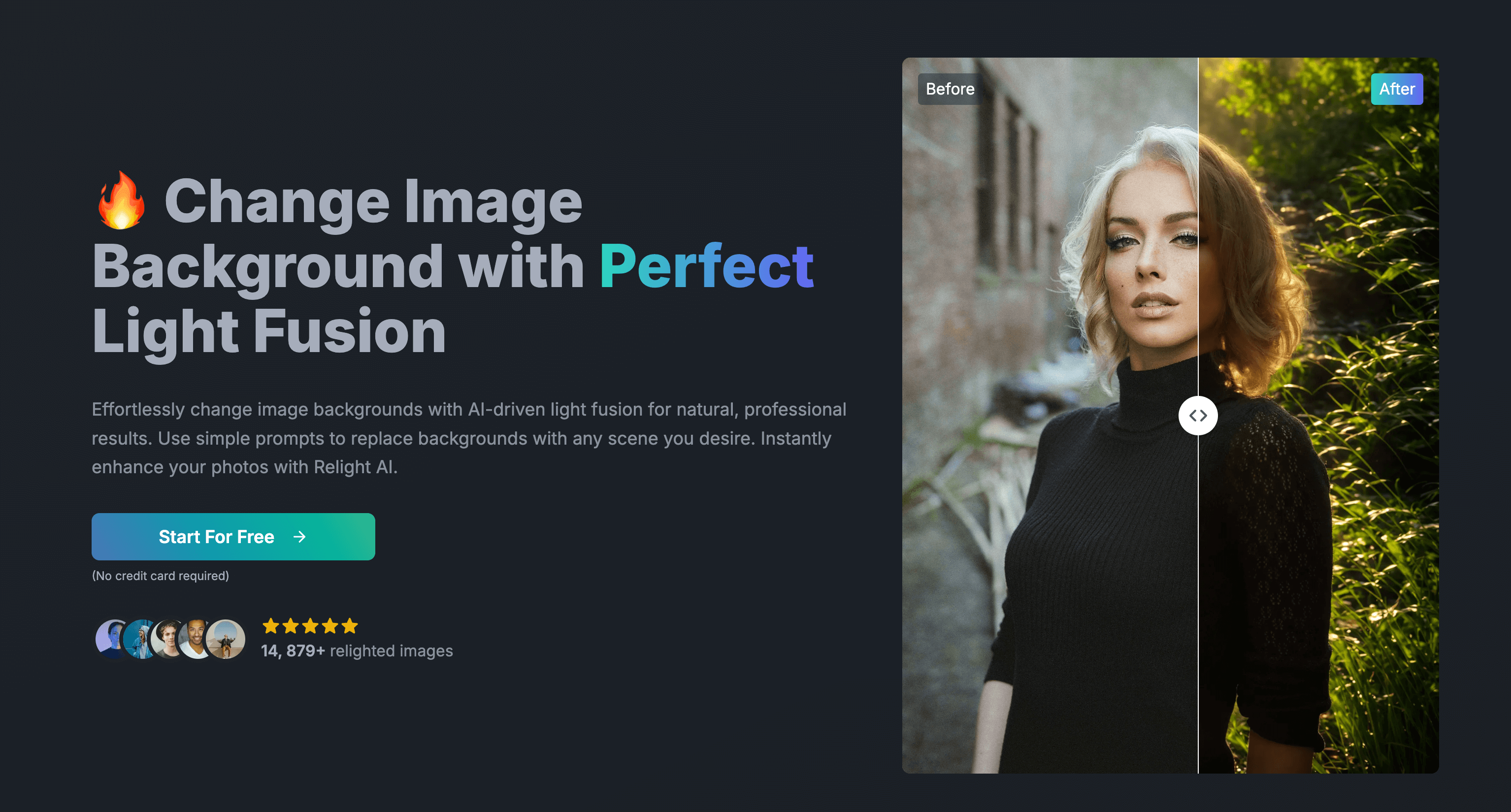
Relight AI is an AI-powered photo background changer that allows you to effortlessly transform your photos with perfect lighting. With Relight AI, you can change photo backgrounds with just a simple prompt, maintaining your subjects' natural look and lighting. Relight AI uses advanced machine learning algorithms to analyze your image, understand its lighting conditions, and apply new lighting effects based on your input. The result is a seamlessly relit image that matches your desired atmosphere. Relight AI is perfect for anyone who wants to enhance their photos and create professional-looking results without needing complex editing skills.
How does Relight AI work
Relight AI is an online image editing tool utilizing AI to change photo backgrounds. Users upload images (PNG, JPEG, WEBP, max 5MB) and provide a text prompt describing the desired background. The Relight AI model, employing machine learning algorithms, analyzes the image, identifies the subject and background, and applies the specified changes while maintaining natural lighting. The service offers various subscription plans, including a free option, providing access to this AI-powered photo background changer for both personal and commercial image relighting projects. Relight AI's key features include one-click background replacement, high-resolution image downloads, and compatibility with multiple file formats, making it a convenient tool for image editing and enhancement.
Benefits of Relight AI
Relight AI is an AI-powered photo background changer offering effortless image editing. This online tool uses a simple prompt system to seamlessly replace backgrounds while preserving natural lighting and subject detail. Relight AI's intuitive interface requires no Photoshop skills; simply upload your image, enter your background prompt, and click "Relight." The tool is perfect for enhancing product photos, creating social media content, or achieving professional-looking results quickly. Free and paid plans are available, offering varying image relighting credits and high-resolution downloads. Explore the Relight AI model and experience its one-click magic today.
Pros and Cons of Relight AI
Pros
- Easy-to-use interface.
- AI-powered background changing.
- Offers free plan.
- Fast processing speed.
- High-resolution downloads.
Cons
- Limited free credits.
- May require detailed prompts.
- Paid plans can be expensive.
- File size restrictions.
- Image quality depends on input.
Core Features of Relight AI
Effortlessly Transform Your Photo Backgrounds
Easily change photo background with just one click. No need for Photoshop skills or complex editing—it's simple and effective.
Keep It Real, Make It Better
Effortlessly change photo backgrounds while keeping their natural beauty intact. Our AI model ensures your images remain authentic and beautifully enhanced.
Illuminate Your Photos with Perfect Lighting
Use Relight AI to change background of your photos with perfect lighting. Achieve bright, professional results effortlessly.
Use Cases of Relight AI
- E-commerce Businesses: Enhance product photos with professional lighting and diverse backgrounds using Relight AI's AI-powered image editing tool.
- Photographers: Quickly and easily change photo backgrounds while maintaining natural lighting using Relight AI's online tool.
- Graphic Designers: Improve image quality and create stunning visuals using Relight AI for background replacement and lighting enhancement.
- Social Media Managers: Boost social media engagement by creating visually appealing content with Relight AI's background changing capabilities.
- Real Estate Agents: Showcase properties more effectively by using Relight AI to improve listing photos with enhanced lighting and backgrounds.
FAQs of Relight AI
What types of images work best with Relight AI?
Relight AI works best with high-quality images of people, products, or scenes. For optimal results, use clear, well-lit images with a resolution of at least 1024x1024 pixels. While it can handle various image types, portraits and product photos typically yield the most impressive transformations.
How does the AI-powered relighting process work?
Relight AI uses advanced machine learning algorithms to analyze your image and understand its lighting conditions. Based on your prompt and chosen light source, it then generates a new version of the image with modified lighting. This process involves:
- Detecting the subject and background
- Analyzing existing light sources and shadows
- Applying new lighting effects based on your input
- Adjusting colors and contrasts for a natural look
The result is a seamlessly relit image that matches your desired atmosphere.
Can I use Relight AI for commercial projects?
Yes, Relight AI can be used for commercial projects, depending on your subscription plan. Our commercial license allows you to use the relit images in various professional contexts, including:
- Marketing materials
- E-commerce product photos
- Websites and social media content
- Presentations and reports
However, please ensure you have the necessary rights to the original images you're relighting. For specific licensing details, refer to our Terms of Service or contact our support team.
How to use Relight AI
- Begin by uploading your image file (PNG, JPEG, or WEBP, maximum 5MB) using the provided upload button on the Relight AI platform. The image should be of suitable quality for optimal results.
- In the designated field, input a detailed description of your desired background. Specificity regarding elements and lighting is crucial for achieving the intended effect with the AI.
- Click the "Relight" button to initiate the AI-powered background replacement process. This typically takes 10-15 seconds for image processing and relighting.
- Once processing is complete, review the relit image. The Relight AI model will have replaced the background while attempting to maintain natural lighting and subject appearance.
- Download your enhanced image, which will be available in high resolution depending on your chosen plan. Explore further editing options or utilize the image for your intended purpose.
Relight AI Website Traffic Analysis
Latest traffic information
- Monthly Visits5.84K
- Bounce Rate35.68%
- Pages Per Visit1.57
- Visit Duration00:00:07
- Global Rank3.26M
- Country/Region Ranking1.5M
Top Keywords
| Keyword | Traffic | Volume | Cost Per Click |
|---|---|---|---|
| relight | 240 | 4.66K | $5.23 |
| lighting 試せる illustration | 90 | 290 | -- |
| relighter | 10 | 370 | $3.26 |
| clipdrop relight | -- | 1.03K | $2.55 |
| relight ai | -- | 380 | $0.85 |
Top Regions
| Region | Percentage |
|---|---|
| United States | 65.13% |
| India | 24.77% |
| France | 10.1% |
Relight AI Alternatives
An online AI photo editor that removes image backgrounds, erases people, objects and text, and upscales photos 4x. Preview every photo free before paying per image.
Meta Image: browser AI studio powered by Muse Image. Edit photos with prompts, remove backgrounds, restore old photos, generate new images.
Remove image backgrounds, video watermarks, burned-in subtitles and video backgrounds with Rmark AI. Upload a file, preview, then download a clean copy.

Koozee turns a single clothing image into AI product photos, model try-on images, and marketing videos for apparel sellers, cutting costs by up to 99%.
OmniEnhancer is an AI image enhancer and photo editor that improves photo quality, clarity, color, and resolution online, with free daily credits.
AI Gazou offers free AI-powered image upscaling to enhance photos, product images, and illustrations. Upscale 2x or 4x with natural detail preservation.
AI Gazou removes image backgrounds for free using AI. Upload photos, products, or logos to get transparent PNGs with clean edges and customizable margins.
Bimg AI provides Nano Banana AI image editing, background removal, AI upscaling, photo restoration, and AI video generation. A platform for creators and teams.
Generate hundreds of AI product images in bulk from a CSV. PixBulk helps ecommerce sellers automate product photography with AI models like Nano Banana and GPT Image 2.
VidBG Remover uses AI to remove video backgrounds and export transparent footage with an alpha channel. Supports MP4, MOV, WebM with stable edges.
NanoPhoto.AI offers an AI-powered online background remover for product photos, portraits, and creative assets. Upload and get a transparent PNG in seconds.
ProfessionalHeadshot.io is an AI headshot generator that lets professionals upload a few selfies and receive 40–100 LinkedIn‑ready photos in 15–30 minutes, offering multiple outfit styles, backgrounds and pose angles while ensuring data privacy and full commercial rights.