
Photo to Video AI
Turn photos into AI videos online with Photo to Video AI.

What is Photo to Video AI
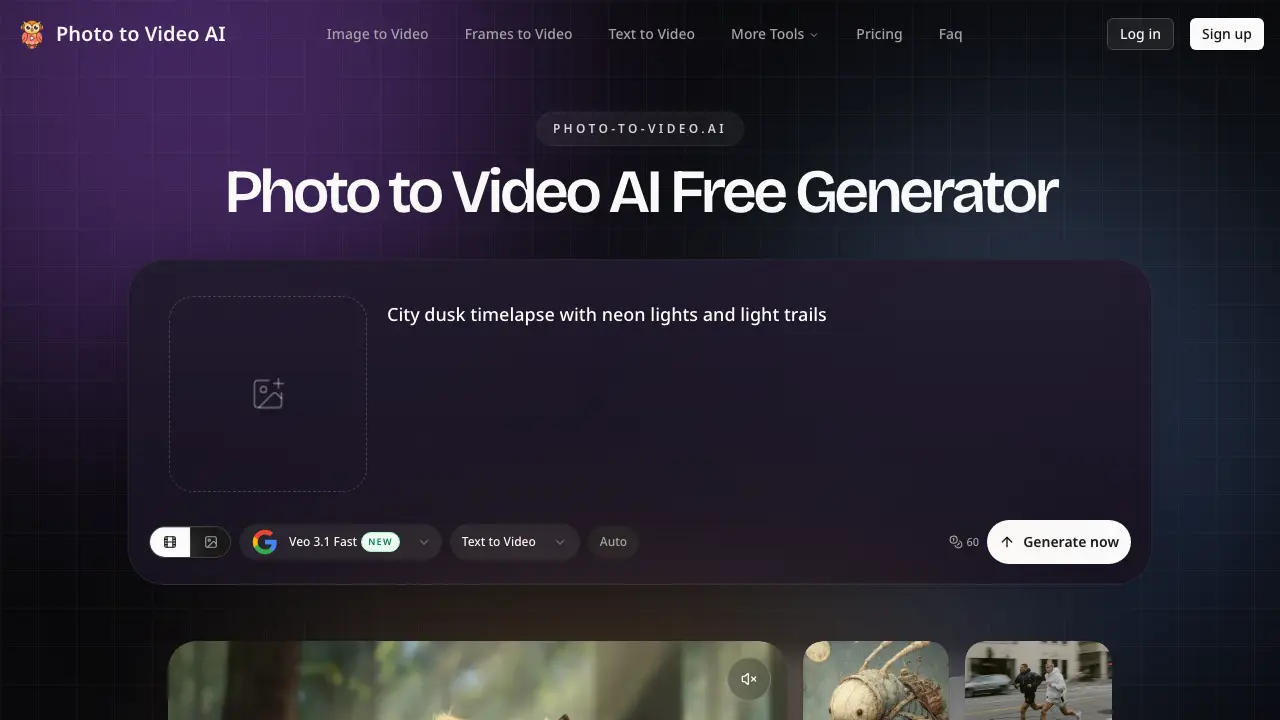
Photo to Video AI is a free online tool that converts static images into natural-motion videos using artificial intelligence. Upload any JPG, PNG, or WEBP photo and transform it into a short 5-10 second MP4 video with realistic movement that follows real-world physics. The platform offers 60 free credits to start without requiring a credit card.
The AI preserves subject consistency throughout the video, preventing common issues like face morphing or background flickering found in other photo-to-video generators. Users can select from preset scenes like product spins, portrait motion, or cinematic push, or write custom motion prompts to control camera movement, lighting changes, and atmospheric effects.
Output videos are available in three aspect ratios: 9:16 for TikTok and Instagram Reels, 16:9 for YouTube and presentations, and 1:1 for product pages and social carousels, with options for 720p or 1080p resolution. The service caters to e-commerce sellers creating product showcases, social media creators producing scroll-stopping content, marketers developing advertising assets, and individuals animating personal photos into profile videos or memory clips.
Free plan videos include watermarks for evaluation purposes, while paid subscriptions remove watermarks and enable commercial use. All uploaded photos are processed and then removed from servers, ensuring privacy and ownership of generated content.
How does Photo to Video AI work
Photo to Video AI converts still images into short, natural-motion videos through an online platform. Users upload a photo in formats like JPG, PNG, or WEBP, select a scene preset or write a custom motion prompt, and receive an AI-generated video within minutes. The AI ensures subjects like faces and products remain consistent, with realistic physics governing elements like hair and fabric movement. Outputs are available in multiple aspect ratios—9:16 for TikTok, 16:9 for YouTube, and 1:1 for product pages—and resolutions up to 1080p. The free plan offers 60 credits, includes a watermark, and processes each video individually, while paid plans enable watermark-free, commercial-ready outputs with more credits and faster generation.
Benefits of Photo to Video AI
Photo to Video AI is a free online tool that transforms static images into dynamic videos with natural motion. Users can upload JPG, PNG, or WEBP photos and generate 5-10 second videos in minutes using AI technology that ensures subject consistency and realistic physics. The platform offers various aspect ratios (9:16, 16:9, 1:1) up to 1080p resolution, making it suitable for social media, e-commerce, and marketing content. With 60 free credits to start and no watermark on paid plans, Photo to Video AI provides commercial-ready video creation without the need for cameras or editing skills.
Pros and Cons of Photo to Video AI
Pros
- Free 60 credits to start.
- No watermark on paid plans.
- Multiple aspect ratios supported.
- Commercial use allowed on paid plans.
- Easy three-step process.
Cons
- Only 60 free credits offered.
- Limited to 10 video generations monthly.
- Paid plans required for watermark-free output.
- Photos processed are deleted post-generation.
- No batch processing for multiple images.
Core Features of Photo to Video AI
AI Photo to Video Conversion
Converts any static photo into a natural-motion short video, offering a quick and easy way to enhance visual content without requiring editing skills.
Subject Consistency and Real Physics
Ensures faces, products, and objects retain their shape during animation, with movement following realistic physical principles for a more authentic and engaging video.
Multi-Aspect Ratio Output
Generates videos in various formats including 9;16 for TikTok and Instagram Reels, 16;9 for YouTube, and 1;1 for social media carousels, making it versatile for different platforms.
AI-Driven Motion Control
Utilizes motion prompts or presets to animate photos with subtle or dramatic effects, providing creative control over the video's look and feel.
Commercial Use and Privacy
Delivers watermark-free videos suitable for commercial use on paid plans, with uploaded photos processed and then removed to ensure privacy and data protection.
Use Cases of Photo to Video AI
- E-commerce sellers: Convert product photos into dynamic showcase videos for listings, ads, and social media using AI animation.
- Social media managers: Create engaging 9:16 vertical videos from still images for TikTok, Instagram Reels, and YouTube Shorts.
- Marketers: Produce watermark-free video ads and landing page content from existing brand photography without additional photoshoots.
FAQs of Photo to Video AI
What is Photo to Video AI?
Photo to Video AI is a free online tool that converts any still image into a natural-motion short video. It uses artificial intelligence to generate realistic animations from photos, with options for different aspect ratios and resolutions suitable for various platforms.
How does the AI photo to video generation process work?
The process involves three simple steps: uploading your photo, choosing a preset scene or writing a custom motion prompt, and generating the video. The AI analyzes the photo and applies natural motion following real-world physics, creating a 5-10 second MP4 video.
What types of photos can be converted to video?
You can convert any JPG, PNG, or WEBP photo into a video. This includes product shots, portraits, landscapes, selfies, and any other still image you want to animate with natural motion.
What output formats and resolutions are available?
Photo to Video AI offers multiple output options: 9:16 vertical for TikTok and Instagram Reels, 16:9 widescreen for YouTube, and 1:1 square for social media and product pages. Resolution options include 720p for fast iteration and 1080p for publish-quality output.
Is there a free trial available?
Yes, the platform offers 60 free credits to start with no credit card required. This allows you to generate videos, though free plan outputs include a watermark. Paid plans unlock watermark-free videos suitable for commercial use.
Can I use the generated videos for commercial purposes?
Yes, videos generated on paid plans are cleared for commercial use including ads, product pages, social media, and client deliverables. The free plan includes a watermark, but paid plans produce clean, watermark-free video ready for any commercial application.
How does Photo to Video AI differ from traditional video production?
Unlike traditional video production that requires hiring photographers, planning shoots, and extensive editing, Photo to Video AI converts existing photos into videos in minutes. The process is faster, more cost-effective, and requires no camera or editing software.
What are some common use cases for this tool?
The tool is widely used for e-commerce product showcases, social media content creation, selfie-to-video animation, portrait memory animation, marketing and advertising assets, and converting multiple photos from existing libraries into video content.
How to use Photo to Video AI
Step 1: Access the Photo to Video AI Platform
Navigate to Photo to Video AI. Locate the "Generate My First Video Free" button prominently displayed on the homepage. Click this to begin your journey into converting photos to videos using artificial intelligence. The platform offers immediate access to its tools without requiring upfront payment details.
Step 2: Upload Your Photo
Upon clicking the initial button, you will be prompted to upload a photo. The platform supports JPG, PNG, and WEBP formats, allowing for a wide range of image types. Select the image you wish to animate; this could be a product shot, a portrait, or any other still image. Uploading is straightforward—simply drag and drop your chosen photo into the designated area or use the file selection dialog.
Step 3: Choose a Scene or Write a Prompt
After uploading your photo, you have the option to either select from preset scenes such as "product spin," "portrait motion," or "cinematic push," or to write your own custom motion prompt. For example, you might write a prompt like "slow cinematic push-in, golden hour light, shallow depth of field." These prompts guide the AI in animating your photo, ensuring that the motion feels natural and in line with your creative vision.
Step 4: Generate and Download Your Video
With your photo uploaded and your prompt set, proceed to generate your video. The AI will process your inputs and produce a short video, typically lasting between 5 to 10 seconds. Once the generation is complete, you can download the video in your chosen format—9:16 for vertical platforms like TikTok, 16:9 for YouTube, or 1:1 for social media carousels. The free plan offers up to 60 credits, allowing you to test the service before committing to a subscription.
