
Nana Banana Pro AI
Nana Banana Pro AI: AI Image & Video Generator Tool

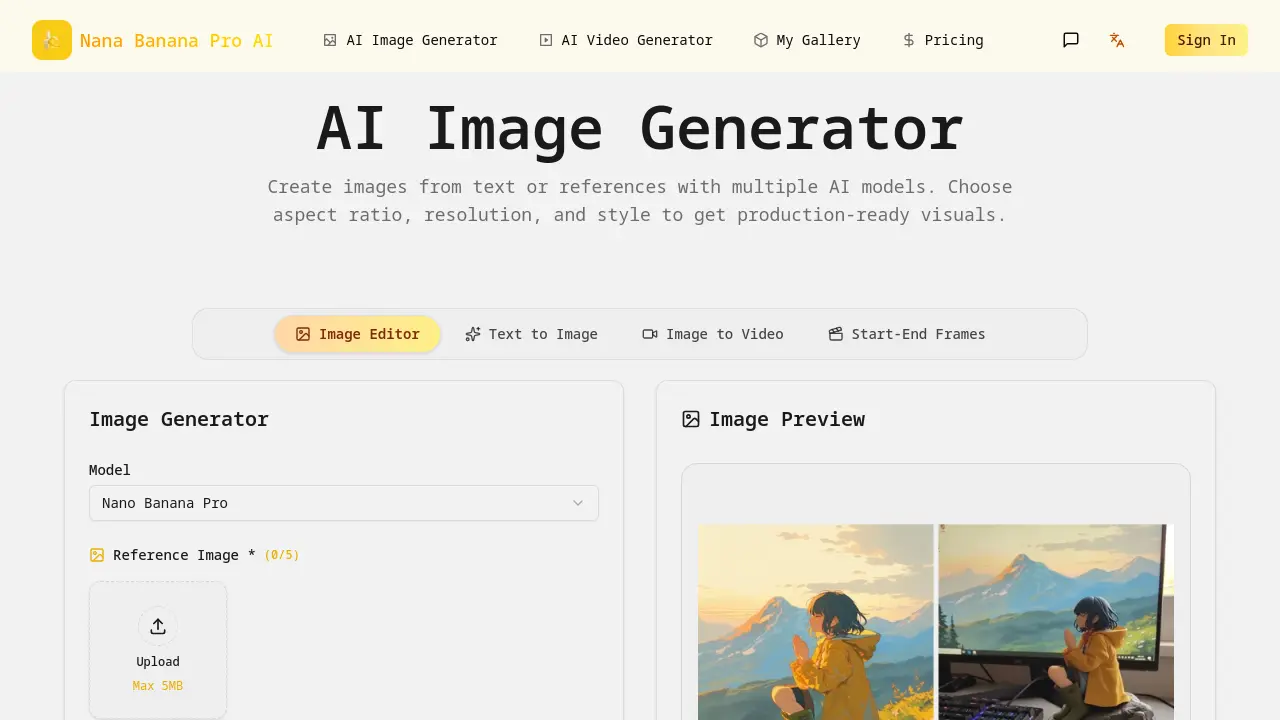
What is Nana Banana Pro AI
Nana Banana Pro AI is an integrated AI image generation and editing platform designed for professional visual content creation. The tool supports text-to-image generation with multiple AI models, allowing users to specify aspect ratios, resolutions up to 4K, and output formats like PNG. Key features include reference image uploads for style locking, precise prompt adherence, an editor with masks and layout tools, character consistency across generations, and color management using ICC/HEX standards. It facilitates team collaboration through shared prompts and approvals. The platform serves diverse use cases such as marketing campaigns, e-commerce product shots, content illustrations, architectural visualization, and educational materials. By combining generation and editing in one workflow, Nana Banana Pro AI enables efficient production of consistent, high-quality visuals for commercial and creative projects.
How does Nana Banana Pro AI work
Nana Banana Pro AI operates as an integrated platform combining AI image generation and editing. Users input textual prompts defining subject, style, and details, optionally uploading reference images to influence composition. The system utilizes models like Nano Banana Pro to generate multiple candidate images rapidly. An integrated editor provides precise control via masks, layout tools, and locked color palettes that maintain consistency with the generator, supporting ICC/HEX standards. It ensures character consistency across iterations and exports final visuals in high-resolution formats like 4K or PSD. Features such as multilingual prompt normalization and team collaboration workflows support efficient production for marketing, e-commerce, and creative studios.
Benefits of Nana Banana Pro AI
Nana Banana Pro AI combines AI image generation and editing into a single workflow, enabling efficient production of consistent visuals. It supports prompt precision, character and color consistency, and 4K/PSD exports for professional results. The platform’s integrated tools facilitate real-time edits and team collaboration, while its adaptability serves diverse sectors like marketing, e-commerce, and education. This approach helps users move quickly from concept to final asset, maintaining brand alignment and quality across various project needs.
Pros and Cons of Nana Banana Pro AI
Pros
- Integrates AI image generation and editing.
- Maintains character consistency across generations.
- Includes team collaboration features.
- Provides free daily credits for testing.
- Supports multiple AI models and aspect ratios.
Cons
- Free tier limits high-resolution exports.
- Style control depends on reference images.
- Advanced editing tools require training.
- No dedicated mobile application available.
- Limited third-party software integrations.
Core Features of Nana Banana Pro AI
AI Image Generation
Creates images from text prompts or reference uploads using multiple AI models, allowing control over aspect ratio, resolution, and style for production-ready visuals.
Image Editing and Refinement
Provides a dedicated editor with precise masks, layout tools, and color locks to modify generated or uploaded images while maintaining consistency in character and palette.
Image to Video Conversion
Transforms static images into short video clips, enabling dynamic content creation from a single generated or edited source frame.
Start-End Frame Video Generation
Generates video sequences by defining specific start and end frames, allowing for controlled motion and transition between two visual concepts.
Use Cases of Nana Banana Pro AI
- Marketing teams: Use the AI image generator to create ad creatives and social media assets quickly with consistent branding.
- E-commerce merchants: Generate product shots, color variations, and detail images to enhance online listings across platforms.
- Content producers: Illustrate blogs and newsletters with uniform visuals using text-to-image and style reference features.
- Creative studios: Rapidly produce brand posters and pitch materials with precise editing control and 4K export options.
- Educational institutions: Batch-generate lesson visuals and courseware images in a consistent style for teaching materials.
FAQs of Nana Banana Pro AI
What AI models are available in Nana Banana Pro AI?
Nana Banana Pro AI integrates several AI models for different tasks. The "Nano Banana Pro" model is the primary engine for text-to-image generation. The "Seedream 4.5" model powers the advanced image editor for precise edits. For video generation, the platform utilizes the "Veo 3.1" model for image-to-video and start-end frame workflows. Each model is optimized for its specific function within the creative pipeline.
How many reference images can I upload and what are the file limits?
Users can upload up to five reference images per generation task to guide composition and style. Each individual reference image file must be 5MB or smaller. This feature allows creators to lock specific visual elements, color palettes, or stylistic details from their source material into the AI-generated output, ensuring greater alignment with initial creative concepts.
How does character consistency work across generations?
The platform's character consistency feature helps maintain the same facial features and styling for a subject across multiple image generations and edits. This is achieved by using reference images of the character and the editor's precision tools. It is particularly useful for creating cohesive assets for storytelling, branding, or series-based content where a uniform character appearance is required.
What file formats and resolutions can I export?
Nana Banana Pro AI supports exporting generated images in PNG format for standard use. For professional workflows requiring layers, users can export directly to PSD (Photoshop document) format. The default resolution is 1K, but upgraded plans allow for 4K exports. The image editor's export function enables high-resolution, production-ready assets suitable for print or high-definition digital displays.
How does team collaboration function within the platform?
The platform includes built-in team collaboration tools. Users can share project prompts, add internal notes, and manage approval workflows directly within the Nana Banana Pro AI interface. This facilitates coordinated work among marketing teams, design studios, or creative departments by keeping all project communication, reference materials, and version history centralized and accessible to authorized members.
How to use Nana Banana Pro AI
Nana Banana Pro AI is a web-based platform for generating and editing images using artificial intelligence, supporting text-to-image workflows, reference image inputs, and various output formats.
- Access the text-to-image interface and input a descriptive prompt up to 2000 characters. Specify subject, style, and lighting for improved prompt precision, then select desired aspect ratio and resolution.
- Optionally upload reference images to guide composition and style consistency. Ensure each file is under 5MB, with a maximum of five references per generation.
- Initiate the generation process; the AI produces multiple image candidates in seconds. Evaluate outputs for prompt alignment and visual quality, then select preferred results.
- Download chosen images in PNG or opt for 4K/PSD exports. Utilize the PSD format for further editing, benefiting from integrated color management and character consistency tools.
