
Musci FAQs
Musci provides AI-powered tools to generate original songs, lyrics, vocal stems, and remixes from text prompts or audio files for music creation.

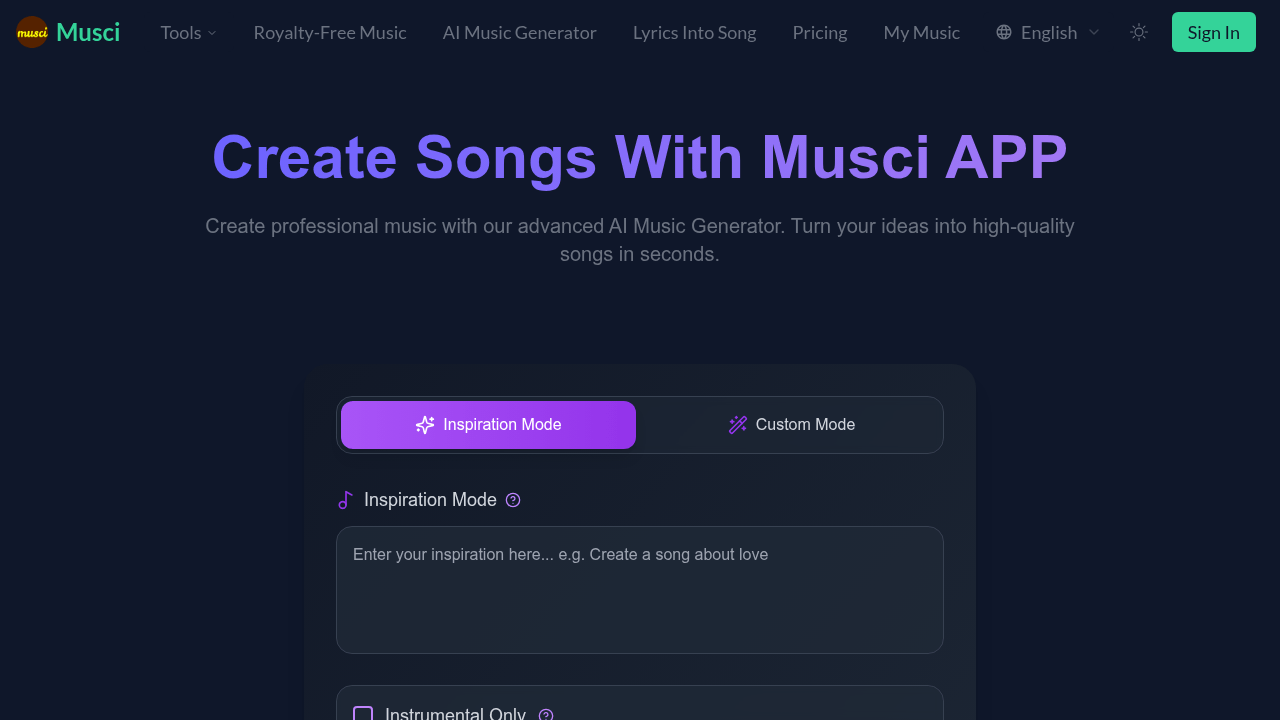
FAQs of Musci
How does Musci's integrated AI platform work for music generation and vocal isolation?
Musci employs specialized AI models within its platform. The AI Music Generator creates songs from text prompts, while the AI Lyrics Generator crafts lyrics based on specified themes. The AI Music Remixer reinterprets existing tracks, the AI Vocal Isolator separates audio into stems, and the Music Extension tool lengthens audio tracks intelligently. These tools utilize deep learning to produce high-quality audio results, and they can be used independently or in conjunction with each other for a comprehensive music creation workflow.
What types of audio content can I create with the Musci AI suite?
Musci's AI suite is designed for diverse audio production tasks. Beyond generating full songs with the AI Music Generator, users can utilize the AI Lyrics Generator for lyrical inspiration. The AI Music Remixer can be used to create new versions of existing songs, while the AI Vocal Isolator enables the creation of acapellas and instrumentals. Furthermore, the Music Extension tool can lengthen existing tracks. Musci provides a broad range of capabilities for different audio production needs.
How does the Musci AI Music Remixer tool transform songs?
The AI Music Remixer analyzes the core components of a given audio track. Users can then guide the AI to reinterpret the track in different musical styles, moods, or tempos. The AI Music Remixer intelligently reconstructs the song while preserving its essential elements, enabling users to create unique variations of existing music.
What are the capabilities and precision of the Musci AI Vocal Isolator?
The AI Vocal Isolator uses advanced source separation technology to accurately isolate vocals or instruments, such as drums and bass, from mixed audio tracks. This tool provides clean, individual stems that are suitable for remixing, karaoke creation, or detailed audio analysis, offering precision in audio separation.
Can Musci's Music Extension tool maintain my track's original style and coherence?
Yes, the Music Extension tool analyzes a track's existing musical characteristics to ensure seamless extensions. It generates these extensions while preserving the original artistic identity and coherence, making it suitable for creating longer versions of songs or background loops without disrupting the original feel.
Is audio from Musci's AI tools (AI Music Generator, etc.) royalty-free for commercial use?
For paid subscribers, audio generated by Musci's AI tools, including the AI Music Generator and AI Lyrics Generator, comes with full commercial rights, granting ownership of the generated content. Users on the free plan should refer to the terms of service for specific usage limitations regarding royalty-free usage.
How quickly can I expect results from Musci's AI tools like the Music Generator or Remixer?
Musci's platform is optimized for speed; most tasks, whether using the AI Music Generator or the AI Music Remixer, are typically completed within 15 seconds to a few minutes. The complexity of the task and the length of the audio can affect processing times. Premium users generally benefit from priority processing for quicker results.
How does Musci handle my uploaded data and generated audio files?
Musci prioritizes the security and privacy of user data. Uploaded data, such as audio files for the AI Music Remixer or Vocal Isolator, and content generated by the AI Music Generator, are treated with confidentiality. Users retain the intellectual property rights to their files, and Musci states it does not use private data to train its core AI models without explicit consent.
What is Inspiration Mode in the AI Music Generator?
Inspiration Mode within Musci's AI Music Generator offers a simplified approach to generating music. Users can quickly create instrumental tracks by selecting a model and clicking "Generate Now," making it easy to explore different musical ideas and styles.
What is Custom Mode in the AI Music Generator?
Custom Mode gives the user more control over the final music product. This mode allows for the input of prompts and fine-tuning of other settings of the AI music generation.
How to use Musci
Begin by defining your music project’s parameters within Musci. This includes describing the desired song, inputting lyrics, or uploading an existing audio file for remixing.
Configure the AI tool by selecting specific options. Choose the genre, mood, and instrumentation for the AI Music Generator, transformation style for the AI Music Remixer, or specify elements for AI Vocal Isolator.
Initiate the audio generation process using Musci's AI engine. The tool, whether the AI Music Generator or AI Lyrics Generator, processes the request, creating high-quality audio.
Preview the generated content, refining and iterating for optimal results. Adjust prompts and settings to tailor output. Fine-tuning usually enhances remixes from the AI Music Remixer.
Download the high-quality audio file once satisfied with the AI generation. The output is ready for projects or sharing, from AI-generated songs to vocal stems.
To use the AI Lyrics Generator, input a theme or topic. The tool will then generate original, context-aware lyrics for your music project.
To use the AI Music Remixer, upload a track, then guide the AI to reinterpret it. You can specify genres, moods, and tempos for the remix.
For vocal isolation, upload a mixed track to the AI Vocal Isolator. The AI will separate vocals or instruments, providing clean stems for remixing or sampling.
For Music Extension, upload your audio file and specify the desired length. The tool intelligently lengthens the audio, maintaining style and quality.
