
Blueberry: AI-Native Workspace for Building Web Apps

What is Blueberry
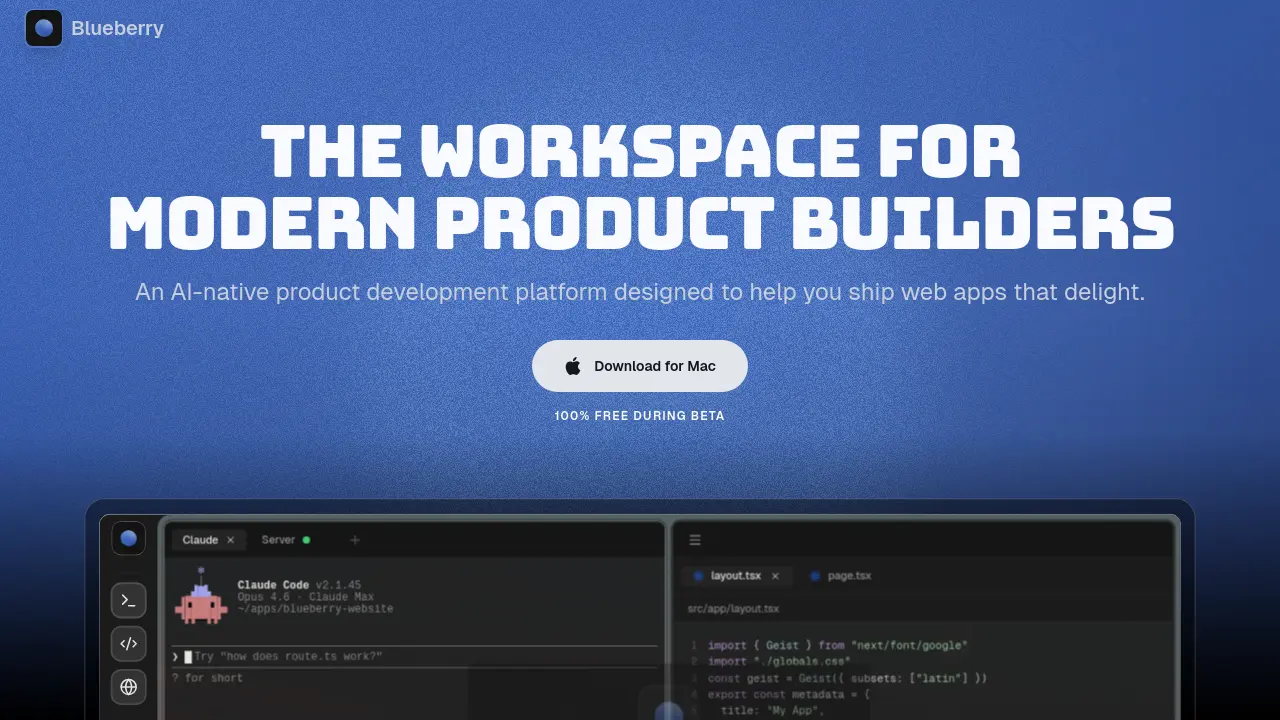
Blueberry is an AI-native product development platform designed for modern web app builders. It consolidates a terminal, code editor, and preview browser into a unified workspace, eliminating the need to switch between applications. The platform's AI integration stands out by providing assistants like Claude, Codex, and Gemini with full context through a built-in MCP server. This allows the AI to access open files, terminal output, browser screenshots, and pinned apps such as GitHub or Figma, enabling more accurate and contextual assistance. By keeping all tools and AI within one environment, Blueberry streamlines development workflows and maintains focus. Complementary features like Flow Mode for distraction-free work, Hyprland-inspired tiling layouts, and ambient music further support deep work. Blueberry is available for macOS and currently free during its beta phase.
How does Blueberry work
Blueberry operates as an AI-native workspace by integrating a code editor, integrated terminal, and preview browser into a single interface. Its built-in MCP server provides AI models like Claude, Codex, and Gemini with full project context, including open files, terminal output, and live browser state. Pinned applications such as GitHub and Figma are docked within the workspace, enabling continuous context sharing. Features like Flow Mode and tiling layouts minimize distractions, while the AI can execute commands, capture screenshots, and interact directly with the preview browser through the MCP connection, streamlining web app development.
Benefits of Blueberry
Blueberry is an AI-native product development platform that consolidates essential tools—a code editor, terminal, and preview browser—into a single macOS workspace. It enhances AI-assisted coding by providing comprehensive project context via its MCP server, enabling models like Claude and Codex to access open files, terminal output, and pinned apps such as GitHub and Figma. Focus-oriented features, including Flow Mode, tiling layouts, and ambient music, minimize distractions. Remote access and saved workspace configurations support seamless continuity across devices, streamlining the end-to-end process of building and shipping web applications.
Pros and Cons of Blueberry
Pros
- AI-native platform with full workspace context.
- Unified editor, terminal, and browser in one.
- Includes Flow Mode for distraction-free work.
- Supports multiple AI models like Claude.
- Free to use during beta testing.
Cons
- Currently exclusive to macOS only.
- Beta status may cause instability issues.
- Heavy AI reliance might not suit all.
- Limited pinned apps for integrations.
- No Windows or Linux support available.
Core Features of Blueberry
Unified AI-Native Workspace
Combines a code editor, terminal, preview browser, and pinned apps into a single application. Provides AI with complete, live context across all components for integrated development.
Integrated Development Environment
Offers a full-featured code editor with syntax highlighting, multi-cursor support, Git integration, and an embedded terminal for running commands and managing project scripts.
Live Preview Browser
Includes a built-in browser for real-time previewing of web applications on desktop, tablet, and mobile views directly within the workspace, eliminating the need for external browser windows.
AI Context & MCP Server
Uses a built-in Model Context Protocol (MCP) server to give AI assistants full visibility into the workspace, including open files, terminal output, and the preview browser state.
Pinned External Applications
Allows docking of external tools like GitHub, Linear, Figma, and PostHog inside the workspace. These apps load with projects and share live context with the integrated AI.
Visual Context Tools
Enables AI assistance with visual input via screenshot capture and direct element selection from the preview browser, providing the AI with immediate UI context for debugging or modifications.
Flow Mode & Focus Layouts
Features a distraction-free "Flow Mode" that dims non-essential UI elements. Supports Hyprland-inspired tiling layouts (Fibonacci, grid, columns, rows) to arrange workspace tiles efficiently.
Command Bar & Quick Actions
Provides a command palette (activated by a keyboard shortcut) to launch files, switch projects, run commands, and navigate the workspace instantly without using the mouse.
Saved Workspace Setups
Permits saving and restoring the complete workspace configuration per project, including terminal sessions, open editor files, browser URLs, and tile layout arrangements.
Ambient Music & Themes
Includes built-in ambient music tracks for concentration and multiple wallpaper themes to customize the workspace aesthetic, supporting deep work sessions.
Use Cases of Blueberry
- Web developers: Use Blueberry's integrated terminal and code editor with AI context to build and debug web applications efficiently.
- UI designers: Leverage the preview browser and element select to provide visual context to AI for rapid interface iteration.
- Product teams: Consolidate tools like GitHub and Figma with pinned apps in Blueberry to streamline collaboration and reduce context switching.
- Indie developers: Ship web apps faster by combining flow mode, AI models, and a unified workspace for focused development.
- Students: Learn web development through Blueberry's live previews and context-aware AI assistance in an integrated environment.
FAQs of Blueberry
What is Blueberry?
Blueberry is an AI-native product development platform that integrates a code editor, integrated terminal, and preview browser into a single, focused workspace. It is designed for modern developers to build and ship web applications more efficiently by minimizing context switching between multiple tools.
How does Blueberry provide context to AI models?
Blueberry uses a built-in MCP (Model Context Protocol) server to give AI models continuous, live access to the entire workspace. This allows the AI to see open files, terminal output, browser previews, and pinned applications, enabling it to generate more relevant code and solutions based on the actual project state.
Which operating systems are supported by Blueberry?
Blueberry is currently available as a desktop application for macOS only. The platform requires a compatible version of macOS to run. Information on system specifications and potential future support for other operating systems can be found in the official documentation.
Is Blueberry free to use during the beta period?
Yes, Blueberry is offered at no cost during its open beta phase. All features, including AI integrations and workspace tools, are accessible for free. The pricing structure for the full release will be determined after the beta period concludes and user feedback has been incorporated.
What are pinned apps in Blueberry and how do they function?
Pinned apps are external web-based tools like GitHub, Linear, Figma, and PostHog that can be docked inside the Blueberry workspace. They load with your project and share a live context stream with the integrated AI, allowing for seamless interaction between your development environment and other essential product-building tools.
How to use Blueberry
- Blueberry is an AI-native development platform that integrates a terminal, code editor, and preview browser into a unified workspace for building web applications with continuous AI assistance.
- Download the Blueberry application from meetblueberry.com and install it on macOS to begin setting up the integrated development environment.
- Launch Blueberry and use the command bar, accessed via ⌘P, to open existing projects or create new workspaces tailored to specific development tasks.
- Configure the integrated terminal by naming sessions and setting startup commands, such as npm run dev, to automate local server initialization.
- Write and edit code using the full-featured editor, which offers syntax highlighting, multi-cursor support, and Git integration for version control.
- Preview the web app in real-time with the built-in browser, which includes responsive modes for desktop, tablet, and mobile device views.
- Interact with AI models like Claude, Codex, or Gemini by typing queries in the chat interface to receive code suggestions and implementation help.
- Utilize Blueberry MCP to provide AI models with full workspace context, including open files, terminal output, and the current preview browser state.
- Pin external applications such as GitHub, Linear, or Figma inside the workspace to keep essential tools accessible and contextually linked.
- Capture screenshots or select specific elements from the preview browser to give AI visual context for debugging or design-related queries.
- Activate Flow Mode with a keyboard shortcut to dim non-essential interface elements, creating a distraction-free environment for deep work.
- Arrange workspace tiles using Hyprland-inspired layouts like Fibonacci, grid, columns, or rows to optimize screen organization for personal workflow.
- Customize the workspace with themes and ambient music settings to enhance focus and maintain a comfortable coding atmosphere during sessions.
- Save workspace configurations per project to automatically restore terminal sessions, editor tabs, browser URLs, and layout arrangements.
- Review AI-generated code suggestions by examining diffs in the editor and accept changes with shift+tab to integrate them into the project.
- Monitor live updates in the preview browser as code changes are saved, enabling immediate visual feedback for iterative development and testing.
- Enable network access in settings to remotely connect to the Blueberry workspace from other devices on the local network via the provided URL.
Blueberry Website Traffic Analysis
Latest traffic information
- Monthly Visits220
- Bounce Rate45.25%
- Pages Per Visit1.01
- Visit Duration00:00:00
- Global Rank10.06M
- Country/Region Ranking--
Top Keywords
| Keyword | Traffic | Volume | Cost Per Click |
|---|---|---|---|
| blueberry client | 10 | 1.7K | -- |
| epicklybluebery | -- | 110 | -- |
| blueberry программа | -- | 80 | -- |
Top Regions
| Region | Percentage |
|---|---|
| India | 100% |
Blueberry Alternatives
SeedRouter puts image, video, language and audio models from OpenAI, Google and Anthropic behind one key, billing per request and never for failed calls.
Open-source AI coworker for Slack and Lark that runs Claude Code, Codex or Pi on your own machine with the plan or API key you already pay for.
AtAt runs Claude Code, Codex, or local models in the text field you are typing in, no app-switching. It adds TabTab autocomplete, screenshots, and clipboard history.
Play HT is a free AI voice generator that turns text into speech with 200+ public voices, streams previews in the browser, and exports MP3 files.

Jev is TypeSafe AI's System One model that returns typed decisions with calibrated confidence for automation. Fast, cheap, zero hallucinations.
Use GPT, Claude, Gemini and Grok through one OpenAI-compatible API. Compare model rates, create a key, and make your first request in minutes.
Git-native task management for AI coding agents: track intent, status, blockers, dependencies, history, and commit evidence in Git.
SJolt is an AI model API platform aggregating top image, video, and audio generation models behind one unified request flow for developers and teams.
Tokenhot is a unified LLM API gateway delivering OpenAI, Claude, Gemini and DeepSeek models through a single endpoint, cutting API costs by up to 90%.
DSH Hub catalogs verified DeepSeek Harness plugins and clients. Browse open-source repositories with source inspection before installation.
Always free browser that shares your logged-in Chrome state with AI agents like Claude Code and Codex, running browser automation up to 3.45x faster.
Formpost is a free contact form to email API delivering submissions to your inbox with AI spam filtering, webhooks, file uploads and a REST API.