
MD2Card FAQs
MD2Card is an AI-powered Markdown to card generator, transforming text into visual knowledge cards for students and content creators with 30+ themes and multi-format export.

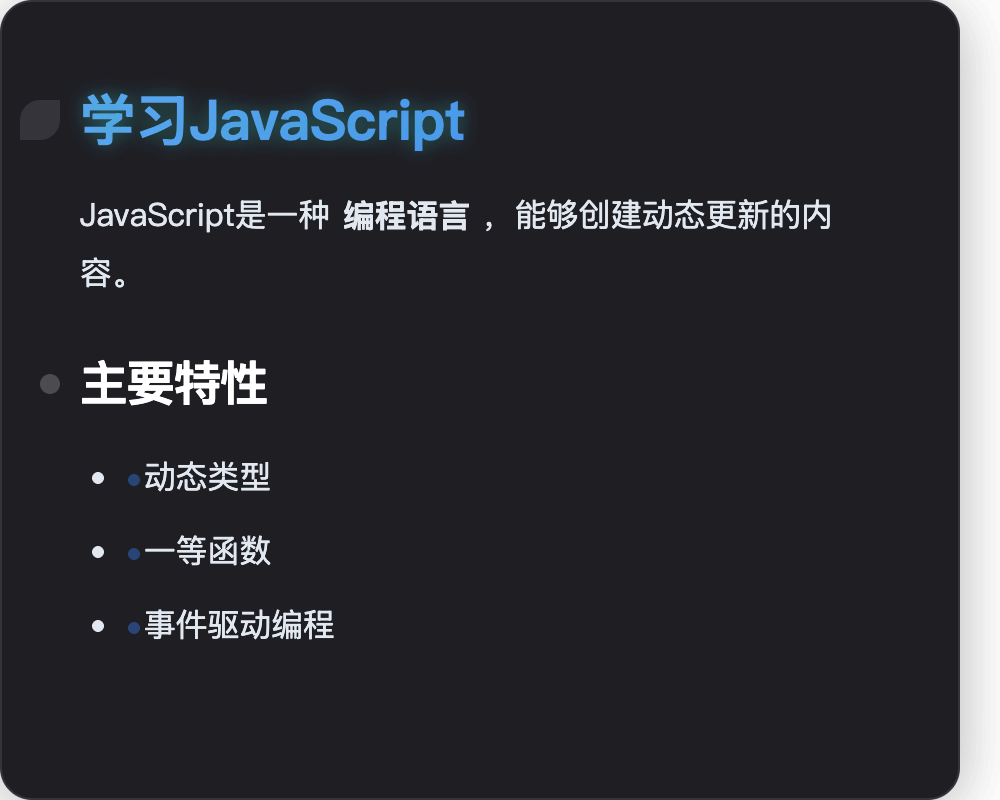
FAQs of MD2Card
What markdown syntax does MD2Card support?
MD2Card supports a comprehensive range of Markdown syntax, including headings (H1-H6), bold and italic text, links, images, various list types (ordered and unordered), code blocks with syntax highlighting, tables, blockquotes, and mathematical formulas using LaTeX notation. The platform also offers enhanced formatting options through custom extensions, catering to diverse content creation needs.
Can I customize the appearance of markdown cards?
Yes, MD2Card offers extensive customization options for card appearance. Users can select from over 30 professionally designed themes, covering various styles such as business, artistic, tech, classical, and modern. This allows for personalized visual designs to match specific brand aesthetics or content types, enhancing visual appeal and engagement.
How do I export my markdown cards?
MD2Card provides convenient one-click export functionality for your Markdown cards. Users can export their creations in multiple high-quality formats, including PNG, SVG, JPEG, and PDF. Additionally, there is an option to copy the generated card directly to the clipboard, facilitating seamless integration into various documents or presentations.
Is MD2Card free to use?
MD2Card offers a free tier with specific usage quotas for its "Magic Cards" and "Text Conversions" features per month. For users requiring more extensive functionalities or higher usage limits, MD2Card provides several paid plans, including Basic, Pro, and Ultimate, which unlock additional features and increased capacities.
Can I use MD2Card for commercial purposes?
Yes, MD2Card is designed for both personal and professional use cases, including commercial purposes. The platform caters to a wide range of users, such as educators, developers, content creators, and businesses, enabling them to produce professional-grade knowledge cards, presentations, and marketing materials. Paid plans offer expanded features suitable for commercial applications.
Does MD2Card work on mobile devices?
While the context does not explicitly state mobile app availability, MD2Card is described as an "innovative online tool," suggesting it is web-based. This implies that it should be accessible and functional across various devices, including mobile phones and tablets, through a web browser, although optimization for mobile interfaces may vary.
What file formats can I export to?
MD2Card supports exporting your markdown cards into several common and high-quality file formats. These include popular image formats such as PNG, SVG, and JPEG, which are suitable for digital sharing and web integration. Additionally, it supports PDF export, which is ideal for creating printable documents and professional reports.
How does MD2Card handle code syntax highlighting?
MD2Card provides robust support for code syntax highlighting within its Markdown editor. When users include code blocks in their Markdown content, the platform automatically applies syntax highlighting, making the code more readable and visually distinct. This feature is particularly beneficial for developers and technical writers who create documentation or tutorials.
How does MD2Card's AI Magic Cards feature work?
MD2Card's AI Magic Cards feature leverages AI to automatically generate professionally formatted knowledge cards. Users simply input a topic, and the AI processes this input to create visually appealing cards with smart content generation, unique visual designs, and optimized layouts. This capability is powered by advanced AI models, such as Claude 4.0.
What is the purpose of MD2Card's AI Text Conversion?
MD2Card's AI Text Conversion feature is designed to enhance information processing efficiency. It intelligently analyzes long text content, including web content, to automatically extract key information. This extracted data is then converted into a structured Markdown format, facilitating the creation of concise and organized knowledge cards, which is ideal for summarizing articles or academic papers.
How to use MD2Card
MD2Card is an AI-powered online tool designed to convert Markdown content into visually appealing knowledge cards. It serves students, educators, and content creators seeking to transform notes and documents into engaging, shareable formats. The platform offers real-time previews, numerous themes, and multi-format export capabilities.
- To begin, navigate to the MD2Card editor, where a Markdown input area is provided for content creation.
- Input your Markdown text into the editor. Utilize standard Markdown syntax for headings, lists, bold, and italic text.
- For multi-card output, use three hyphens (
---) as a separator between sections of your Markdown content. - Observe the real-time preview of your generated cards on the right-hand side, allowing for immediate visual feedback.
- Select from over 30 beautiful themes to customize the aesthetic of your knowledge cards, catering to various styles and preferences.
- Utilize MD2Card AI Magic Cards by entering a topic to automatically generate professionally formatted knowledge cards.
- Leverage MD2Card Smart Text Conversion to intelligently analyze long text and extract core information, structuring it into Markdown.
- After refining your cards, click the export option. MD2Card supports multiple formats, including PNG, SVG, and PDF, for flexible sharing.
- For advanced customization, specify image dimensions using
directly within your Markdown. - Access additional formatting options, such as colored text, by using specific syntax like
:red{Red Text}to enhance visual impact.
