
MD2Card: AI-Powered Markdown to Visual Knowledge Cards

What is MD2Card
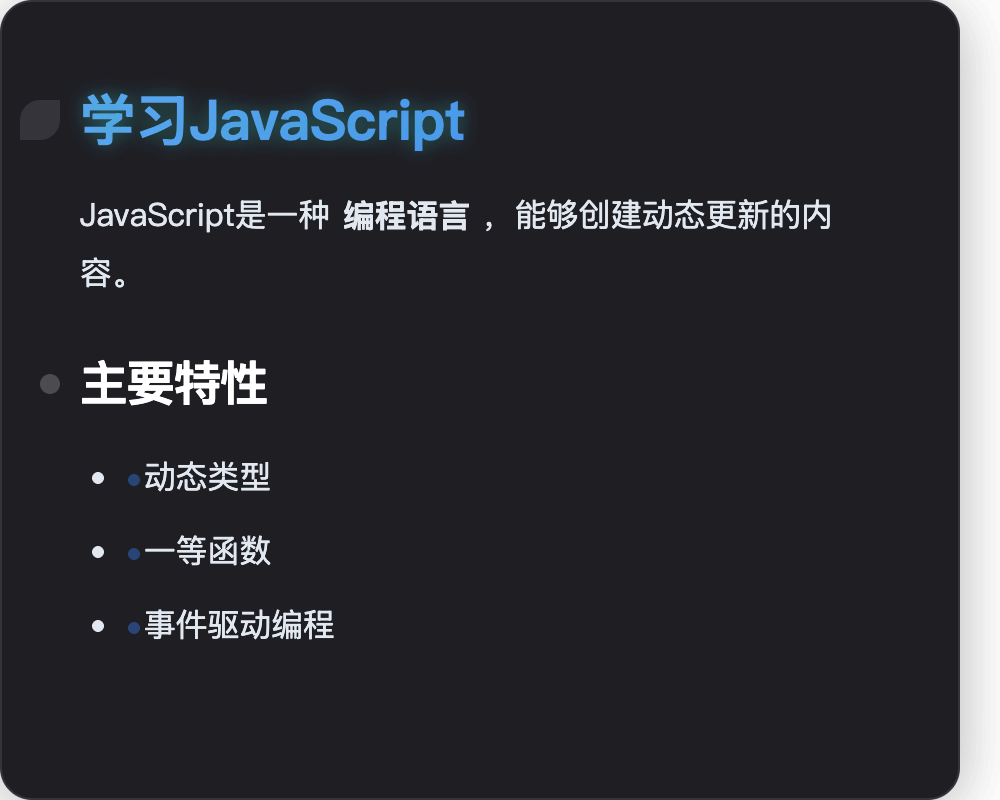
MD2Card is an AI-powered online tool designed to convert Markdown content into visually appealing knowledge cards. It caters to students, educators, and content creators, enabling them to transform notes and documents into engaging, shareable formats. Key features include an AI magic card generator for topic-based card creation, smart text conversion to structure long articles, a real-time Markdown editor with instant preview, and one-click export to various formats like PNG, SVG, and PDF. The platform offers over 30 professional themes, comprehensive Markdown support, and multi-language capabilities. MD2Card streamlines content visualization, making it an efficient md2card markdown solution for diverse use cases.
How does MD2Card work
MD2Card functions as an AI-powered markdown to card tool, converting plain text markdown into visually appealing knowledge cards. Users input markdown content, which the platform processes to create structured cards. It offers a real-time preview of the markdown content and supports various export formats like PNG, SVG, JPEG, and PDF. The md2card AI features can also generate content from topics or extract core information from long texts, automatically structuring it into markdown, demonstrating advanced knowledge management and content creation capabilities. The platform includes a diverse selection of over 30 themes for aesthetic customization.
Benefits of MD2Card
MD2Card transforms Markdown into visually appealing knowledge cards, ideal for students and content creators. This AI-powered tool offers instant previews and one-click export to various formats like PNG and PDF. Users can choose from over 30 professional themes, ensuring their md2card content is engaging. Advanced features include AI-driven content generation from topics and smart text conversion to structured Markdown, enhancing efficiency for all users, whether for study notes or technical documentation.
Pros and Cons of MD2Card
Pros
- AI-powered content generation.
- Offers 30+ beautiful themes.
- Supports multi-format export.
- Provides real-time preview editing.
- Full Markdown syntax support.
Cons
- Free plan has usage limits.
- Paid plans required for advanced features.
- Advertisements on the free tier.
- No offline functionality mentioned.
- Requires internet connection.
Core Features of MD2Card
Markdown to Card Conversion
Transforms Markdown content into visually appealing, structured knowledge cards, enhancing engagement and shareability for diverse users including students and content creators.
AI Magic Card Generation
Automatically generates professionally formatted knowledge cards from input topics, leveraging advanced AI to create unique visual designs and smart content layouts.
AI Smart Text Conversion
Intelligently analyzes long articles or web content, extracting core information and converting it into structured Markdown for efficient knowledge management and summaries.
Real-time Preview and Export
Provides instant visual feedback during editing and supports one-click export to multiple formats like PNG, SVG, and PDF for versatile use cases.
Customizable Theming
Offers a wide selection of over 30 professional and diverse themes, allowing users to personalize the aesthetic of their knowledge cards for various purposes and styles.
Use Cases of MD2Card
- Students: Convert Markdown study notes into visually appealing knowledge cards for efficient learning and revision with MD2Card.
- Educators: Transform Markdown lesson plans into engaging visual teaching materials, enhancing student comprehension using MD2Card.
- Developers: Convert technical documentation and README files into professional knowledge cards for clearer communication and sharing via MD2Card.
- Content Creators: Transform Markdown blog posts into stunning, shareable social media cards using MD2Card's themes and export features.
- Businesses: Summarize lengthy reports and articles into concise, structured MD2Card knowledge cards using AI text conversion.
FAQs of MD2Card
What markdown syntax does MD2Card support?
MD2Card supports a comprehensive range of Markdown syntax, including headings (H1-H6), bold and italic text, links, images, various list types (ordered and unordered), code blocks with syntax highlighting, tables, blockquotes, and mathematical formulas using LaTeX notation. The platform also offers enhanced formatting options through custom extensions, catering to diverse content creation needs.
Can I customize the appearance of markdown cards?
Yes, MD2Card offers extensive customization options for card appearance. Users can select from over 30 professionally designed themes, covering various styles such as business, artistic, tech, classical, and modern. This allows for personalized visual designs to match specific brand aesthetics or content types, enhancing visual appeal and engagement.
How do I export my markdown cards?
MD2Card provides convenient one-click export functionality for your Markdown cards. Users can export their creations in multiple high-quality formats, including PNG, SVG, JPEG, and PDF. Additionally, there is an option to copy the generated card directly to the clipboard, facilitating seamless integration into various documents or presentations.
Is MD2Card free to use?
MD2Card offers a free tier with specific usage quotas for its "Magic Cards" and "Text Conversions" features per month. For users requiring more extensive functionalities or higher usage limits, MD2Card provides several paid plans, including Basic, Pro, and Ultimate, which unlock additional features and increased capacities.
Can I use MD2Card for commercial purposes?
Yes, MD2Card is designed for both personal and professional use cases, including commercial purposes. The platform caters to a wide range of users, such as educators, developers, content creators, and businesses, enabling them to produce professional-grade knowledge cards, presentations, and marketing materials. Paid plans offer expanded features suitable for commercial applications.
Does MD2Card work on mobile devices?
While the context does not explicitly state mobile app availability, MD2Card is described as an "innovative online tool," suggesting it is web-based. This implies that it should be accessible and functional across various devices, including mobile phones and tablets, through a web browser, although optimization for mobile interfaces may vary.
What file formats can I export to?
MD2Card supports exporting your markdown cards into several common and high-quality file formats. These include popular image formats such as PNG, SVG, and JPEG, which are suitable for digital sharing and web integration. Additionally, it supports PDF export, which is ideal for creating printable documents and professional reports.
How does MD2Card handle code syntax highlighting?
MD2Card provides robust support for code syntax highlighting within its Markdown editor. When users include code blocks in their Markdown content, the platform automatically applies syntax highlighting, making the code more readable and visually distinct. This feature is particularly beneficial for developers and technical writers who create documentation or tutorials.
How does MD2Card's AI Magic Cards feature work?
MD2Card's AI Magic Cards feature leverages AI to automatically generate professionally formatted knowledge cards. Users simply input a topic, and the AI processes this input to create visually appealing cards with smart content generation, unique visual designs, and optimized layouts. This capability is powered by advanced AI models, such as Claude 4.0.
What is the purpose of MD2Card's AI Text Conversion?
MD2Card's AI Text Conversion feature is designed to enhance information processing efficiency. It intelligently analyzes long text content, including web content, to automatically extract key information. This extracted data is then converted into a structured Markdown format, facilitating the creation of concise and organized knowledge cards, which is ideal for summarizing articles or academic papers.
How to use MD2Card
MD2Card is an AI-powered online tool designed to convert Markdown content into visually appealing knowledge cards. It serves students, educators, and content creators seeking to transform notes and documents into engaging, shareable formats. The platform offers real-time previews, numerous themes, and multi-format export capabilities.
- To begin, navigate to the MD2Card editor, where a Markdown input area is provided for content creation.
- Input your Markdown text into the editor. Utilize standard Markdown syntax for headings, lists, bold, and italic text.
- For multi-card output, use three hyphens (
---) as a separator between sections of your Markdown content. - Observe the real-time preview of your generated cards on the right-hand side, allowing for immediate visual feedback.
- Select from over 30 beautiful themes to customize the aesthetic of your knowledge cards, catering to various styles and preferences.
- Utilize MD2Card AI Magic Cards by entering a topic to automatically generate professionally formatted knowledge cards.
- Leverage MD2Card Smart Text Conversion to intelligently analyze long text and extract core information, structuring it into Markdown.
- After refining your cards, click the export option. MD2Card supports multiple formats, including PNG, SVG, and PDF, for flexible sharing.
- For advanced customization, specify image dimensions using
directly within your Markdown. - Access additional formatting options, such as colored text, by using specific syntax like
:red{Red Text}to enhance visual impact.
MD2Card Alternatives
AI co-director that turns an idea or script into shot-by-shot storyboard panels for indie filmmakers, with real film shot references and PDF board export.
A browser collection of 13 free creative editors for photos, vector art, PDFs, documents, video, audio, and CAD, opening without an account or install.

Kinovi is a REST API that runs published video, image, and audio AI models from one endpoint. Send a model ID to createTask, poll recordInfo, and pay per use from one shared credit balance.
Coralflavor offers uncensored AI chats without safety filters, plus burn-mode retention, web search, image generation, and an OpenAI-compatible API for U.S. adults.
SpriteGen is an AI sprite creator that turns character descriptions into transparent pixel-art sprite sheets, ready to drop into your game engine.
Meta Image: browser AI studio powered by Muse Image. Edit photos with prompts, remove backgrounds, restore old photos, generate new images.
Create and edit images with Image 2.5 by GPT. Sunburst for precision, Flare for speed, up to 4K, 6 quality modes, and transparent PNG/WebP output.
Generate and edit AI images with Nano Banana Pro. Blend up to 14 images, render crisp text, and create 4K visuals online with studio controls.
Pi is an AI presentation generator that turns ideas into polished slides. One-click generation, smart layouts and templates make decks fast and easy.
Convert PPT to MP4 video online with AI. Upload slides, set duration, resolution and sound, then generate a polished cinematic video with narration and music.
ImagineMyHouse is an AI home design tool that turns room photos into photorealistic interior, exterior, and landscape redesigns while preserving the original space geometry.
SeiSei AI is a free, no-sign-up AI image generator turning text prompts into AI illustrations and realistic photos with no watermark, 5 free images daily.