
KidVoice FAQs
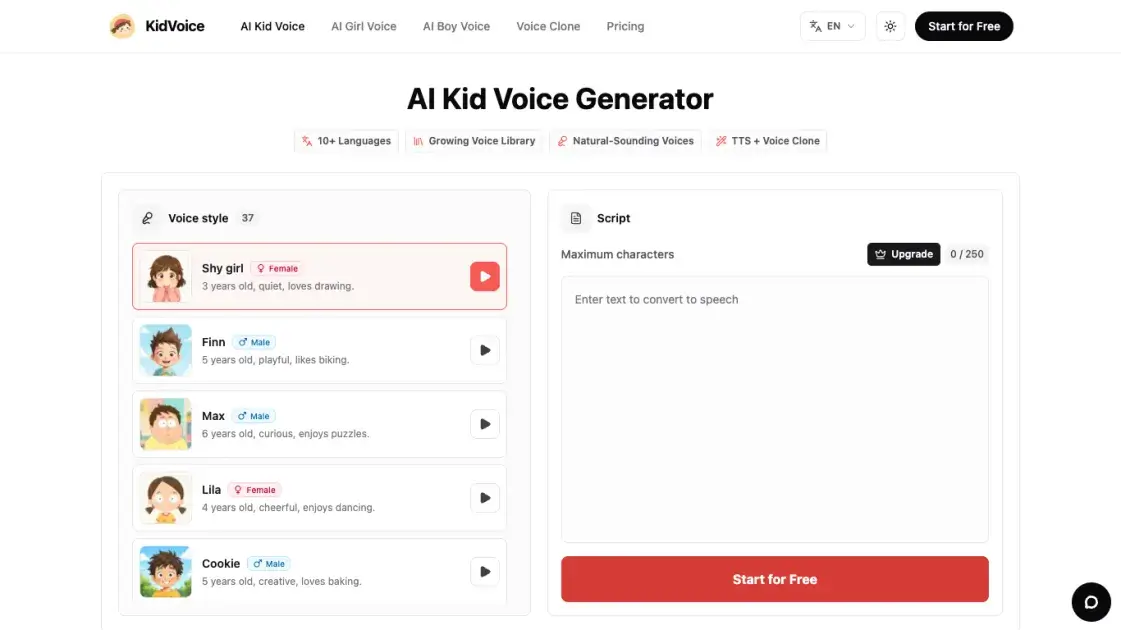
KidVoice is an AI kid voice generator that creates natural child and teen voice audio from text with multilingual support and voice cloning.

FAQs of KidVoice
Is KidVoice a real AI kid voice generator?
KidVoice is an AI-powered platform that generates child and teen voice audio from text input. It uses trained AI models to produce realistic-sounding young voices across multiple age ranges and styles.
How do I create AI kid voices?
Type or paste your text into the input field, choose a voice style from the library, and click generate. The AI produces an audio clip you can preview and download directly from your browser.
Can I create voices in languages other than English?
Yes, KidVoice supports 10 languages: English, Chinese, Japanese, Korean, German, French, Russian, Portuguese, Spanish, and Italian. Each language has its own set of available voice styles.
How many kid and teen voice styles are available?
KidVoice offers 37 voice styles covering kids, teens, and young adults. The library includes different age ranges, genders, and personality types for varied creative needs.
Can I clone a voice instead of choosing a preset?
Yes, KidVoice supports voice cloning from uploaded reference audio. You can provide a sample of a permitted voice and the AI will generate speech matching its tonal characteristics.
What kind of reference audio works best for voice cloning?
Clear, noise-free recordings with minimal background interference produce the best cloning results. Longer samples with varied intonation give the AI more data to work with for accurate replication.
What can I use the audio for?
Generated audio can be used for short video narration, storytelling, educational content, game character voices, music sketches, and other creative projects that require child or teen voice content.
Do I need editing software to hear the result?
No, KidVoice provides in-browser audio preview so you can listen to the generated clip before downloading. No additional software is required for basic playback and quality verification.
Can I regenerate the audio if it does not sound right?
Yes, you can regenerate audio by adjusting the text, switching voice styles, or modifying settings. Each regeneration uses credits from your account balance.
Can I download the generated audio?
Yes, all generated audio clips are available for immediate download in standard audio formats after previewing in the browser.
How to use KidVoice
- Visit the KidVoice website and navigate to the voice generator interface in your browser.
- Type or paste the text you want to convert into child or teen speech in the input field.
- Browse the voice library and select a style from the 37 available kid, teen, or young adult options.
- Click the generate button and wait for the AI to process your text into an audio clip.
- Preview the generated audio in the browser to verify the quality and voice match.
- Download the audio file in your preferred format for use in your project.
