
Happy Horse AI turns text or images into cinema‑grade videos

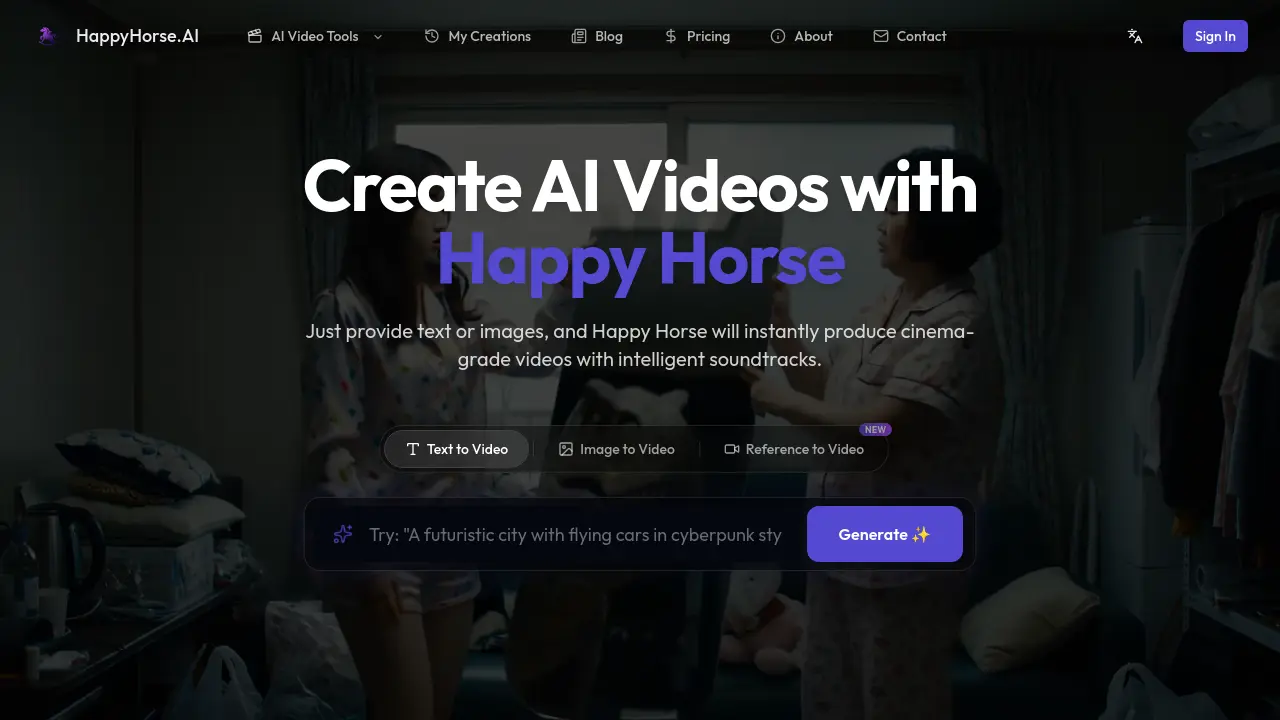
What is Happy Horse
Happy Horse is an AI‑driven video generation platform that converts text prompts, images, or reference clips into cinema‑grade videos with synchronized soundtracks. Users input a detailed description, select style, duration, and aspect ratio, then the engine renders up to 2K resolution output in a single pass, eliminating the need for separate audio or post‑production editing. The system supports full multimodal control, allowing combinations of text, images, video fragments, and audio masks, and offers professional‑grade editing tools such as local inpainting, element removal, and action‑consistent character rendering. Built on a proprietary foundation model, Happy Horse delivers high visual fidelity, realistic lighting, and consistent motion across multi‑shot sequences, making it suitable for content creators, marketers, indie filmmakers, and e‑commerce sellers seeking fast, high‑quality video production. Free credits are available on sign‑up, with optional paid plans for extended resolution and usage.
How does Happy Horse work
Happy Horse operates as a multimodal AI video generator that converts text prompts, static images, or reference clips into cinema‑grade footage. Users input a description or visual source, select style, duration, aspect ratio, and optionally enable audio synthesis; the platform’s proprietary model then performs joint video‑audio generation, producing synchronized lip‑sync and ambient sound in a single pass. During rendering, reference images and action guides maintain character fidelity and physical realism across frames, while built‑in editing tools allow in‑painting, out‑painting, and local element replacement. The system supports up to 2K resolution, multiple input modalities, and rapid preview‑to‑download workflows.
Benefits of Happy Horse
Happy Horse is an AI‑driven video generator that turns text prompts, images, or reference clips into cinema‑grade videos with synchronized sound in a single pass. The platform supports joint video‑audio creation, multi‑modal inputs, and professional‑grade editing tools such as inpainting, outpainting, and subject‑level replacement, ensuring consistent character fidelity across frames. Users can customize style, duration, aspect ratio, and resolution up to 2K, then download high‑resolution files for social media or marketing use. With over one million videos produced and a free starter tier, Happy Horse streamlines production for creators, marketers, and e‑commerce sellers alike.
Pros and Cons of Happy Horse
Pros
- Cinematic‑grade video quality up to 2K resolution.
- Joint video‑audio generation synchronizes sound instantly.
- Supports text, images, video fragments, and audio inputs.
- Multi‑shot storytelling maintains visual consistency.
- Free credits and no credit‑card sign‑up required.
Cons
- Maximum resolution limited to 2K, not full 4K.
- Production relies on credit system; extensive use costs.
- Advanced editing features may have a learning curve.
- Rendering can take several minutes for complex scenes.
- Platform availability depends on internet connection only.
Core Features of Happy Horse
Text‑to‑Video Generation
Creates cinema‑grade videos directly from user‑written prompts, handling scene composition, lighting, and motion without manual animation.
Image‑to‑Video Generation
Transforms a single image or reference picture into a dynamic video sequence, preserving visual style and introducing realistic motion.
Reference‑to‑Video (Multi‑Shot Consistency)
Uses reference frames and action guides to maintain character fidelity and physical realism across multiple shots and scene transitions.
Joint Video‑Audio Synthesis
Generates synchronized lip‑syncing visuals and ambient soundtracks in a single pass, eliminating separate audio post‑production steps.
Full Multi‑Modal Input Control
Combines text, images, video fragments, audio clips, and masks, allowing precise orchestration of scene elements and narrative flow.
Professional‑Grade Editing Tools
Provides local modifications such as subject replacement, inpainting, outpainting, and watermark removal for fine‑tuned post‑production adjustments.
High‑Resolution Cinematic Output
Delivers videos up to 2K resolution with authentic textures, lighting composition, and physically accurate motion for film‑quality results.
Use Cases of Happy Horse
- Content creators: Produce cinema‑grade intros and episodic clips from simple text prompts, reducing production time.
- Marketing teams: Generate multi‑shot product demos with synchronized audio, enabling rapid ad iteration.
- Indie filmmakers: Visualize storyboard concepts in 2K resolution, preserving character consistency across scenes.
- Social media managers: Create vertical (9:16) TikTok or Instagram videos from images, streamlining platform‑specific publishing.
- E‑commerce entrepreneurs: Batch‑produce high‑detail product showcase videos without manual editing, enhancing online listings.
FAQs of Happy Horse
What is HappyHorse.AI and what is Happy Horse?
HappyHorse.AI is an independent AI video creation platform that provides users with the Happy Horse model API. The service enables text‑to‑video, image‑to‑video, and reference‑based video generation, delivering cinema‑grade visuals and synchronized audio in a single workflow.
Why should I use this integrated platform instead of direct alternatives?
The platform combines multimodal input, joint video‑audio generation, and professional‑grade editing tools, allowing creators to produce high‑quality videos without separate software for sound design, visual effects, or post‑production. Its intuitive interface reduces production time and cost compared with traditional pipelines.
What types of videos can I create?
Happy Horse supports a wide range of styles, including cinematic shots, anime sequences, stop‑motion claymation, product demos, architectural walkthroughs, and multi‑shot storytelling. Users can specify genre, lighting, camera angles, and even detailed action guidance to achieve the desired visual narrative.
Does this platform generate synchronized audio?
Yes. The joint video‑audio generation module produces lip‑synced dialogue, ambient sound effects, and musical scores alongside the visual frames in a single pass, eliminating the need for separate audio‑mixing steps.
What resolution and aspect ratios are supported?
Happy Horse can render videos up to 2K resolution. Aspect ratios include standard widescreen (16:9) and mobile‑friendly formats such as 9:16 for TikTok or Instagram Stories, providing flexibility for different distribution channels.
How do credits work?
When users sign up, they receive free starter credits that can be spent on video rendering. Each generated video consumes a credit amount based on selected resolution, duration, and additional features like multi‑shot mode or custom audio. Additional credits are purchasable through the pricing page, and unused credits do not expire.
Can I edit videos after generation?
The platform offers professional‑grade editing tools, including local element replacement, inpainting, outpainting, and mask‑based modifications. Users can refine specific subjects, remove watermarks or logos, and adjust lighting or motion without re‑rendering the entire clip.
What input modalities are accepted?
Happy Horse supports five input types: plain text prompts, static images, short video fragments, audio clips, and mask images. These modalities can be mixed arbitrarily, enabling precise control over scene composition, character appearance, and sound design.
Is there an API for developers?
Yes. Happy Horse provides an API that allows developers to integrate its video‑generation capabilities into external applications, services, or automated pipelines. Documentation and authentication details are available in the developer portal, facilitating custom workflows and scaling.
How to use Happy Horse
Happy Horse is an AI‑driven video generator that converts text prompts, images, or reference clips into cinema‑grade videos with synchronized soundtracks and high‑resolution rendering.
Begin by entering a descriptive text prompt or uploading a source image in the “Create” interface; the system parses the input to establish scene composition.
Adjust optional parameters such as video style, duration, aspect ratio, and audio generation; these settings guide the model’s rendering pipeline for consistent output.
Click Generate; Happy Horse processes the multimodal input, producing a preview video that incorporates joint video‑audio synthesis and action consistency.
Review the preview, noting visual fidelity, motion continuity, and audio‑lip sync; use the on‑screen timeline to assess scene transitions and frame quality.
If satisfied, download the final video in up to 2K resolution, then share or embed it on social platforms to achieve marketing, storytelling, or educational objectives.
Happy Horse Website Traffic Analysis
Latest traffic information
- Monthly Visits22.64K
- Bounce Rate51.06%
- Pages Per Visit2.71
- Visit Duration00:01:09
- Global Rank1.02M
- Country/Region Ranking42.11K
Visits Over Time
Traffic Sources
- Organic Search: 50.11%
- Direct: 32.46%
- Referrals: 12.59%
- Organic Social: 2.58%
- Mail: 1.13%
- Display Ads: 1.13%
Top Keywords
| Keyword | Traffic | Volume | Cost Per Click |
|---|---|---|---|
| happyhorse | 2.17K | 166.27K | $0.4 |
| happy horse | 1.12K | 133.21K | $0.61 |
| happy horse ai | 470 | 34.2K | -- |
| happyhorse ai | 330 | 9.7K | -- |
| happyhorse官网 | 180 | 1.8K | -- |
Top Regions
| Region | Percentage |
|---|---|
| China | 94.31% |
| Singapore | 1.67% |
| United States | 1.04% |
| Taiwan | 0.88% |
| India | 0.78% |
