
HappyHorse AI Video Generator with synced audio

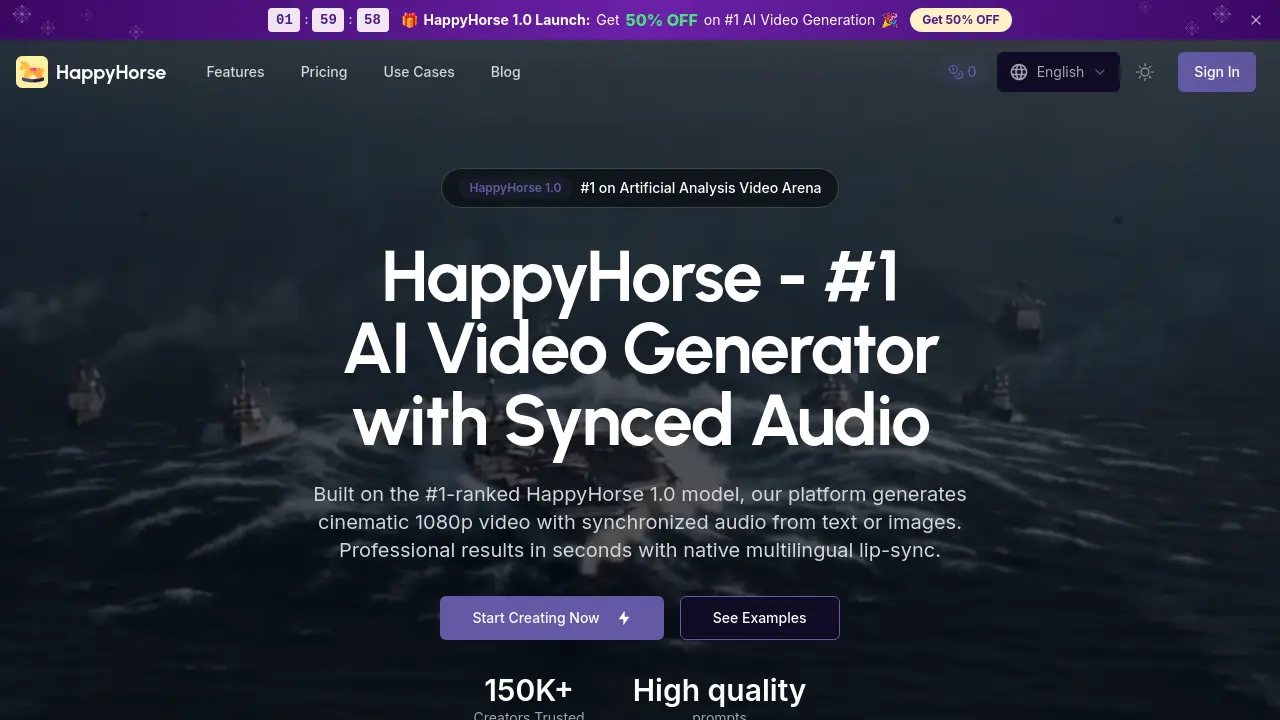
What is HappyHorse
HappyHorse is an AI-powered video generation platform that enables users to create cinematic videos with synchronized audio from text prompts or reference images. Powered by the #1-ranked HappyHorse 1.0 model, the system delivers 1080p output with multilingual lip-sync in six languages. The platform's unified Transformer architecture generates video and audio in a single denoising pass, eliminating the need for separate audio editing.
Users can create videos by writing scene descriptions or uploading images, then generating content with native dialogue, ambient sound, and Foley effects. The platform supports multiple aspect ratios for social media, e-commerce, and film applications. With commercial licenses available and production-ready outputs, HappyHorse caters to creators seeking efficient, professional video generation.
How does HappyHorse work
HappyHorse operates as an AI video generation platform powered by its proprietary HappyHorse 1.0 model, a 15-billion-parameter unified Transformer that jointly generates 1080p video and synchronized audio from text prompts or reference images. The platform uses a single denoising pipeline to produce cinematic content with natural lip-sync in six languages, eliminating the need for separate post-production. Users input their creative vision through text descriptions or upload images, select parameters such as resolution (up to 1080p), aspect ratio (16:9, 9:16, 1:1), and clip duration, then the model renders professional-quality output with dialogue, ambient sound, and Foley effects in just eight denoising steps. Multiple aspect ratios and platform-specific optimizations ensure videos are delivery-ready for social media, marketing, film previsualization, e-commerce showcases, educational content, and creative art projects. The web-based system provides cross-platform access without requiring GPU hardware or software installation, allowing creators to rapidly iterate and export production-ready content directly from their browser.
Benefits of HappyHorse
HappyHorse is the #1 AI video generation platform, offering cinematic 1080p video with synchronized audio from text or images. Built on the HappyHorse 1.0 model, it delivers professional results in seconds with native multilingual lip-sync in six languages. The platform integrates video and audio generation in a single pass, eliminating the need for separate editing. Users can create scroll-stopping social media content, product marketing videos, film previsualization, e-commerce showcases, and educational material. With cross-platform web access and flexible pricing plans, HappyHorse empowers creators worldwide to transform ideas into high-quality video effortlessly.
Pros and Cons of HappyHorse
Pros
- 50% launch discount available.
- Generates cinematic 1080p video with synchronized audio.
- Supports text-to-video and image-to-video creation.
- Native multilingual lip-sync in six languages.
- Cloud-based access, no downloads required.
Cons
- Limited free tier with only 20 credits.
- Professional plan is quite expensive monthly.
- Only one model (HappyHorse 1.0) available.
- Maximum 60-second clip duration.
- Credit-based pricing may increase costs quickly.
Core Features of HappyHorse
AI Video Generation
Transforms text prompts and reference images into cinematic 1080p videos using the HappyHorse 1.0 unified Transformer model.
Synchronized Audio Generation
Produces dialogue, ambient sound, and Foley effects together with video frames in a single pass, ensuring perfect audio-visual alignment.
Multilingual Lip-Sync
Generates natural speech coordination with native lip-sync in six languages: Chinese, English, Japanese, Korean, German, and French.
Multiple Aspect Ratio Support
Exports videos in various formats including 16:9 for YouTube, 9:16 for Instagram, and 1:1 for social media platforms.
Use Cases of HappyHorse
- Social Media Marketers: Generate scroll-stopping TikTok and Instagram Reels clips with native lip-sync to boost engagement without production teams.
- E-Commerce Brands: Turn static product photos into dynamic 360-degree showcases using image-to-video, increasing listing conversion rates.
- Film Previsualization Teams: Rapidly prototype dialogue scenes and test lighting setups with synchronized audio before live production shoots.
- Educational Content Creators: Build multilingual explainer videos with natural lip-sync across six languages for global online courses.
- Product Demo Marketers: Create polished feature presentations from text prompts with synchronized voiceover, cutting traditional production costs by over 80%.
FAQs of HappyHorse
What is HappyHorse and how does it generate video?
HappyHorse is an AI video generation platform built on the HappyHorse 1.0 model — a 15-billion-parameter unified Transformer ranked #1 on Artificial Analysis. It jointly produces 1080p video and synchronized audio from text prompts or reference images in a single denoising pass.
Do I need editing skills to use HappyHorse?
No technical skills are required. Simply write a text description of your desired scene or upload a reference image. The platform handles cinematography, lighting, character animation, and audio generation automatically.
How fast does HappyHorse generate a video?
The HappyHorse 1.0 model produces cinematic 1080p clips in only 8 denoising steps thanks to its distilled pipeline. Most short clips finish in well under a minute, making rapid iteration and batch production practical for any team.
Can I use HappyHorse output for commercial purposes?
Yes. Professional and Enterprise subscribers receive a full commercial use license. You can use HappyHorse-generated content for social media marketing, advertising campaigns, product demos, educational material, and other business applications.
What languages does HappyHorse support for lip-sync?
HappyHorse natively supports lip-sync in six languages: Chinese, English, Japanese, Korean, German, and French. The model understands each language's phonetics to produce natural speech coordination and expressive facial performance.
What's included in HappyHorse's Free plan?
The Free plan offers 20 credits and 2 generation sessions with standard quality output. This tier is designed for users who want to explore HappyHorse's video generation platform before upgrading to a paid plan.
How do I get the 10% discount mentioned in the launch?
Use the code HAPPYHORSE10 at checkout when purchasing any subscription or credit pack through the pricing page. The discount applies to your payment and is valid during the launch period.
What aspect ratios can I export from HappyHorse?
HappyHorse supports multiple aspect ratios including: 16:9 for landscape and film content, 9:16 for TikTok and Instagram Reels, 1:1 for social feeds, 4:3 for classic formats, 3:4 for vertical style, and 21:9 for cinematic widescreen presentations.
Can I upload my own images to create videos?
Yes, HappyHorse includes an image-to-video feature where you can upload reference images in JPG, PNG, or WebP formats (under 35MB). The platform preserves visual details from your photo while adding motion synthesis and synchronized audio.
How does HappyHorse handle audio generation?
HappyHorse uses a unified Transformer that jointly produces video and audio in a single pass. This means dialogue, ambient sound, and Foley effects are perfectly synchronized with frames without requiring separate audio editing or dubbing.
How to use HappyHorse
- First, navigate to the HappyHorse video generator page and choose between "Text-to-Video" or "Image-to-Video" generation.
- Write a descriptive prompt detailing your scene, characters, dialogue, visual style, and lighting preferences.
- Select your preferred language for lip-sync and set output parameters like resolution, aspect ratio, and video duration.
- Click "Generate Video" and wait for the HappyHorse 1.0 model to process your request and create the video.
- Preview the generated output, make adjustments to your prompt if needed, and download the finished video and audio files.
HappyHorse Website Traffic Analysis
Latest traffic information
- Monthly Visits544
- Bounce Rate44.71%
- Pages Per Visit1.04
- Visit Duration00:00:00
- Global Rank--
- Country/Region Ranking--
Visits Over Time
Top Keywords
| Keyword | Traffic | Volume | Cost Per Click |
|---|---|---|---|
| happyhorse | 140 | 166.27K | $0.4 |
| happy horse | 80 | 133.21K | $0.61 |
| happyhorse-1.0 | 10 | 27.56K | -- |
| happy horse 1.0 | 10 | 18.91K | -- |
| happyhourse | 10 | 4.26K | -- |
Top Regions
| Region | Percentage |
|---|---|
| Myanmar (Burma) | 52.24% |
| United States | 47.76% |
