
GoAISong FAQs
GoAISong is an AI music generation website for creators and marketers that produces complete, MP3‑ready songs with vocals, lyrics, beats and covers, delivering commercial‑licensable tracks in minutes.

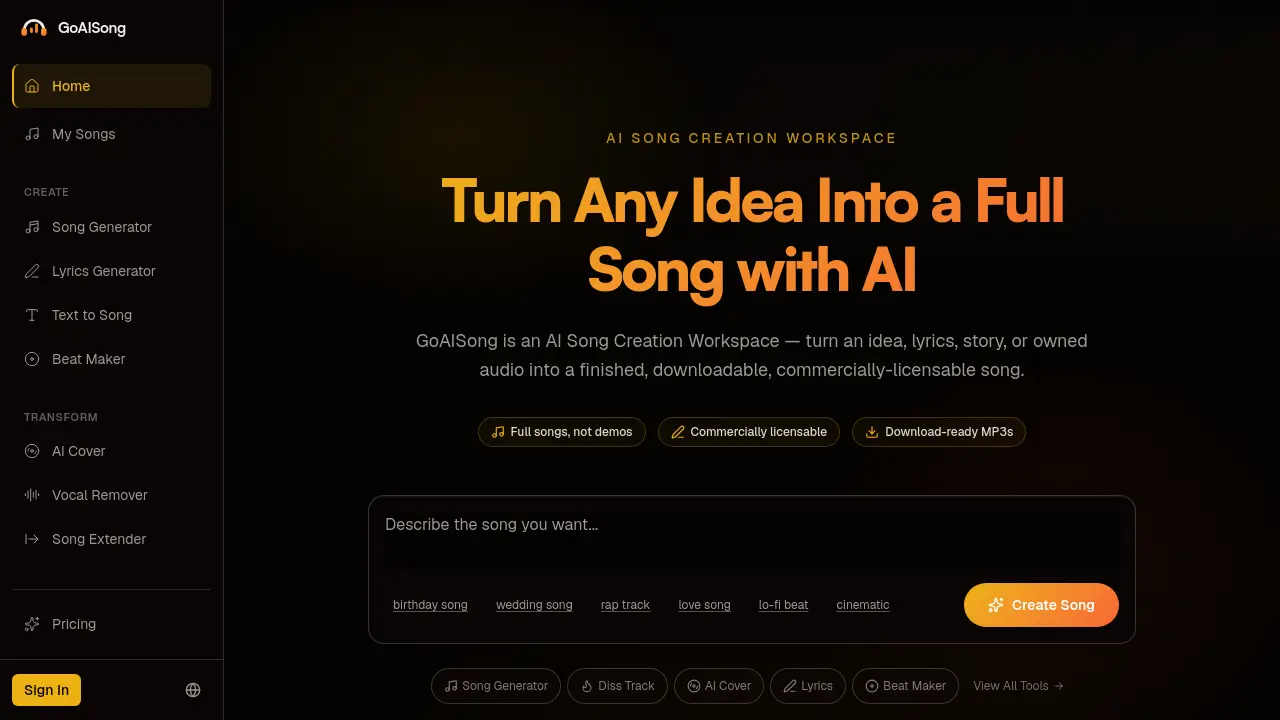
FAQs of GoAISong
What can I create with GoAISong?
GoAISong enables users to generate complete, commercially‑licensable songs from a simple idea, set of lyrics, or existing audio. The platform produces full‑length tracks with vocals, melody, arrangement, and production across more than 50 genres, including pop, hip‑hop, lo‑fi, jazz, country, and electronic.
Which tool should I start with?
New users are encouraged to begin with the Song Generator, which guides them through describing the desired outcome, selecting genre and mood, and receiving two song variations. For lyric‑first workflows, the Lyrics Generator or Text to Song tools provide a smoother entry point.
How do credits work?
Each plan allocates a specific number of credits that are consumed when a song, lyric set, beat, or cover is generated. Credits are deducted per generation (two variations per request) and can be replenished by upgrading the subscription or purchasing additional credit bundles. Unused credits remain available until the end of the billing cycle.
Can I use GoAISong songs commercially?
Yes. GoAISong offers a commercial‑use license that grants the right to distribute, monetize, or incorporate the downloaded MP3s into client projects, advertising campaigns, or commercial content. The license terms differ between the free and paid tiers, so users should verify the scope in the Commercial Use Guide before deploying a track for revenue‑generating purposes.
What genres, moods, and styles can I create?
The platform supports over 50 genres and multiple mood presets, allowing combinations such as “romantic R&B,” “energetic EDM,” or “melancholic folk.” Users can also define custom vocal directions (e.g., male, female, rap, soft) to tailor the stylistic character of the generated song.
How is GoAISong different from other AI music tools?
GoAISong focuses on delivering full songs, not just loops or stems. It integrates lyrics, vocal synthesis, melody, arrangement, and mastering into a single downloadable MP3, reducing the need for external DAW work. The three‑step workflow, two‑variation output, and built‑in licensing management distinguish it from tools that only generate instrumentals or require manual post‑processing.
How long does it take to generate a song?
Typical generation times range from 30 seconds to 2 minutes, depending on the complexity of the prompt, selected genre, and server load. The platform is optimized for rapid iteration, allowing creators to compare two variations quickly before refining the final track.
What languages does GoAISong support?
GoAISong accepts prompts in multiple languages, including English, Spanish, Portuguese, and several additional languages supported by its underlying language model. However, the quality of lyrical nuance may vary; English prompts generally produce the most reliable results.
Do I need musical experience to use GoAISong?
No prior musical knowledge is required. The interface provides guided inputs for genre, mood, and vocal direction, and the AI handles composition, arrangement, and production automatically. Users can focus on the creative concept rather than technical audio engineering.
Is my music private?
All user‑generated content remains private to the account unless the creator chooses to share it publicly. GoAISong’s privacy policy outlines data handling practices, and uploaded source audio for AI Cover or Song Extender is processed securely and not retained beyond the generation session unless explicitly saved by the user.
Is GoAISong free to use?
GoAISong offers a free tier that includes a limited number of credits for creating songs, lyrics, beats, and covers. For higher volume, commercial licensing, or advanced features, users can upgrade to a paid plan with additional credits and priority processing.
How can I remove vocals from an existing track?
The Vocal Remover tool isolates and extracts vocal tracks from user‑uploaded audio, producing clean instrumental stems suitable for karaoke, remixes, or practice. Users simply upload the source file, select the removal option, and download the resulting stem in seconds.
Can I extend an unfinished demo into a full song?
Yes. The Song Extender accepts a short hum, riff, or partially recorded demo and expands it into a complete, downloadable track. The AI matches the original tempo, key, and energy, preserving the creator’s artistic intent while adding full arrangement and production.
What is the refund policy for paid plans?
GoAISong provides a 3‑day refund window for newly purchased subscriptions or credit bundles. Refund requests must be submitted through the support email within this period; after three days, credits are non‑refundable but can be carried over until the subscription expires.
How do I ensure I have the right license for a cover song?
When using the AI Cover tool, users must upload only audio they own or have explicit permission to transform. The platform then generates a cover under a specific license that outlines allowed commercial or personal use. Reviewing the AI Cover Safety guide helps maintain compliance with copyright regulations.
How to use GoAISong
GoAISong functions as an AI‑driven song creation workspace, generating full‑length, commercially licensable MP3 tracks from brief prompts, lyrics, or existing audio files.
Begin by opening the Song Generator, entering a concise description of the desired outcome—e.g., “birthday surprise pop track”—and optionally selecting genre, mood, and vocal style.
Submit the prompt; the platform instantly produces two distinct song variations, each containing lyrics, melody, vocal performance, and complete production.
Play back the generated samples within the interface; compare the two versions by listening to arrangement, lyrical relevance, and overall vibe.
Choose the preferred variation, then click Download MP3 to obtain a ready‑to‑use audio file suitable for gifting, video backgrounds, or commercial projects.
If further refinement is needed, edit the original brief or adjust genre/mood parameters, then regenerate to receive updated variations without losing prior drafts.
After download, review the licensing details provided in the Commercial Use section to ensure the track meets the intended usage rights.
Store the final song in the My Songs library for future access, allowing easy reuse of lyrics or prompts in subsequent GoAISong tools such as Beat Maker or AI Cover.
