
Youtube to PPT Introduction
GenPPT AI, powered by Gemini 3 Flash, converts YouTube videos to professional PPT slides by analyzing content and extracting key points with customization and multi-language support.

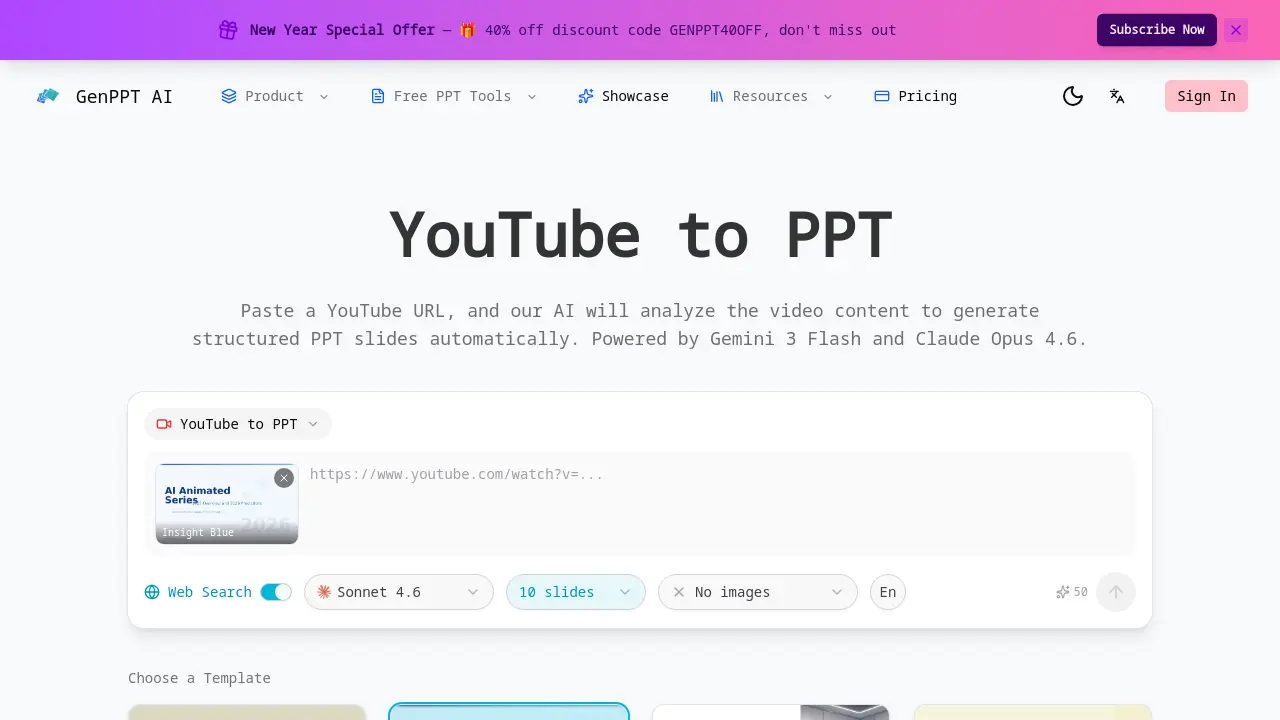
What is Youtube to PPT
YouTube to PPT is an AI-powered tool that automatically converts YouTube video content into structured PowerPoint presentations. By pasting a public YouTube URL, the system uses advanced AI models like Gemini 3 Flash and Claude Opus 4.6 to analyze the video, extract key points, and organize them into logical slide structures with titles and bullet points.
The tool offers significant customization, allowing users to control slide count (5-40), choose from multiple AI models, enable web search for enriched content, and add AI-generated illustrations. A real-time preview shows the generation process, and the final PPTX file downloads instantly for editing in PowerPoint or Google Slides.
A key differentiator is its native YouTube to PPT capability, providing direct video content analysis without requiring manual transcripts. Multi-language support for 31 languages, including English, Chinese, Spanish, and Japanese, broadens its utility for global users. Compared to alternatives like Gamma or Canva, this service uniquely specializes in transforming video media into polished presentation decks, saving substantial time for educators, marketers, and researchers needing to repurpose video content. The process requires credits but delivers a streamlined workflow from video link to editable slideshow.
How does Youtube to PPT work
YouTube to PPT operates by processing a public YouTube URL through integrated AI models, specifically Gemini 3 Flash and Claude Opus 4.6. The system performs AI video analysis to extract key narrative points and thematic content from the video. This information is then automatically structured into a coherent slide deck with titles and bullet points. Users can customize parameters including slide count (5-40), selection from 31 output languages, and template style. A real-time preview displays the generation progress, and the final output is exported as an editable PPTX file. The tool requires credit consumption for each conversion.
Benefits of Youtube to PPT
YouTube to PPT leverages AI to automatically convert YouTube videos into structured PowerPoint presentations. Users simply paste a video URL, and the tool—powered by models like Gemini 3 Flash—analyzes content to extract key points and organize them into slides with titles and bullet points. It supports 31 languages and offers customization, including slide count (5-40), web search, and AI model choice. Real-time preview shows progress, and instant downloads in PPTX format allow easy editing in PowerPoint or Google Slides, streamlining presentation creation for academic or professional projects.
Pros and Cons of Youtube to PPT
Pros
- Native YouTube URL integration for easy input.
- AI video analysis automatically extracts key points.
- Supports 31 languages for multi-language output.
- Customizable slide count and AI model selection.
- Real-time preview shows generation progress.
Cons
- Requires paid credits for each generation.
- Only processes public YouTube videos.
- Default template includes no AI-generated images.
- Slide count limited to a maximum of 40.
- Accuracy depends on AI model interpretation.
