
Markdown to PPT
AI-Powered Markdown to PPT Converter - Free Online Tool

What is Markdown to PPT
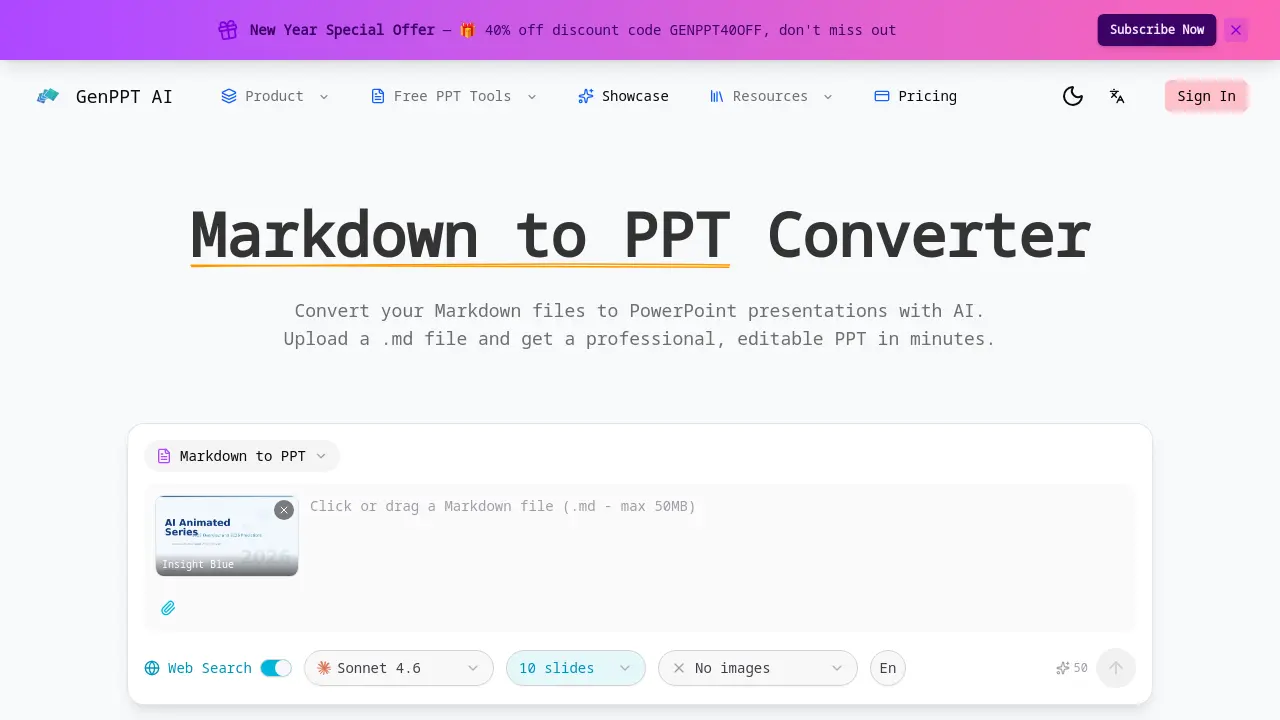
Markdown to PPT Converter is an AI-powered tool designed to transform .md files into professional PowerPoint presentations. It parses Markdown syntax natively, converting headings into slide titles and hierarchy, formatting lists and tables, and preserving code blocks with syntax highlighting. The AI applies professional layouts and typography to generate visually structured slides from plain text.
The output is a fully editable .pptx file, allowing for post-conversion customization. This tool is particularly useful for developers, technical writers, and educators who regularly create presentations from documentation or notes. Key benefits include fast conversion without requiring sign-up, maintaining the integrity of technical content, and eliminating manual slide formatting. The service operates online, offering a straightforward solution for converting structured Markdown into presentation-ready decks efficiently.
How does Markdown to PPT work
GenPPT AI's Markdown to PPT converter automates presentation creation by parsing uploaded .md files. The tool uses AI to map Markdown syntax—headings establish slide hierarchy, lists form bullet points, and fenced code blocks retain syntax highlighting. Tables are structured into slides, and the system applies a selected template's professional layouts and typography. This native Markdown parsing, including direct .md file upload, distinguishes it from competitors requiring manual text input. The output is a fully editable PowerPoint file (.pptx), enabling customization after conversion for developers and technical writers.
Benefits of Markdown to PPT
GenPPT.AI's Markdown to PPT converter uses AI to transform .md files into professional, editable PowerPoint presentations. It natively interprets Markdown syntax—mapping headings to slide hierarchy, formatting lists and tables, and preserving code blocks with syntax highlighting for technical accuracy. The tool applies polished designs automatically while outputting fully customizable .pptx files. With fast, free conversion requiring no sign-up, it provides an efficient solution for developers, technical writers, and students to create structured slides from plain-text Markdown sources.
Pros and Cons of Markdown to PPT
Pros
- Native Markdown (.md) file upload supported.
- AI automatically parses Markdown syntax.
- Code blocks with syntax highlighting.
- Professional slide design from plain text.
- Fully editable PowerPoint (.pptx) output.
Cons
- Online-only tool access required.
- Markdown feature support still expanding.
Core Features of Markdown to PPT
Markdown to PPT Conversion
Converts uploaded Markdown (.md) files into professional PowerPoint presentations using AI, enabling quick generation of editable slides without manual formatting.
Native Markdown Syntax Parsing
Automatically interprets Markdown elements including headings, lists, and tables, preserving their structure and formatting during conversion to slide content.
Code Block Support with Syntax Highlighting
Preserves fenced code blocks with proper syntax highlighting, ensuring technical content is accurately and clearly presented in the generated slides.
Heading-Based Slide Structure Mapping
Maps Markdown heading levels (H1, H2, H3) to slide titles, section dividers, and subheadings for logical presentation organization and flow.
Professional Slide Design
Applies AI-selected layouts, color schemes, and typography to transform plain Markdown text into visually professional PowerPoint slides.
Fully Editable PPTX Output
Generates a standard .pptx file allowing full customization of all elements after conversion, enabling personalized presentation adjustments.
Fast and Free Conversion
Provides quick, no-signup conversion of Markdown to PPT, making the tool accessible and efficient for immediate presentation creation needs.
Use Cases of Markdown to PPT
- Developers: Convert Markdown documentation with code blocks into professional PPT using syntax highlighting.
- Technical Writers: Transform structured Markdown reports into editable slide decks for training sessions.
- Researchers: Adapt academic papers from Markdown to PPT for conference presentations with heading hierarchy.
- Startup Teams: Generate investor pitch decks from Markdown business plans efficiently with templates.
- Sales Managers: Create product demonstration slides from Markdown feature lists without manual formatting.
FAQs of Markdown to PPT
How does the Markdown to PPT converter work?
The converter uses artificial intelligence to process uploaded Markdown (.md) files. It parses the text structure, identifying headings, lists, code blocks, and tables. The AI then applies professional slide layouts and design principles to transform this plain-text content into a cohesive PowerPoint presentation. The final output is a fully editable .pptx file ready for customization.
Does it support code blocks and tables?
Yes, the converter explicitly supports technical elements. Fenced code blocks are preserved with proper syntax highlighting, making code readable in slides. Tables are automatically rendered as structured data slides with formatted cells. This ensures technical documentation and developer notes are accurately represented in the final presentation.
How are Markdown headings mapped to slides?
The AI maps Markdown headings to a slide hierarchy based on heading levels. An H1 heading typically creates a section divider or title slide. H2 headings generate main slide titles, while H3 headings become subheadings within slides. This creates a logical flow that mirrors the original document structure.
Is the Markdown to PPT converter free?
The core Markdown to PPT conversion is free to use with no sign-up required. Users can convert files without cost, though the service may have usage limits or offer premium features for higher volume. The free tier provides access to the primary conversion functionality described on the website.
Can I convert README.md files to presentations?
Yes, converting standard README.md files is a common use case. The AI parser recognizes typical README syntax, including project descriptions, installation steps (often in lists), and code snippets. This allows developers to quickly turn project documentation into overview presentations for meetings or onboarding.
What output file format is provided after conversion?
The tool generates a standard PowerPoint file in the .pptx format. This file is fully compatible with Microsoft PowerPoint, Google Slides, and other presentation software. Users can edit all elements, including text, layouts, and images, after the AI completes the initial conversion from Markdown.
Do I need to create an account to use the Markdown to PPT converter?
No account creation is necessary to use the converter. The service operates on a web-based, no-login model for the free conversion feature. Users can simply upload their Markdown file and receive the PowerPoint output directly, facilitating quick and anonymous access.
Can I choose different design templates for my presentation?
Yes, multiple pre-designed templates are available for selection before conversion, such as Insight Blue and Clarity Glass. Choosing a template influences the AI's decisions on color schemes, typography, and overall slide aesthetics, allowing some control over the final presentation's visual style.
How does AI improve the slide design during conversion?
The AI analyzes the Markdown content and automatically applies professional design principles. It selects appropriate layouts, harmonizes color palettes, and optimizes typography for readability. This process旨在 elevate plain text into a visually structured presentation without requiring the user to have design skills.
Are there any limitations to the Markdown syntax supported?
While the tool handles core Markdown elements like headings, lists, code blocks, and tables, its support for advanced or niche Markdown extensions is expanding. The comparison note indicates it is still broadening feature support, meaning very complex nested structures or non-standard syntax may not render perfectly compared to a full Markdown processor.
How to use Markdown to PPT
GenPPT AI's Markdown to PPT converter is an AI-powered tool that transforms Markdown files into professional, editable PowerPoint presentations, specifically supporting code syntax and heading-based slide structure for technical and academic use.
- Users access the converter via the GenPPT AI website, navigating to the Markdown to PPT tool without mandatory registration for basic conversions.
- A local .md file is uploaded through the interface, leveraging native file support that avoids manual content pasting or formatting adjustments.
- Choose a design template such as Insight Blue or Clarity Glass to apply a consistent visual style and color scheme to the presentation.
- The AI automatically parses the Markdown syntax, mapping headings to slide titles, preserving code blocks with syntax highlighting, and formatting tables.
- Review the generated slides to confirm accurate conversion, checking that heading hierarchy creates logical flow and technical elements render correctly.
- Download the output as an editable PPTX file, compatible with Microsoft PowerPoint and other presentation software for further customization.
- Apply the converted slides in technical documentation, lectures, or team meetings, utilizing the professional design and precise Markdown parsing for efficient communication.
Markdown to PPT Website Traffic Analysis
Latest traffic information
- Monthly Visits91
- Bounce Rate37.19%
- Pages Per Visit1.07
- Visit Duration00:00:00
- Global Rank3.4M
- Country/Region Ranking--
Top Regions
| Region | Percentage |
|---|---|
| Spain | 100% |
Markdown to PPT Alternatives
Pi is an AI presentation generator that turns ideas into polished slides. One-click generation, smart layouts and templates make decks fast and easy.
Convert PPT to MP4 video online with AI. Upload slides, set duration, resolution and sound, then generate a polished cinematic video with narration and music.

Turn JPG, PNG, and WebP images into editable PowerPoint slides. Upload up to 10 images, set the order, and let AI rebuild each image as a real slide.
Gamma AI is an AI presentation generator that turns text, PDF, and Word into slides with structured outlines, in-browser editing, and editable PPTX export.
Fuu AI is an AI presentation maker that turns text, PDFs, and documents into professional PPT slides in minutes, powered by Claude Opus 4.7.
Convert PPT to Keynote-ready PPTX online. Free PPT to Keynote converter for Apple Keynote imports with secure processing and no installs.
SlidesGo is an AI-powered PPT generator for businesses, educators and content creators, offering instant slide creation, design beautification, format conversion and automatic speaker notes to streamline presentation development.
CartoMind is a free AI infographic generator that lets marketers, educators and creators turn text, documents or ideas into professional infographics in seconds, using automatic layout, typography and multi‑language design.
Gamma AI is a revolutionary AI PPT maker that transforms ideas into polished presentations, using cutting-edge artificial intelligence to handle design, layout, and content structure for professional results.
Gamma App is a free AI presentation generator for professionals, using Claude Opus to create and enhance slides from text, PDFs, or videos in minutes.
Dokie AI helps businesses and educators create professional presentations with AI, using Claude Opus 4.6 to transform ideas into polished slides.
Tome App AI uses AI to generate, beautify, and enhance PowerPoint presentations, leveraging Claude Opus 4.6 for professional results in minutes.