
GenPPT is a free AI-powered Excel to PowerPoint converter.

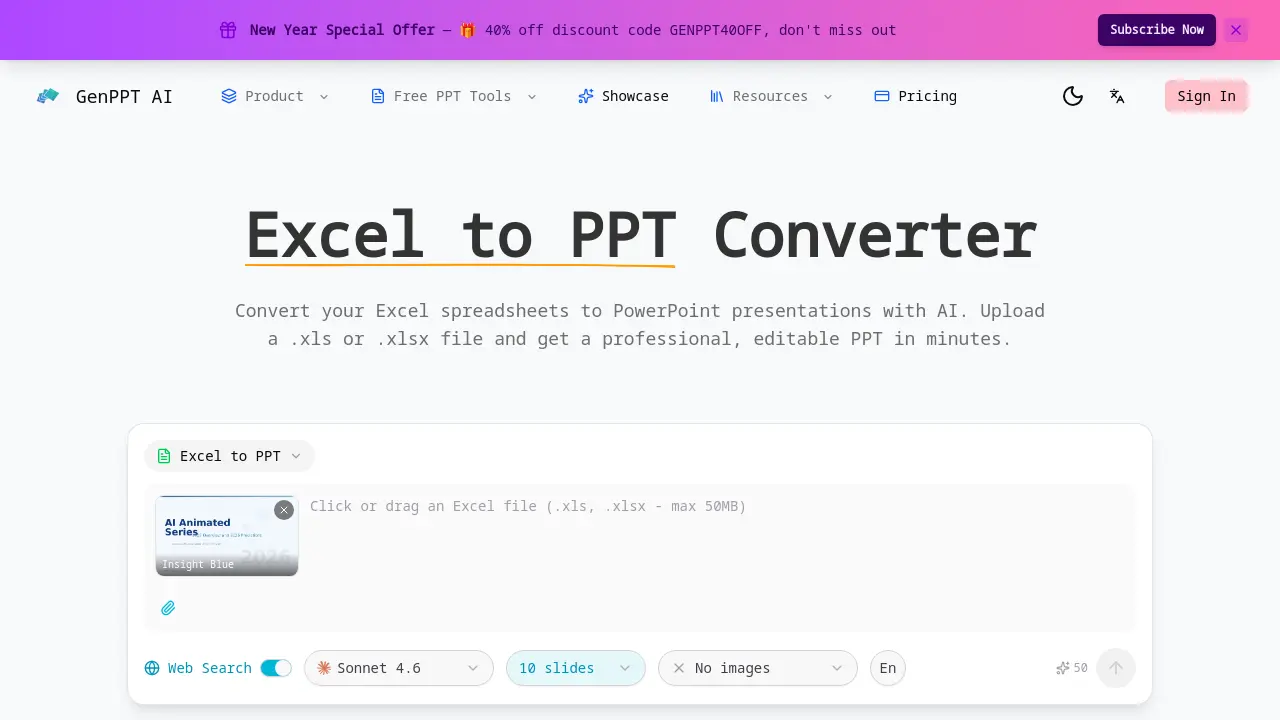
What is Excel to PPT
Excel to PPT is an AI-powered tool designed to convert Excel spreadsheets directly into professional PowerPoint presentations. Users upload .xls or .xlsx files, and the tool automatically analyzes the data, extracting tables, charts, and key metrics to generate well-structured, editable slides. The converter intelligently visualizes raw spreadsheet data into clear formats with proper headings and visual hierarchy, applying professional layouts, color schemes, and typography. It supports multiple sheets within a single workbook, distributing content across slides for clarity. A primary advantage is its native Excel file handling, which eliminates manual data entry—a common limitation in competing tools like Gamma or Canva. The process is fast, web-based, and free, requiring no sign-up. Outputs are fully customizable PowerPoint files, allowing further edits to data, layouts, or charts after conversion. This streamlines the creation of data-driven presentations for business, academic, or research contexts.
How does Excel to PPT work
GenPPT.AI's Excel to PPT converter uses artificial intelligence to automate the transformation of spreadsheet data into presentation slides. The process begins when a user uploads an .xls or .xlsx file. The AI then analyzes the document to extract tables, charts, formulas, and key metrics. This extracted data is organized into a logical slide structure with proper headings and visual hierarchy. The system applies professional design templates, including color schemes and typography, to enhance readability. It supports multi-sheet workbooks by distributing content across multiple slides. The final output is a fully editable PowerPoint file (PPTX), allowing for post-conversion modifications. This tool distinguishes itself through native Excel file support and automated data visualization, contrasting with competitors that often require manual data transfer.
Benefits of Excel to PPT
GenPPT.AI's Excel to PPT converter employs AI to automatically transform .xls or .xlsx files into professional, editable PowerPoint presentations. It intelligently extracts and analyzes spreadsheet data—including tables, charts, and formulas—organizing content across slides with appropriate visual hierarchy. The tool applies consistent design schemes and typography for polished outputs, while supporting multi-sheet workbooks and complex data structures. As a web-based service, it delivers fast conversion results without requiring user registration, streamlining the process of creating presentation-ready slides from raw Excel data.
Pros and Cons of Excel to PPT
Pros
- Native support for Excel file formats.
- AI automatically extracts spreadsheet data.
- Converts tables and charts into slides.
- Applies professional slide layouts.
- Output is fully editable PowerPoint.
Cons
- Requires cloud file upload for processing.
- Template selection is currently limited.
- Internet connection required for access.
Core Features of Excel to PPT
Smart Data Extraction
AI analyzes uploaded Excel files to extract data tables, charts, formulas, and key metrics, organizing them into coherent PowerPoint slides for effective communication.
Data Visualization
Converts raw spreadsheet data and tables into visually appealing slide layouts with proper headings and visual hierarchy, ensuring clear and presentation-ready formats.
Professional Slide Design
Applies professional layouts, color schemes, and typography to create polished presentations that effectively showcase Excel data in a compelling PowerPoint format.
Fully Editable Output
Generates a fully editable PowerPoint file, allowing users to modify data, adjust layouts, add charts, and customize all elements after conversion.
Multiple Sheet Support
Handles spreadsheets containing multiple sheets and complex data structures, intelligently distributing each sheet's content across slides for organized presentations.
Fast & Free Conversion
Converts Excel files to PowerPoint presentations in minutes at no cost, supporting .xls and .xlsx formats without requiring user sign-up or payment.
Use Cases of Excel to PPT
- Business analysts: Convert multi-sheet financial models into investor pitch decks using AI-powered Excel to PPT conversion.
- Students: Transform lab experiment data into thesis defense presentations with automated data visualization and slide design.
- Marketing teams: Turn monthly sales spreadsheets into client-facing performance review presentations quickly.
- Researchers: Summarize survey result tables from Excel into clear conference poster slides with proper formatting.
- Startup founders: Create funding deck slides from operational metrics and growth projections extracted from spreadsheet data.
FAQs of Excel to PPT
How does the Excel to PPT converter work?
The Excel to PPT converter uses artificial intelligence to process uploaded spreadsheet files. It automatically analyzes data tables, charts, and metrics, then structures this information into a coherent PowerPoint presentation with applied design templates. The process requires no manual data entry or formatting from the user.
What Excel formats are supported?
The tool accepts both .xls and .xlsx file formats, covering standard Excel workbooks from various software versions. Users can upload files with these extensions directly through the web interface. This ensures compatibility with most commonly used spreadsheet data.
Can I control the number of slides?
Slide generation is automated based on the content volume and structure within the Excel file. The AI determines an appropriate slide count to present the data clearly. However, users can freely add, remove, or reorganize slides after conversion using the editable PowerPoint output.
Is the Excel to PPT converter free?
Yes, the Excel to PPT conversion service is provided at no cost without requiring user registration or subscription. There are no hidden fees for converting individual files, though premium features or higher usage limits may be offered through paid plans.
Does it preserve my Excel data accurately?
The converter aims for high data fidelity by extracting numerical values, formulas, and chart data precisely. Visual formatting may be adapted for presentation purposes. Any minor discrepancies can be corrected manually in the fully editable PowerPoint file post-conversion.
What templates are available for Excel to PPT conversion?
Several professional design templates are offered, including Insight Blue, Clarity Glass, and Sandstone Pro. These templates provide consistent typography, color schemes, and layout structures. Users select a template before initiating the conversion to apply its style to the generated slides.
Is my Excel data secure during the conversion process?
Files are uploaded to secure servers with standard encryption during transmission and processing. The service does not retain user data permanently; uploaded files are typically deleted from servers after a short period. For specific details, users should consult the platform's privacy policy.
How quickly does the AI generate the PowerPoint slides?
Conversion typically completes within a few minutes, depending on spreadsheet size and complexity. The AI processes data efficiently to deliver a ready-to-use PowerPoint presentation. Larger files with extensive charts or multiple sheets may require slightly longer processing times.
Can I access and edit the PPT after conversion?
The output is a standard .pptx file that is fully editable in Microsoft PowerPoint or compatible software. Users can modify all elements, including text, charts, layouts, and design aspects, after downloading the file. This allows for final customization to meet specific needs.
Does the tool handle Excel files with multiple worksheets?
Yes, the converter supports workbooks containing multiple worksheets. It intelligently distributes content from each sheet across separate slides or grouped sections. This ensures data from complex, multi-sheet Excel files is organized logically in the resulting presentation.
How to use Excel to PPT
GenPPT AI provides an Excel to PPT converter that uses artificial intelligence to automatically transform spreadsheet data into structured PowerPoint presentations. The tool extracts tables, charts, and metrics from Excel files, applies design templates, and outputs fully editable slides for data storytelling.
- Access the GenPPT Excel to PPT converter by navigating to its dedicated webpage using a web browser to reach the conversion interface.
- Upload an Excel file in .xls or .xlsx format via drag-and-drop or the file selection button to provide data for processing.
- Select a presentation template such as Insight Blue or Clarity Glass from the available options to define the slide aesthetics.
- Adjust optional settings including slide count, language preference, and image inclusion based on specific presentation requirements.
- Initiate the conversion by clicking the convert button, prompting the AI to begin analyzing the uploaded spreadsheet data.
- The system processes the file, typically taking a few minutes, by extracting data tables, charts, and formulas from all sheets.
- Download the generated PPTX file upon completion, which contains the AI-designed slides ready for immediate use.
- Open the presentation in Microsoft PowerPoint or compatible software to review content, edit layouts, and modify data as needed.
- Utilize the final slides to effectively communicate data insights in business reports, academic presentations, or meetings.
Excel to PPT Website Traffic Analysis
Latest traffic information
- Monthly Visits91
- Bounce Rate37.19%
- Pages Per Visit1.07
- Visit Duration00:00:00
- Global Rank3.4M
- Country/Region Ranking--
Top Regions
| Region | Percentage |
|---|---|
| Spain | 100% |
Excel to PPT Alternatives
Pi is an AI presentation generator that turns ideas into polished slides. One-click generation, smart layouts and templates make decks fast and easy.
Convert PPT to MP4 video online with AI. Upload slides, set duration, resolution and sound, then generate a polished cinematic video with narration and music.

Turn JPG, PNG, and WebP images into editable PowerPoint slides. Upload up to 10 images, set the order, and let AI rebuild each image as a real slide.
Gamma AI is an AI presentation generator that turns text, PDF, and Word into slides with structured outlines, in-browser editing, and editable PPTX export.
Fuu AI is an AI presentation maker that turns text, PDFs, and documents into professional PPT slides in minutes, powered by Claude Opus 4.7.
Convert PPT to Keynote-ready PPTX online. Free PPT to Keynote converter for Apple Keynote imports with secure processing and no installs.
SlidesGo is an AI-powered PPT generator for businesses, educators and content creators, offering instant slide creation, design beautification, format conversion and automatic speaker notes to streamline presentation development.
CartoMind is a free AI infographic generator that lets marketers, educators and creators turn text, documents or ideas into professional infographics in seconds, using automatic layout, typography and multi‑language design.
Gamma AI is a revolutionary AI PPT maker that transforms ideas into polished presentations, using cutting-edge artificial intelligence to handle design, layout, and content structure for professional results.
Gamma App is a free AI presentation generator for professionals, using Claude Opus to create and enhance slides from text, PDFs, or videos in minutes.
Dokie AI helps businesses and educators create professional presentations with AI, using Claude Opus 4.6 to transform ideas into polished slides.
Tome App AI uses AI to generate, beautify, and enhance PowerPoint presentations, leveraging Claude Opus 4.6 for professional results in minutes.