
PPT to Word FAQs
GenPPT's free online PPTX to DOCX converter for professionals and students preserves PowerPoint formatting and provides an API for automation.

FAQs of PPT to Word
How do I convert PPT to Word?
Users convert PPT to Word by uploading their PowerPoint file through the GenPPT.AI website interface. The online tool processes the file automatically and provides a downloadable DOCX document. No software installation is needed, and the conversion occurs securely via a web browser.
Is PPT to Word conversion free?
The web-based PPT to Word conversion is free for initial use without registration. However, frequent conversions or API access may require purchasing credits through pricing plans. The service occasionally offers discounts, such as the GENPPT40OFF code for creators, with details available on the pricing page.
What content is preserved when converting PPT to Word?
The converter extracts text, tables, and formatting from PowerPoint slides. It preserves the content structure, including titles, bullet points, and paragraph styles. Complex elements like animations or embedded videos may not transfer, as the DOCX format focuses on static, editable content.
Can I convert PPT to Word with formatting intact?
Yes, the tool aims to retain original formatting such as fonts, colors, and alignments. The output DOCX file maintains the visual layout of slides as closely as possible within Word's capabilities, reducing the need for manual reformatting after conversion.
What file formats does the PPT to Word converter support?
Input files in PPT or PPTX formats are accepted, and the output is a DOCX document compatible with Microsoft Word and Google Docs. The converter is specifically designed for these formats and does not directly output other file types like PDF or plain text.
Is my data secure when I convert PPT to Word?
Security is ensured through isolated sandbox processing. Uploaded files are deleted immediately after conversion and are not stored on servers. This method protects confidential presentation content and complies with enterprise-grade security standards throughout the PPT to Word process.
Can I use the PPT to Word API for batch conversion?
The developer API supports automated batch conversion by allowing multiple PPTX files to be processed sequentially or in parallel. Each API call handles one file and consumes one credit, making it suitable for integrating bulk PPTX to Word workflows into document processing systems.
How long does PPT to Word conversion take?
Conversion typically completes within seconds, depending on file size and complexity. Even for presentations near the 50MB limit, processing is fast. Most standard files yield near-instant results, enabling quick access to the editable Word document.
Why convert PPT to Word instead of keeping PowerPoint format?
Converting to Word facilitates content repurposing for documents requiring extensive editing, such as reports, handouts, or academic papers. The DOCX format offers greater flexibility for text manipulation and is often preferred for formal submissions, whereas PPTX is optimized for presentations.
Do I need to install software to convert PPT to Word?
No installation is required. The PPT to Word converter is a cloud-based service accessible via any modern web browser. Users simply upload files through the website, and all processing occurs on remote servers, eliminating local software dependencies.
What is the maximum file size for PPT to Word conversion?
The online converter supports PowerPoint files up to 50 megabytes. This limit accommodates presentations with many slides and embedded images. Files larger than 50MB may need compression or splitting before conversion to ensure successful processing through the web tool.
Does the online converter support batch conversion of multiple files?
The web interface processes one file at a time for individual conversions. For batch operations, the developer API should be used, which programmatically handles multiple files with each call consuming one credit. The web tool does not offer simultaneous multi-file uploads.
How are API credits for PPT to Word conversion purchased and priced?
API credits are acquired through pricing plans on the GenPPT.AI website, with options for various usage volumes. Promotional discounts like the GENPPT40OFF code may apply. Each PPT to Word API call costs one credit, and specific pricing details are available on the pricing page.
Is user registration mandatory for all PPT to Word conversions?
Registration is not required for the first conversion using the web tool. However, subsequent conversions or API access may necessitate account creation. This allows new users to test the service freely while managing higher-volume needs through registered accounts.
What browsers or devices are compatible with the online PPT to Word converter?
The converter works on any device with a modern web browser, including Windows, macOS, Linux, Android, and iOS. Supported browsers include Chrome, Firefox, Safari, and Edge. As a cloud-based tool, it only requires internet connectivity and standard browser functionality for file uploads.
How to use PPT to Word
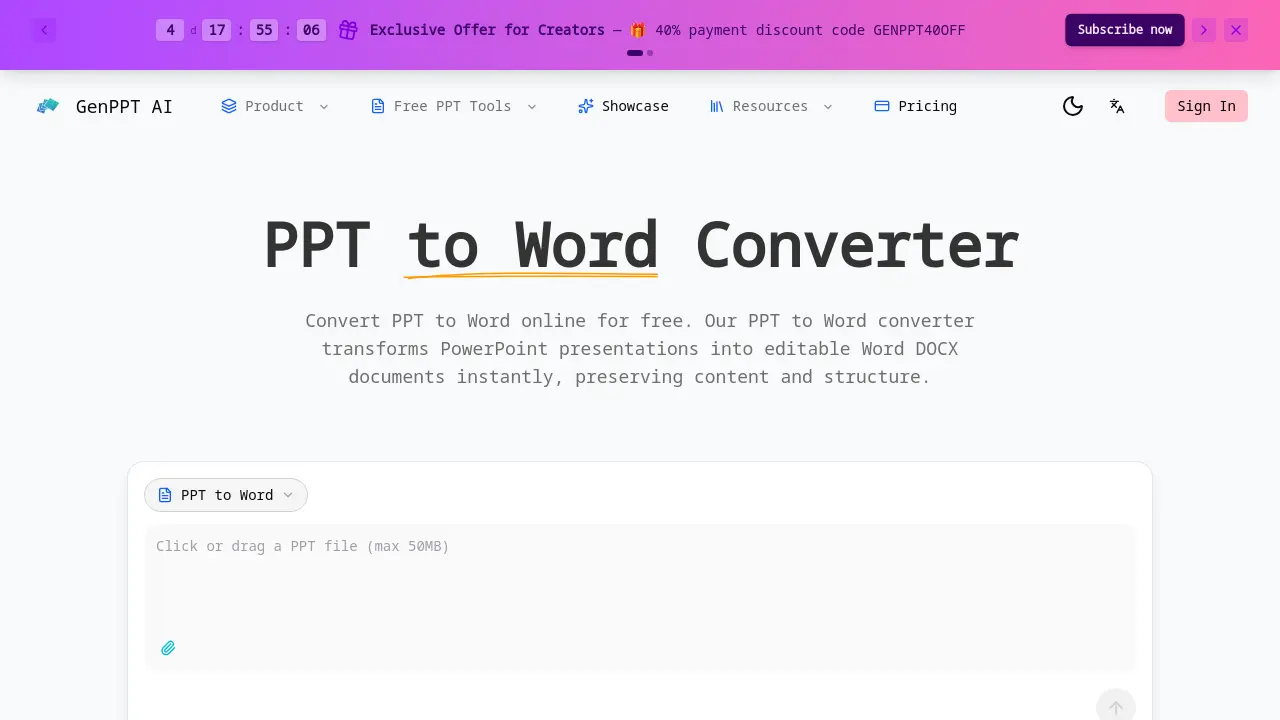
- Access the PPT to Word converter via the official GenPPT AI website. The web-based tool is free for initial use and requires no software installation for basic conversions.
- Upload a PowerPoint presentation (PPT or PPTX format), with a maximum file size of 50 megabytes. The interface supports drag-and-drop for file selection.
- The system automatically processes the file in a secure sandbox, extracting text, tables, and formatting while preserving the original document structure for accurate conversion.
- Download the resulting editable DOCX file upon completion. The output is compatible with Microsoft Word and Google Docs, allowing immediate content modification.
- Developers can implement the REST API to automate PPTX to DOCX conversions within applications. API calls use credits and facilitate bulk processing for document workflows.
