
PPT to PDF Converter
GenPPT Free PPT to PDF Converter with Perfect Formatting

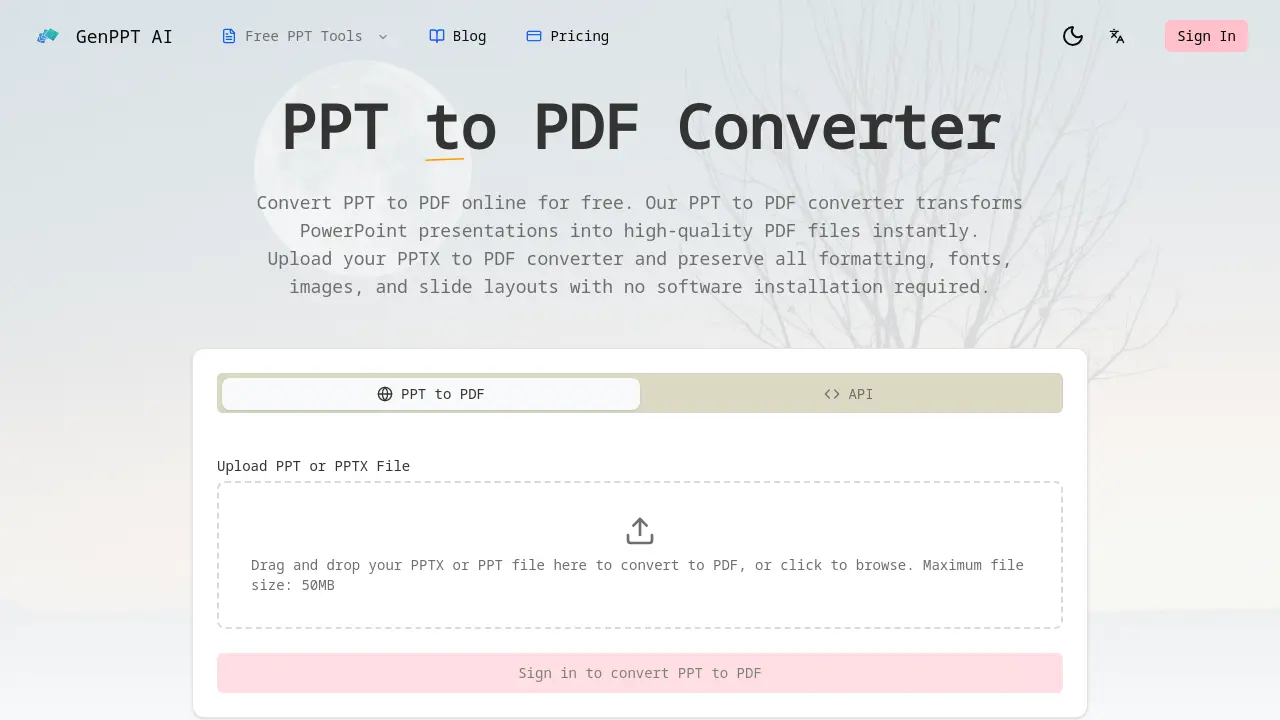
What is PPT to PDF Converter
The PPT to PDF Converter is a web-based tool that transforms PowerPoint presentations (PPT and PPTX) into high-quality PDF files. It performs conversions instantly without requiring any software installation. A key feature is high-fidelity format preservation, ensuring fonts, layouts, images, and charts remain intact across all slides. The service is free for standard web use and supports file sizes up to 50MB. For enterprise and development needs, a RESTful API is available for automated, bulk PPTX to PDF conversion. Security is handled through isolated sandbox processing, with files deleted immediately after conversion. This tool serves a diverse user base, including business professionals for client documents, students for assignment submissions, developers for workflow integration, and designers for portfolio archiving. The combination of speed, accuracy, and accessible API makes it a practical solution for reliable document format conversion.
How does PPT to PDF Converter work
The GenPPT AI PPT to PDF Converter operates as a web-based file conversion service, allowing users to upload PPT or PPTX files up to 50MB via a drag-and-drop interface or file browser. The conversion process ensures high-fidelity output by preserving all original formatting, fonts, images, slide layouts, and visual elements with pixel-perfect accuracy. Files are processed in a secure, isolated sandbox environment and deleted immediately after conversion to maintain data privacy. Additionally, a REST API enables developers to integrate PPT to PDF functionality into applications for automated workflows, supporting bulk conversions. The service is free for online use and requires no software installation, catering to professionals, students, and developers.
Benefits of PPT to PDF Converter
The GenPPT AI PPT to PDF Converter provides reliable, high-fidelity transformation of PowerPoint presentations into PDFs. It preserves all original formatting, fonts, images, and slide layouts without requiring any software installation. As a web-based tool, it processes files securely in isolated sandbox environments, deleting data immediately after conversion. Supporting PPT and PPTX files up to 50MB, conversions are fast and free for basic use. A developer REST API enables automated, bulk integration for workflows. This solution is trusted by students, professionals, and developers for consistent, cross-platform document sharing.
Pros and Cons of PPT to PDF Converter
Pros
- Preserves formatting, fonts, and layouts accurately.
- Fast conversion with no software installation.
- Free for basic web usage with 50MB limit.
- Offers developer API for integration.
- Secure processing with immediate file deletion.
Cons
- Limited to 50MB file size maximum.
- Potential registration required after first conversion.
- Incomplete FAQ section lacks detailed answers.
- Cloud-based processing may concern data-sensitive users.
- Mobile compatibility unclear from provided information.
Core Features of PPT to PDF Converter
High-Fidelity PPT to PDF Conversion
Ensures pixel-perfect conversion by preserving all original PowerPoint formatting, fonts, colors, layouts, and visual elements, including charts and images, for an accurate PDF output.
Fast & Free PPT to PDF Conversion
Provides instant transformation of PPT or PPTX files to PDF at no cost, supporting large files up to 50MB with no registration required for initial use, ensuring quick accessibility.
PPT to PDF Developer API
Offers a REST API for seamless integration into external applications, enabling automated bulk conversions with credit-based pricing, suitable for SaaS platforms and document processing pipelines.
Secure PPT to PDF Processing
Processes uploaded files within an isolated sandbox environment, automatically deleting them immediately after conversion, and employs enterprise-grade security to protect confidential presentation data.
Use Cases of PPT to PDF Converter
- Business Professionals: Sales teams convert PPTX to PDF for client proposals, ensuring consistent formatting across all devices and platforms.
- Students & Educators: Students convert PPT to PDF for assignment submissions, guaranteeing compatibility with any learning management system.
- Developers & Teams: Developers integrate the PPT to PDF API to automate bulk conversions in document processing workflows.
- Designers & Creatives: Designers convert PPT to PDF to archive portfolios, preserving custom fonts and high-resolution images accurately.
FAQs of PPT to PDF Converter
Is PPT to PDF conversion free?
PPT to PDF conversion is free for web-based usage without requiring registration for initial conversions. The service handles files up to 50MB at no cost. However, the developer API operates on a credit system where each conversion consumes one credit, which may involve fees for high-volume or commercial use.
What file formats does the PPT to PDF converter support?
The converter supports both PPT and PPTX file formats from Microsoft PowerPoint. Users can upload files with these extensions for conversion to PDF. The tool is specifically designed for PowerPoint presentations and does not support other document formats like Word or Excel files.
Is my data secure when I convert PPT to PDF?
Data security is ensured through isolated sandbox environments where files are processed. Immediately after conversion, all uploaded files are permanently deleted from the servers. No presentation content is stored, providing enterprise-grade security for confidential slides and documents.
Does the PPT to PDF conversion preserve formatting?
The converter provides high-fidelity output, preserving all original formatting, fonts, colors, and slide layouts with pixel-perfect accuracy. Charts, images, and animations are maintained, ensuring the PDF closely matches the source PowerPoint presentation in appearance and structure.
Can I use the PPT to PDF API for batch conversion?
The PPT to PDF API supports batch conversion by allowing automated workflows. Developers can integrate the API to process multiple files sequentially or concurrently. Each API call converts one PPTX file to PDF, consuming one credit per conversion, suitable for large-scale document processing needs.
How long does PPT to PDF conversion take?
Conversion time is typically a few seconds for most presentations, depending on file size and complexity. The tool is optimized for fast processing, enabling users to obtain PDF files almost instantly after uploading their PowerPoint files.
Can I convert PPT to PDF on mobile devices?
Yes, the online converter is accessible on mobile devices through web browsers. Since no software installation is required, users can convert presentations on smartphones or tablets by visiting the website and uploading files directly, ensuring cross-platform compatibility.
What is the maximum file size for PPT to PDF conversion?
The maximum file size for conversion is 50MB per presentation. This limit ensures efficient processing and resource allocation. Files exceeding this size must be reduced before conversion, either by compressing content or dividing the presentation into smaller segments.
Do I need to install any software to convert PPT to PDF?
No software installation is necessary. The converter is a web-based tool accessible through any modern browser. Users simply upload their files via the website interface, and conversion occurs on the server side, eliminating the need for local applications or plugins.
What is the difference between PPT and PPTX to PDF conversion?
Both PPT and PPTX files are converted to PDF using the same process and quality standards. The primary difference lies in the source format: PPT is the older binary format from earlier PowerPoint versions, while PPTX is the newer XML-based format. The converter handles both equally well, preserving all content and formatting.
Does the PPT to PDF converter preserve slide animations and transitions?
Yes, it maintains animations and transitions from the original PowerPoint presentation, ensuring dynamic content remains intact in the PDF output where possible. This includes slide transitions and element animations, though interactive features may be flattened in the static PDF format.
Can the PPT to PDF API be integrated into custom software workflows?
Yes, the REST API is designed for seamless integration into custom software workflows. Developers can incorporate it into document management systems, reporting tools, or automated pipelines to enable programmatic PPTX to PDF conversion with minimal setup.
What happens to my files after conversion is complete?
After conversion, all uploaded files are immediately and permanently deleted from the server’s sandbox environment. No data is retained, ensuring that presentation content remains private and is not accessible after the conversion process finishes.
Is the converter suitable for preserving custom fonts and brand colors in PDFs?
Yes, the converter embeds fonts and preserves color profiles to maintain visual fidelity. This ensures that custom fonts and brand-specific colors appear correctly in the PDF, regardless of the viewer’s system, which is crucial for branded materials.
Are there any restrictions on the types of PowerPoint content that can be converted?
The converter handles most standard PowerPoint elements, including text, images, charts, and animations. However, extremely complex media, corrupted files, or unsupported features may not convert perfectly, and users should verify output for edge cases.
How to use PPT to PDF Converter
- Begin by accessing the PPT to PDF converter online tool through the provided source URL, which converts PPT and PPTX files to PDF with high fidelity and no installation.
- Upload your PowerPoint presentation file by either dragging it into the designated upload area or clicking to browse your system, with a maximum file size of 50MB.
- The converter automatically processes your uploaded file, preserving all original formatting, fonts, images, and slide layouts to produce a high-fidelity PDF output.
- Once conversion completes, download the resulting PDF file instantly. All uploaded files are securely deleted from the server immediately after processing to ensure privacy.
- Use the high-quality PDF for sharing, printing, or archiving purposes. Developers can integrate the REST API for automated PPT to PDF conversion by following the documentation.
PPT to PDF Converter Website Traffic Analysis
Latest traffic information
- Monthly Visits91
- Bounce Rate37.19%
- Pages Per Visit1.07
- Visit Duration00:00:00
- Global Rank3.4M
- Country/Region Ranking--
Top Regions
| Region | Percentage |
|---|---|
| Spain | 100% |
PPT to PDF Converter Alternatives
Free invoice maker for freelancers and small businesses on Web, iOS and Android. Create unlimited PDF invoices, manage clients and companies, and bill from AI assistants via MCP.

ScanPDF AI is a free online PDF scanner that turns photos and scans into clean PDFs, OCR searchable text, and receipt-to-Excel data in your browser.
Fuu AI is an AI presentation maker that turns text, PDFs, and documents into professional PPT slides in minutes, powered by Claude Opus 4.7.
AI-powered PDF to Markdown converter with OCR for scanned pages. Get clean, structured Markdown from any PDF in seconds online.
PDF Translate is an AI PDF translator for professionals and students, providing free, fast multilingual translation of PDFs while keeping fonts, tables and images intact.
PDF2Word is an online PDF to Word converter that creates editable DOCX files, preserves layout, supports scanned PDFs, and processes files securely with size limits for free and paid users.
DeepSeek OCR employs a 3B parameter AI vision model to convert PDFs, scans, and images to Markdown with 97% accuracy, supporting 100+ languages and preserving layouts for professionals.
PDFuck provides free online PDF tools for users to organize, convert, edit, and secure documents with maximum privacy via local browser processing.
AI PDF to PPT by GenPPT uses smart AI to convert PDFs into editable PowerPoint slides with professional layouts, ideal for businesses and students.
Assyro AI is an AI‑powered regulatory copilot that drafts submissions, validates eCTD/RPS, and provides audit‑ready trails for pharma and biotech teams, cutting rework.
Zignt delivers free, legally binding e‑signature software that lets businesses create contract templates once and reuse them unlimited times, offering AI renewal reminders and secure links.
Belin Doc is a free AI translator that preserves layout for PDF, DOCX, EPUB files, offering registration‑free, translations for writers and professionals.