
Markdown to PPT FAQs
Free AI tool converting Markdown (.md) files to professional PowerPoint presentations. Features include code syntax highlighting, heading-based slide structure, and fully editable PPTX output for developers and writers.

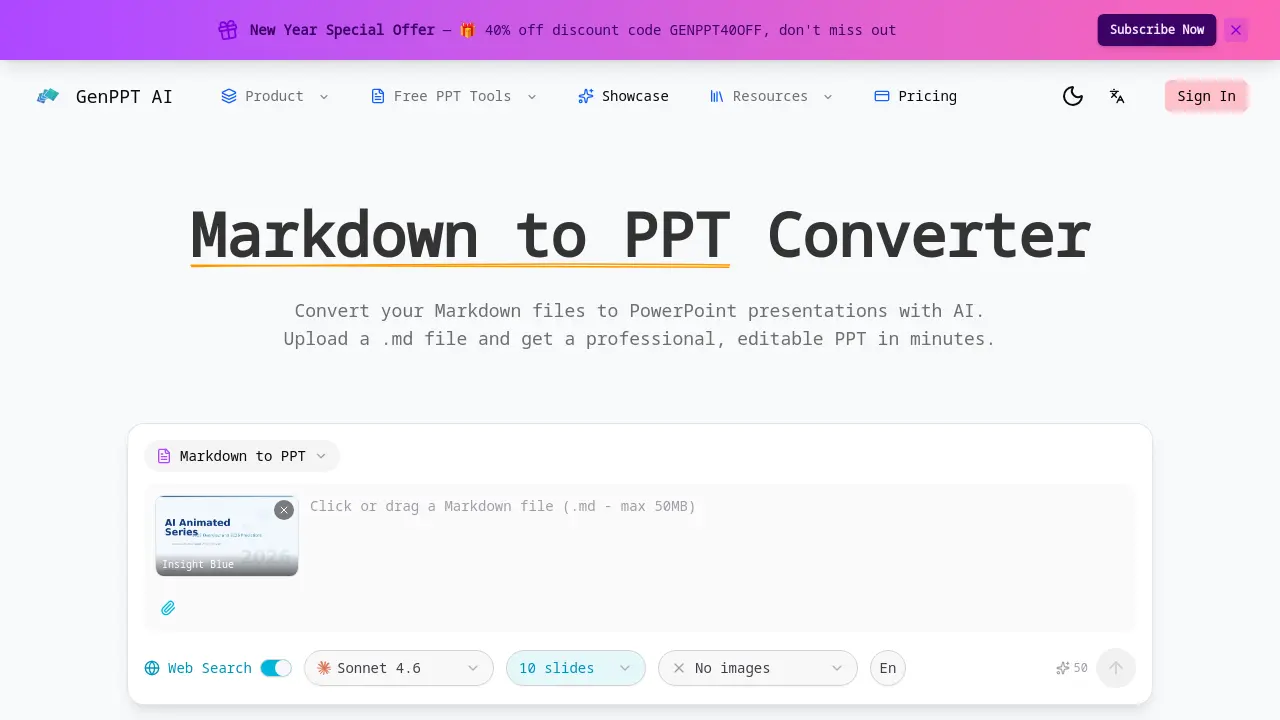
FAQs of Markdown to PPT
How does the Markdown to PPT converter work?
The converter uses artificial intelligence to process uploaded Markdown (.md) files. It parses the text structure, identifying headings, lists, code blocks, and tables. The AI then applies professional slide layouts and design principles to transform this plain-text content into a cohesive PowerPoint presentation. The final output is a fully editable .pptx file ready for customization.
Does it support code blocks and tables?
Yes, the converter explicitly supports technical elements. Fenced code blocks are preserved with proper syntax highlighting, making code readable in slides. Tables are automatically rendered as structured data slides with formatted cells. This ensures technical documentation and developer notes are accurately represented in the final presentation.
How are Markdown headings mapped to slides?
The AI maps Markdown headings to a slide hierarchy based on heading levels. An H1 heading typically creates a section divider or title slide. H2 headings generate main slide titles, while H3 headings become subheadings within slides. This creates a logical flow that mirrors the original document structure.
Is the Markdown to PPT converter free?
The core Markdown to PPT conversion is free to use with no sign-up required. Users can convert files without cost, though the service may have usage limits or offer premium features for higher volume. The free tier provides access to the primary conversion functionality described on the website.
Can I convert README.md files to presentations?
Yes, converting standard README.md files is a common use case. The AI parser recognizes typical README syntax, including project descriptions, installation steps (often in lists), and code snippets. This allows developers to quickly turn project documentation into overview presentations for meetings or onboarding.
What output file format is provided after conversion?
The tool generates a standard PowerPoint file in the .pptx format. This file is fully compatible with Microsoft PowerPoint, Google Slides, and other presentation software. Users can edit all elements, including text, layouts, and images, after the AI completes the initial conversion from Markdown.
Do I need to create an account to use the Markdown to PPT converter?
No account creation is necessary to use the converter. The service operates on a web-based, no-login model for the free conversion feature. Users can simply upload their Markdown file and receive the PowerPoint output directly, facilitating quick and anonymous access.
Can I choose different design templates for my presentation?
Yes, multiple pre-designed templates are available for selection before conversion, such as Insight Blue and Clarity Glass. Choosing a template influences the AI's decisions on color schemes, typography, and overall slide aesthetics, allowing some control over the final presentation's visual style.
How does AI improve the slide design during conversion?
The AI analyzes the Markdown content and automatically applies professional design principles. It selects appropriate layouts, harmonizes color palettes, and optimizes typography for readability. This process旨在 elevate plain text into a visually structured presentation without requiring the user to have design skills.
Are there any limitations to the Markdown syntax supported?
While the tool handles core Markdown elements like headings, lists, code blocks, and tables, its support for advanced or niche Markdown extensions is expanding. The comparison note indicates it is still broadening feature support, meaning very complex nested structures or non-standard syntax may not render perfectly compared to a full Markdown processor.
How to use Markdown to PPT
GenPPT AI's Markdown to PPT converter is an AI-powered tool that transforms Markdown files into professional, editable PowerPoint presentations, specifically supporting code syntax and heading-based slide structure for technical and academic use.
- Users access the converter via the GenPPT AI website, navigating to the Markdown to PPT tool without mandatory registration for basic conversions.
- A local .md file is uploaded through the interface, leveraging native file support that avoids manual content pasting or formatting adjustments.
- Choose a design template such as Insight Blue or Clarity Glass to apply a consistent visual style and color scheme to the presentation.
- The AI automatically parses the Markdown syntax, mapping headings to slide titles, preserving code blocks with syntax highlighting, and formatting tables.
- Review the generated slides to confirm accurate conversion, checking that heading hierarchy creates logical flow and technical elements render correctly.
- Download the output as an editable PPTX file, compatible with Microsoft PowerPoint and other presentation software for further customization.
- Apply the converted slides in technical documentation, lectures, or team meetings, utilizing the professional design and precise Markdown parsing for efficient communication.
