
FineVoice FAQs
FineVoice AI Voice Generator lets creators convert text to speech with realistic AI voices and clone voices in any style or language easily.

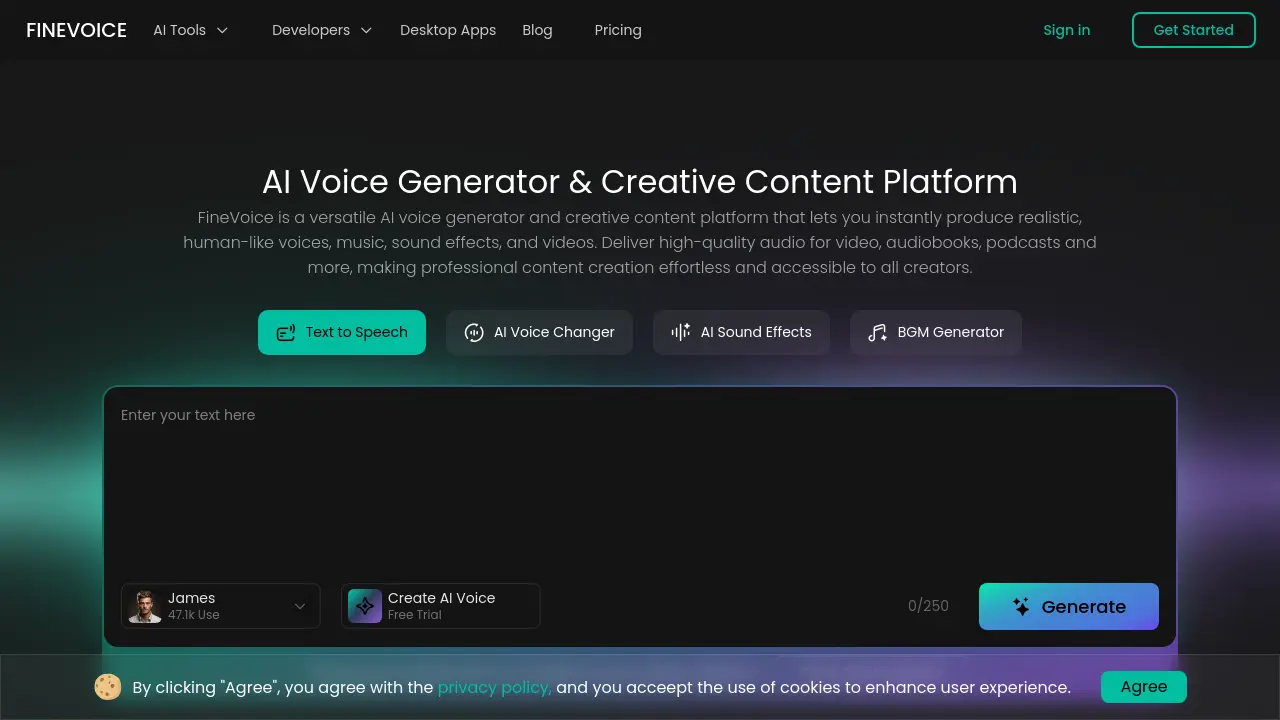
FAQs of FineVoice
How does the AI voice generator work?
FineVoice's AI voice generator utilizes deep learning neural network speech synthesis technology. It analyzes input text context to adjust intonation, pauses, and rhythm, producing natural and fluent speech. The system supports multiple voice models, high-precision voice cloning, and emotion tags like [angry] or [happy] to create expressive outputs suitable for narration, dubbing, and podcasts.
What is the best AI voice generator?
Determining the best AI voice generator depends on specific user requirements such as voice quality, language support, customization, and cost. FineVoice offers competitive features including 1,500+ voices, 154 language support, emotion control, and commercial licensing. Independent reviews and user ratings often highlight its naturalness and versatility for creative and professional applications.
How many voices are available in FineVoice?
FineVoice provides access to over 1,500 high-quality AI voices. These voices are categorized for various use cases including narration, storytelling, advertisement, and character voices. The library is regularly expanded to include new styles, accents, and languages to meet diverse content creation needs.
Can FineVoice AI Voice Generator produce different accents or languages?
Yes, FineVoice supports 154 global languages and accents. This multilingual capability allows users to generate speech with native-like pronunciation and regional nuances. It enables creators to produce content for international audiences without requiring multiple voice actors or extensive localization resources.
Can I use the generated AI voice for commercial purposes?
Generated AI voices from FineVoice can be used for commercial purposes. The platform provides royalty-free sound effects and voices, meaning users own the output and can incorporate it into monetized projects like advertisements, videos, audiobooks, and podcasts without additional licensing fees, subject to the platform's terms of service.
How do I use my own AI voice model with FineVoice?
FineVoice supports the use of custom AI voice models, including RVC (Retrieval-based Voice Conversion) models. Users can upload their trained models to the platform for voice cloning or transformation tasks. This feature allows for greater flexibility, enabling the replication of specific voices or character sounds with enhanced accuracy.
What should I do if the generated AI voice quality is poor?
If voice output quality is unsatisfactory, users should first ensure the input text is clear and properly formatted. Selecting a different voice model or adjusting parameters like speed, emotion, and pitch can improve results. For cloning, providing a high-quality, 30-second audio sample with minimal background noise is recommended. Persistent issues may require contacting technical support.
Why hasn't my account status updated after purchase?
Account status delays after purchase may stem from payment processing times or synchronization issues. Users should verify the transaction confirmation and ensure they are logged into the correct account. If the problem persists beyond a reasonable period, contacting FineVoice support with payment details is advised for manual verification and resolution.
Which AI voice generator offers the best customization options?
FineVoice emphasizes extensive customization, allowing precise control over emotional tone, speaking style, vocal texture, and intensity. Users can design unique voices via text prompts, adjust pronunciation, and clone voices with granular settings. This level of control supports tailored audio for branding, character development, and specific narrative contexts.
Is creating AI voices illegal?
Creating AI voices is not inherently illegal, but it must comply with applicable laws and platform terms. Ethical use requires respecting intellectual property rights, privacy, and consent. FineVoice's responsible AI guidelines prohibit generating voices of real individuals without permission or using outputs for deceptive, fraudulent, or harmful purposes.
Is there a text-to-singing voice generator?
FineVoice's core platform focuses on speech synthesis, but its sister service Singify (hosted on singify.fineshare.net) offers AI music tools including an AI Cover Generator. While not a direct text-to-singing feature within FineVoice, users can explore Singify for musical voice generation, song covers, and vocal processing capabilities.
What are the pricing options for FineVoice?
FineVoice operates on a freemium model with a free trial tier that includes limited character counts and voice access. Paid plans offer higher quotas, premium voices, and advanced features like voice cloning and commercial licenses. Specific pricing details, including subscription tiers and pay-as-you-go options, are available on the official pricing page. Enterprise solutions may involve custom quotes.
How does FineVoice protect user data and privacy?
FineVoice implements enterprise-grade security measures, including TLS and AES-256 encryption for data in transit and at rest. It follows a privacy-first architecture with no advertising, automatic deletion of uploaded files within 24 hours, and strict data retention policies. The platform complies with global standards like GDPR, providing users with control over their data through consent mechanisms and privacy settings.
On which platforms can I use FineVoice?
FineVoice is accessible via web browsers and offers dedicated desktop applications for Windows and macOS. Developers can integrate its capabilities through a cloud-based API. The platform is designed for cross-device compatibility, allowing users to create and manage audio projects from computers without specialized hardware, though mobile apps are not explicitly highlighted in the provided context.
What audio and video formats can I export from FineVoice?
FineVoice supports exporting audio in common formats like MP3 and WAV for flexible use in various projects. For video-related workflows, it provides CapCut-compatible formats and watermark-free exports. Speech-to-text outputs are available in TXT, JSON, SRT, and VTT formats, catering to subtitles, transcripts, and multilingual content requirements.
How accurate is voice cloning in FineVoice?
Voice cloning accuracy in FineVoice depends on the quality and duration of the reference audio. The system recommends a minimum of 30 seconds of clear, noise-free speech to capture tone, rhythm, and nuances effectively. While results are often highly realistic, perfect fidelity may require multiple attempts or post-processing. Users can further refine cloned voices using the platform's customization tools.
How to use FineVoice
- FineVoice is an AI voice generator and creative content platform that produces realistic human-like voices, music, sound effects, and videos for various media projects.
- Access the FineVoice web platform and select a primary tool such as Text to Speech, AI Voice Cloning, or AI Sound Effect Generator from the main navigation menu.
- For text-to-speech, input or paste your script into the provided text box, ensuring correct punctuation for optimal prosody and natural pacing in the output.
- Choose an AI voice from the extensive library, filtering by language, accent, gender, and vocal style to match your project's intended tone and audience.
- Configure advanced parameters including speaking speed, emotional tone tags like
[happy]or[sad], and voice intensity to refine the expressive quality. - Initiate the generation process; the neural engine processes the text and voice parameters to synthesize the audio file within a short timeframe.
- Preview the generated audio directly in the browser, listening for clarity, naturalness, and appropriate emotional conveyance before proceeding to export.
- Export the final audio in common formats such as MP3 or WAV, or for video projects, use the CapCut-compatible format for seamless integration.
- To clone a voice, use the AI Voice Cloning tool, upload a clean audio sample of the target voice (around 30 seconds), and allow the model to train.
- The cloned voice can then be applied within the text-to-speech tool, enabling consistent character voices or personalized narration for serialized content.
- Interpret results by assessing if the audio meets project requirements for intelligibility, emotional accuracy, and studio-quality fidelity without artifacts.
- Achieve goals like creating e-learning modules by selecting a clear, neutral narrator voice, or for advertisements, choosing a dynamic voice with configured excitement.
- For sound effects, use the AI Sound Effect generator by describing the desired audio (e.g., "thunderstorm on a rainy night") or uploading a reference video.
- The tool generates a synchronized, royalty-free sound effect that can be downloaded and directly incorporated into video editing or game development software.
- Developers can integrate functionality via the FineVoice API, using the provided documentation to embed scalable text-to-speech or voice cloning into applications.
- Continuously optimize outputs by experimenting with different voice models, adjusting emotion tags, and refining script formatting for the best results.
