
FastScribe FAQs
FastScribe delivers AI‑powered audio and video transcription with up to 98% accuracy, fast and secure conversion for podcasters and researchers.

FAQs of FastScribe
Is there a free audio to text converter available?
FastScribe provides a free audio‑to‑text converter that allows users to transcribe up to 240 minutes of audio or video without a credit card. The service is accessible directly from the website, requiring no registration, and offers instant transcription for a variety of file types.
What audio and video formats does the transcription service support?
FastScribe accepts a wide range of audio and video formats, including MP4, MP3, WAV, MOV, AVI, and M4A. The platform can process files up to 1 GB in size, ensuring compatibility with most recording devices and media platforms.
How accurate is the audio transcription?
FastScribe’s AI engines deliver transcription accuracy of up to 98 %. The system is trained on diverse accents and noisy environments, providing reliable results for professional, academic, and casual use cases.
How long does it take to transcribe audio to text?
Transcription speed varies with file length, but FastScribe can convert a one‑hour audio file in as little as five minutes. The process is fully automated, with no manual intervention required.
Is my audio and video data secure during transcription?
FastScribe encrypts all files during transmission and guarantees that no data is stored or used for training. Every file is automatically deleted within 24 hours, ensuring privacy and compliance with data protection standards.
Does FastScribe offer a free trial or free credits?
Yes, FastScribe offers a free trial that grants users 240 minutes of transcription credit. No credit card is required, and the trial can be canceled at any time without penalty.
Can I edit the transcript after transcription?
After the AI completes transcription, users can proofread and edit the text in FastScribe’s online editor. The editor supports speaker labels, punctuation, and formatting adjustments before exporting.
Does FastScribe support multi‑language transcription?
FastScribe automatically detects and transcribes over 99 languages. Users need not select a language manually; the AI identifies the spoken language and processes the content accordingly.
How does FastScribe handle speaker identification?
The platform’s speaker‑labeling feature distinguishes between different voices in a recording. Each speaker is tagged with a unique identifier, making it easier to track dialogue and create accurate transcripts.
What export formats are available from FastScribe?
FastScribe supports multiple export options, including TXT for plain text, DOCX for Word and Google Docs, XLSX for spreadsheets, and SRT for subtitles. These formats cater to diverse publishing and editing workflows.
How to use FastScribe
- FastScribe is an AI‑powered audio‑to‑text service that delivers high‑accuracy transcriptions, speaker labeling, and multi‑format exports, enabling rapid content creation and analysis.
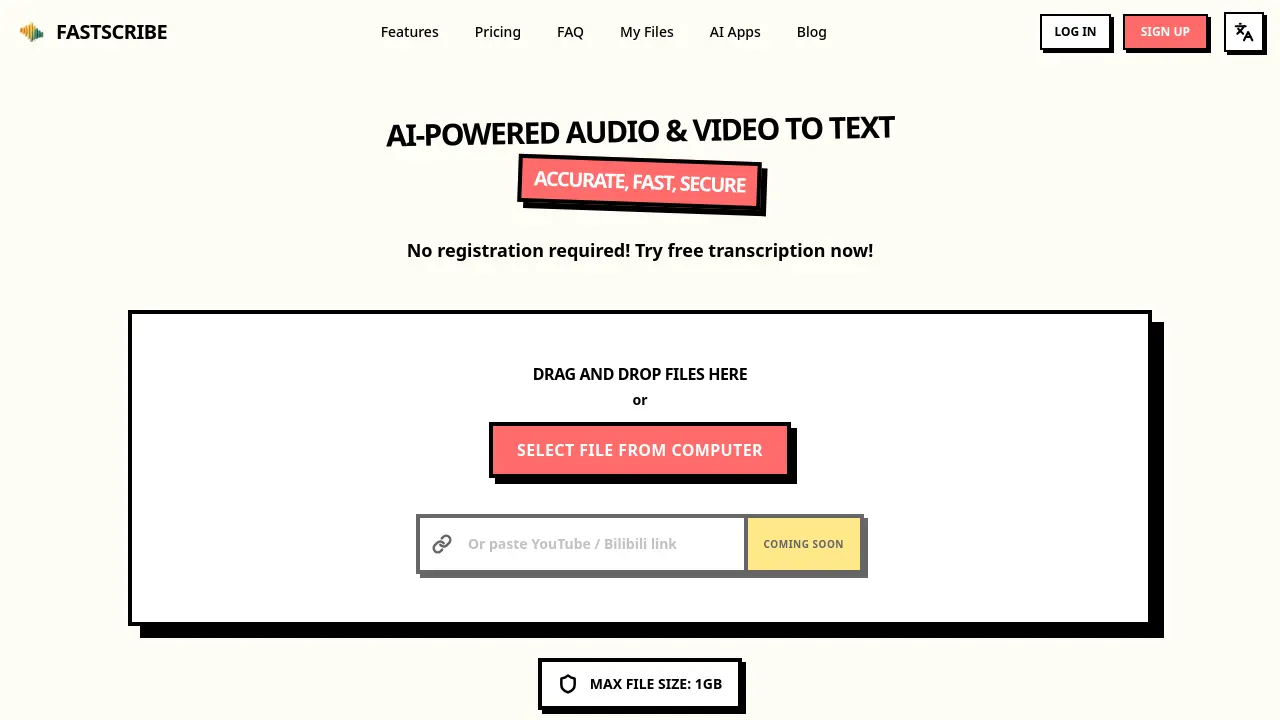
- Users access FastScribe via https://fastscribe.org without registration, immediately reaching the drag‑and‑drop interface for file uploads and preview transcription options before.
- Drag the audio or video file into the drop zone, or click the button to select from the local computer; files up to 1 GB are accepted.
- Alternatively, paste a YouTube or Bilibili link into the provided field; the system will automatically download and queue the media for transcription.
- The AI engine processes the file, achieving up to 98 % accuracy, auto‑detecting 99+ languages, adding punctuation, speaker labels, and filtering profanity.
- Proofread the generated transcript in the online editor, where you can adjust punctuation, correct speaker tags, and remove filler words if desired.
- Export the finalized text to TXT, SRT, DOCX, or XLSX formats, selecting the desired layout for subtitles, documents, or spreadsheets.
- Interpret timestamps and speaker labels to create meeting minutes, highlight key quotes, or generate searchable content that improves SEO rankings.
- Take advantage of the 240‑minute free credit, which allows a free trial of FastScribe without requiring a credit card or subscription.
- Subscribe fast company online via email, digital magazine, or social channels; fast subscribers on Instagram and Facebook receive updates, free trials, and exclusive benefits.
