
CraftMusic AI FAQs
CraftMusic AI, an AI music generator for creators, lets users write lyrics, generate songs or instrumentals from prompts, fine‑tune genre and mood, then download royalty‑free tracks for videos, podcasts, games or ads.

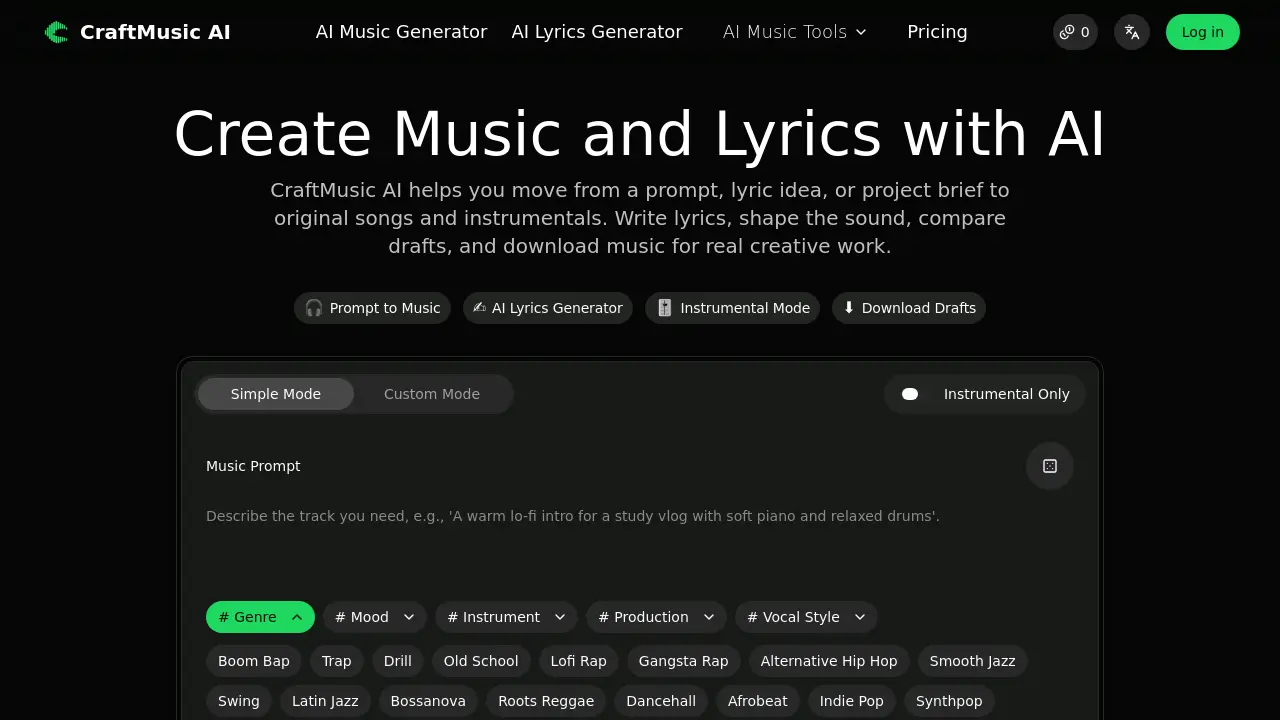
FAQs of CraftMusic AI
What can I create with CraftMusic AI?
CraftMusic AI provides two primary creation tools: an AI Music Generator that produces full songs or instrumental tracks, and an AI Lyrics Generator that constructs structured lyric drafts with hooks, verses, and choruses. Users start with a text prompt or supplied lyrics, define genre, mood, and instrumentation, then download the resulting audio files.
Is CraftMusic AI only for musicians?
The platform is designed for a broad audience. While musicians use it for songwriting and demoing, video creators, podcasters, game developers, marketers, educators, and small teams also rely on CraftMusic AI to quickly generate original background music and lyric ideas without needing a full recording studio.
Can I make royalty‑free music with CraftMusic AI?
Yes. All audio generated by CraftMusic AI is created from scratch based on the user’s prompt, resulting in royalty‑free tracks. Commercial‑use rights depend on the subscription plan; free users receive personal‑use licenses, whereas paid tiers include a commercial license that permits monetized distribution.
Can I use the music for YouTube, podcasts, games, or ads?
Generated tracks can be applied to YouTube videos, podcast intros, game soundscapes, advertisements, and other multimedia projects. Users must ensure that their plan includes the appropriate commercial‑use rights for public or monetized distribution, as outlined in the license terms.
Can I turn lyrics into a song?
Yes. Users can write lyrics with the AI Lyrics Generator or paste existing lyrics into the AI Music Generator. By providing details such as genre, vocal style, and instrumentation, CraftMusic AI composes a matching musical arrangement and renders a complete song draft.
Can I create instrumental‑only music?
CraftMusic AI offers an Instrumental Mode that generates music without vocal tracks. This mode is ideal for podcast beds, narration overlays, game loops, meditation playlists, tutorial backgrounds, or any situation where vocals would interfere with spoken content.
How do I make the output sound less generic?
Providing a detailed, context‑rich prompt yields more distinctive results. Include the intended use case, specific mood, genre, key instruments, tempo, vocal characteristics, and any reference styles. For example, “warm lo‑fi intro for a study vlog with soft piano, vinyl crackle, and a mellow bass line” guides the model toward a tailored sound.
Is CraftMusic AI free to try?
New users receive free credits that allow limited music and lyric generations each month. This trial lets creators evaluate the workflow, compare drafts, and download a small number of tracks before deciding whether to upgrade to a paid plan for higher limits and commercial licensing.
What are the differences between the subscription plans?
Plans range from a free tier (2 songs/month, 1 generation, personal‑use only) to Premium (1200 songs/month, 600 generations, unlimited downloads, 24/7 support, and commercial license). Each ascending tier adds more generation credits, concurrent tasks, download allowances, advanced features such as AI stem splitting, mastering, and AI singing‑voice model training.
How can I download and use the generated tracks?
After generating a track, users can compare multiple drafts, select the preferred version, and click the download button. The file is provided in a standard audio format suitable for editing in DAWs, uploading to video platforms, or embedding in game engines. Commercial‑use rights apply according to the active subscription.
How to use CraftMusic AI
CraftMusic AI generates original songs, instrumentals, and lyrics from plain‑text prompts, offering genre, mood, and vocal controls to suit video, podcast, game, or advertising needs.
Open the AI Music Generator, enter a concise description of the intended use (e.g., “intro music for a tech vlog”), then select genre, mood, instruments, and vocal style from the sidebar.
Click Generate My Track; the platform processes the prompt, produces several draft audio files, and displays a waveform preview for each version.
Play each draft, compare hook strength, arrangement fit, and emotional tone, then choose the most appropriate version by clicking the Download button beneath the selected waveform.
Optionally switch to Instrumental Mode or use the AI Lyrics Generator to add or replace lyrical content, then regenerate the track to align vocals with the chosen arrangement.
After downloading, import the audio into your DAW or video editor; verify that the tempo, key, and length match project specifications, adjusting with the provided BPM tapper if needed.
Review the royalty‑free licensing terms attached to your subscription plan; ensure commercial use rights are active before publishing on platforms such as YouTube, podcasts, or games.
Archive the final mix and any alternate drafts for future reference, using the built‑in metadata tags (genre, mood, instrument) to facilitate later searches and reuse.
