
ColoringStore FAQs
ColoringStore AI coloring page generator lets parents, teachers and creators turn text prompts or photos into clean line‑art pages, downloadable as high‑resolution PNG or PDF for instant printing.

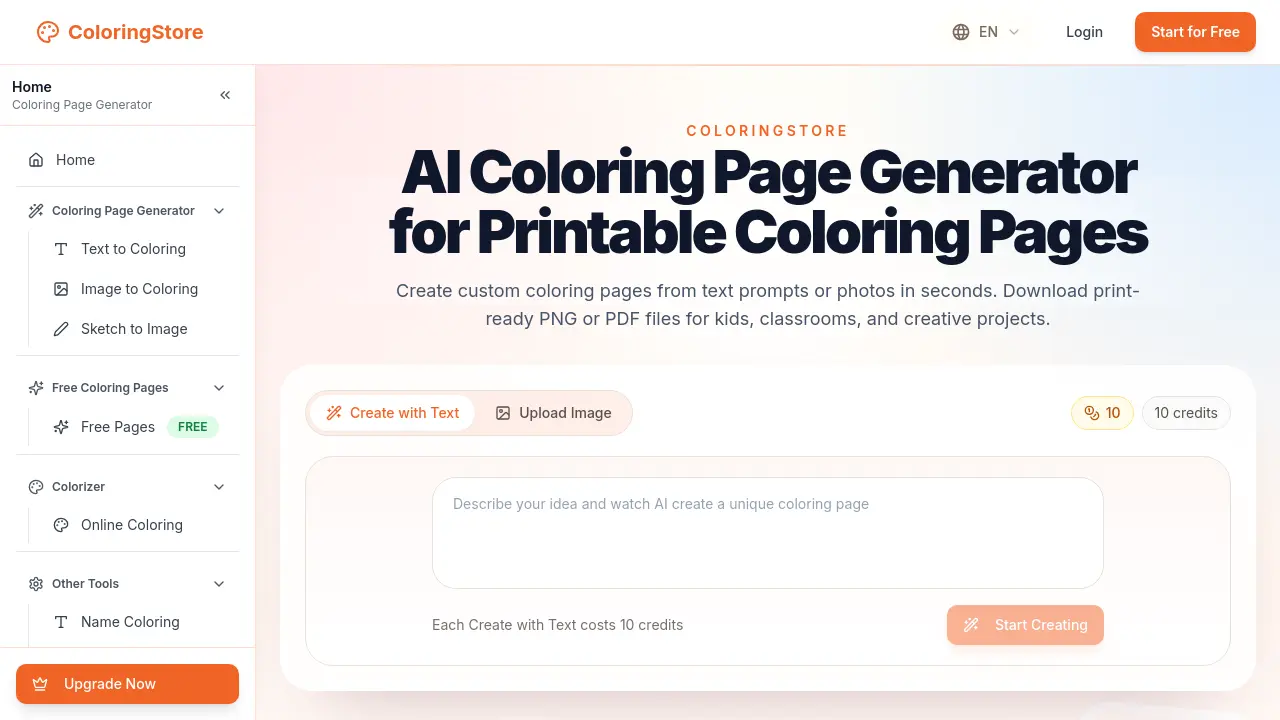
FAQs of ColoringStore
What is an AI coloring page generator?
An AI coloring page generator is a web‑based tool that uses artificial intelligence to convert text prompts or uploaded images into clean, vector‑style line art. The output is optimized for printable coloring pages, allowing users to create custom illustrations without manual drawing.
How do I create custom coloring pages from text?
To create a coloring page from text, select the “Text to Coloring” option, enter a descriptive prompt (e.g., “a jungle scene with monkeys”), choose a preferred style, and submit the request. The system allocates 10 credits per generation and returns a high‑resolution PNG or PDF ready for printing.
Can I turn photos into printable coloring pages?
Yes. By using the “Image to Coloring” feature, users can upload a JPEG or PNG photo. The AI processes the image, extracts outlines, and produces a printable line‑art version. The resulting file can be downloaded as PNG or PDF for classroom or home use.
Are these coloring pages suitable for kids, classrooms, and adults?
The generated pages are designed with clear, simple line art that works well for children’s activities, educational worksheets, and adult relaxation coloring. Styles can be adjusted to match the target audience, ensuring appropriate complexity and detail.
Can I download coloring pages as PNG or PDF?
Both formats are available. PNG files are ideal for quick printing or digital sharing, while PDF files preserve vector quality and are better suited for high‑resolution prints, large‑format projects, or batch printing of multiple pages.
Do I need drawing skills to make coloring pages?
No drawing experience is required. The AI handles all line‑art creation from the provided text or image, allowing users of any skill level to produce professional‑looking printable coloring pages instantly.
How many credits does each generation cost and can I purchase more?
Each “Create with Text” or “Create with Image” operation costs 10 credits. Additional credits can be purchased through the “Upgrade Now” pricing page, offering bulk packages that reduce the per‑page cost for frequent users such as teachers or content creators.
Is my uploaded image data stored after generation?
ColoringStore follows a strict privacy policy: uploaded images are processed only for the duration of the generation task and are not retained on the server afterward. Users can review the full privacy statement on the website for detailed data‑handling practices.
What support options are available if I encounter an issue?
Support is provided via email at support@coloringstore.com. Users can also consult the online help center, which includes troubleshooting guides, FAQs, and contact forms for technical assistance or account inquiries.
Can I use the generated coloring pages for commercial projects?
Yes, printable coloring pages produced with ColoringStore may be used in commercial contexts such as classroom packs, party favors, or published books, provided the user complies with the site’s terms of service and licensing agreements.
How to use ColoringStore
ColoringStore serves as an AI coloring page generator, converting text prompts or uploaded images into printable line‑art PNG or PDF files for educational and creative use.
Register or log in, then select “Text to Coloring” or “Image to Coloring” from the main navigation to access the generation interface.
Enter a descriptive text prompt or upload a clear photo, choose a preferred artistic style, and confirm the request by spending the required credits.
The system processes the input within seconds, producing a high‑resolution line‑art preview; optional thumbnails appear for recent community examples.
Review the generated preview; if adjustments are needed, modify the prompt or image and regenerate until the outline matches the intended design.
Download the final result by clicking the PNG or PDF button; files are formatted for standard printers and ready for immediate coloring or distribution.
Evaluate the downloaded page by checking line clarity and printable dimensions; use the output for classroom worksheets, party activities, or personal projects as required.
