
Codex Theme
Codex Theme — Custom Themes for OpenAI Codex

What is Codex Theme
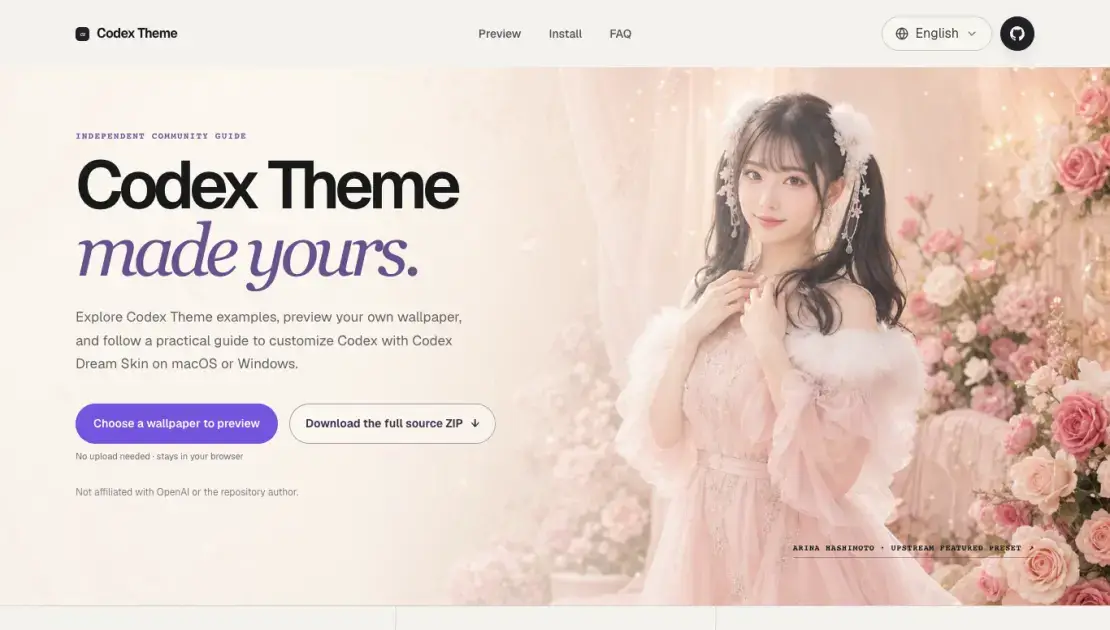
Codex Theme is an independent community guide that helps users customize the appearance of OpenAI's Codex coding tool. It provides a local preview tool where users can upload a wallpaper and see how it would look as a Codex background before making any changes. The guide also walks through the installation process for both macOS and Windows using Codex Dream Skin, a third-party open-source project. Users can apply custom themes that add background images, coordinated color palettes, and translucent panels while keeping all navigation and controls functional. The guide is not affiliated with OpenAI and directs all downloads to the original GitHub repository.
How does Codex Theme work
Codex Theme applies a visual layer to the Codex coding workspace through a local CDP (Chrome DevTools Protocol) connection. The process starts with the user uploading a wallpaper to the in-browser preview tool, which renders a mockup of how the theme would look. Once the user is satisfied, they download the Codex Dream Skin source from the original GitHub repository. The installer runs locally and injects custom styles into the running Codex application via CDP, adding a background image, color adjustments, and translucent panels. This approach avoids modifying the official app package or code signature, keeping the theme separate from API provider settings and allowing the user to restore the default appearance at any time.
Benefits of Codex Theme
Codex Theme is primarily designed for developers and power users who spend significant time in the Codex coding workspace and want a more personalized visual environment. It appeals to users who enjoy customizing their development tools without sacrificing functionality. The guide is useful for macOS and Windows users who want to apply custom wallpapers, color schemes, and translucent panels to their Codex interface. It also serves users who are curious about third-party customization options but want a safe, reversible approach with clear documentation before committing to any changes.
Pros and Cons of Codex Theme
Pros
- Free, open-source tool with no paid tiers
- Preview runs entirely in the browser with no data uploads
- Cross-platform support for macOS and Windows
- Fully reversible without modifying the official app
- Active GitHub repository with community documentation
Cons
- Requires downloading and running third-party scripts locally
- Only works with the Codex desktop application, not the web version
- Limited to wallpapers that work well in landscape orientation
- No official affiliation with OpenAI, so no guaranteed compatibility with future updates
Core Features of Codex Theme
Local Preview
The preview tool runs entirely in the browser. Users can upload a wallpaper and see how it would appear as a Codex background without uploading anything to a server. This lets them judge composition before editing theme assets.
Cross-Platform Installation
Codex Dream Skin supports both macOS and Windows. macOS users run a command-based installer, while Windows users use PowerShell scripts. Each platform has dedicated documentation linked from the guide.
Reversible Setup
Users can restore the official Codex appearance at any time using the restore process included in the repository. The theme does not modify the official app package, so reverting is straightforward.
Custom Backgrounds and Colors
Codex Theme combines a custom wallpaper with coordinated colors and translucent interface panels. Navigation, cards, and the prompt box remain fully interactive while the visual layer is applied.
Independent Community Guide
The guide is not affiliated with OpenAI or the Codex Dream Skin author. It provides documentation, a preview tool, and directs installation traffic to the original source repository.
Use Cases of Codex Theme
- Developers who spend long hours in the Codex coding workspace and want a more visually appealing environment to reduce fatigue and improve focus.
- Users who enjoy personalizing their development tools with custom wallpapers, color palettes, and translucent interface elements.
- Teams looking for a standardized visual theme across shared Codex workstations while keeping all interactive controls functional.
- macOS and Windows users who want to explore third-party Codex customization options with a safe, reversible, and well-documented approach.
FAQs of Codex Theme
Is Codex Dream Skin an official OpenAI product?
No. Codex Dream Skin is an independent open-source project created by Fei-Away. Codex Theme is an independent community guide that explains the project, provides a local preview tool, and directs installation traffic to the original source.
Does a Codex Theme modify the official installation?
No. The theme applies through a local CDP connection without modifying the official app package, app.asar, or code signature. The Codex Theme and your API provider settings are separate.
Can I restore the original Codex appearance?
Yes. The repository includes a restore process for each platform. Use it to return to the default interface at any time.
Is installing a Codex Theme completely safe?
The tool is open source and runs locally. Users should download only from the original repository, inspect scripts before running, and avoid running untrusted local software while a CDP debugging port is active.
Does this website upload my wallpaper?
No. The preview runs entirely in your browser. Your selected file remains on your device through a temporary browser URL and disappears when the page is closed or refreshed.
What makes a wallpaper suitable for a Codex Theme?
Wide images with a clear focal point, moderate contrast, and a consistent palette work best. The desktop workspace is landscape-oriented, so wide images produce the most flexible themes.
How much does Codex Theme cost?
Codex Theme is completely free. The preview tool, installation guides, and the underlying Codex Dream Skin project are all open source with no paid tiers.
How to use Codex Theme
- Preview: Visit the Codex Theme website and upload a wallpaper to see how it would look in a Codex workspace. The preview runs locally in the browser with no uploads required.
- Download: Go to the original GitHub repository and download the Codex Dream Skin source code as a ZIP archive or clone the repository directly.
- macOS Installation: Open the macos folder from the downloaded source and run the Install Codex Dream Skin.command script. The installer supports both Apple Silicon and Intel machines.
- Windows Installation: Open PowerShell in the windows folder from the downloaded source and run the install script. The script handles setup and starts the customization process.
- Restore: Use the restore process included in the repository to return to the official Codex appearance at any time.
Codex Theme Website Traffic Analysis
Latest traffic information
- Monthly Visits3.49K
- Bounce Rate39.1%
- Pages Per Visit1.31
- Visit Duration00:00:00
- Global Rank5.26M
- Country/Region Ranking3.55M
Top Keywords
| Keyword | Traffic | Volume | Cost Per Click |
|---|---|---|---|
| codex themes | 40 | 1.4K | $3.93 |
| codex 主题 | -- | 830 | $3.85 |
| codex theme | -- | 780 | $3.79 |
Codex Theme Alternatives
SeedRouter puts image, video, language and audio models from OpenAI, Google and Anthropic behind one key, billing per request and never for failed calls.
Open-source AI coworker for Slack and Lark that runs Claude Code, Codex or Pi on your own machine with the plan or API key you already pay for.
AtAt runs Claude Code, Codex, or local models in the text field you are typing in, no app-switching. It adds TabTab autocomplete, screenshots, and clipboard history.
Play HT is a free AI voice generator that turns text into speech with 200+ public voices, streams previews in the browser, and exports MP3 files.

Jev is TypeSafe AI's System One model that returns typed decisions with calibrated confidence for automation. Fast, cheap, zero hallucinations.
Use GPT, Claude, Gemini and Grok through one OpenAI-compatible API. Compare model rates, create a key, and make your first request in minutes.
Git-native task management for AI coding agents: track intent, status, blockers, dependencies, history, and commit evidence in Git.
SJolt is an AI model API platform aggregating top image, video, and audio generation models behind one unified request flow for developers and teams.
Tokenhot is a unified LLM API gateway delivering OpenAI, Claude, Gemini and DeepSeek models through a single endpoint, cutting API costs by up to 90%.
DSH Hub catalogs verified DeepSeek Harness plugins and clients. Browse open-source repositories with source inspection before installation.
Always free browser that shares your logged-in Chrome state with AI agents like Claude Code and Codex, running browser automation up to 3.45x faster.
Formpost is a free contact form to email API delivering submissions to your inbox with AI spam filtering, webhooks, file uploads and a REST API.