
Nano Banana Pro FAQs
Nano Banana Pro is a free AI image editor for photographers and designers, enabling fast photo edits via natural language prompts with advanced AI technology.

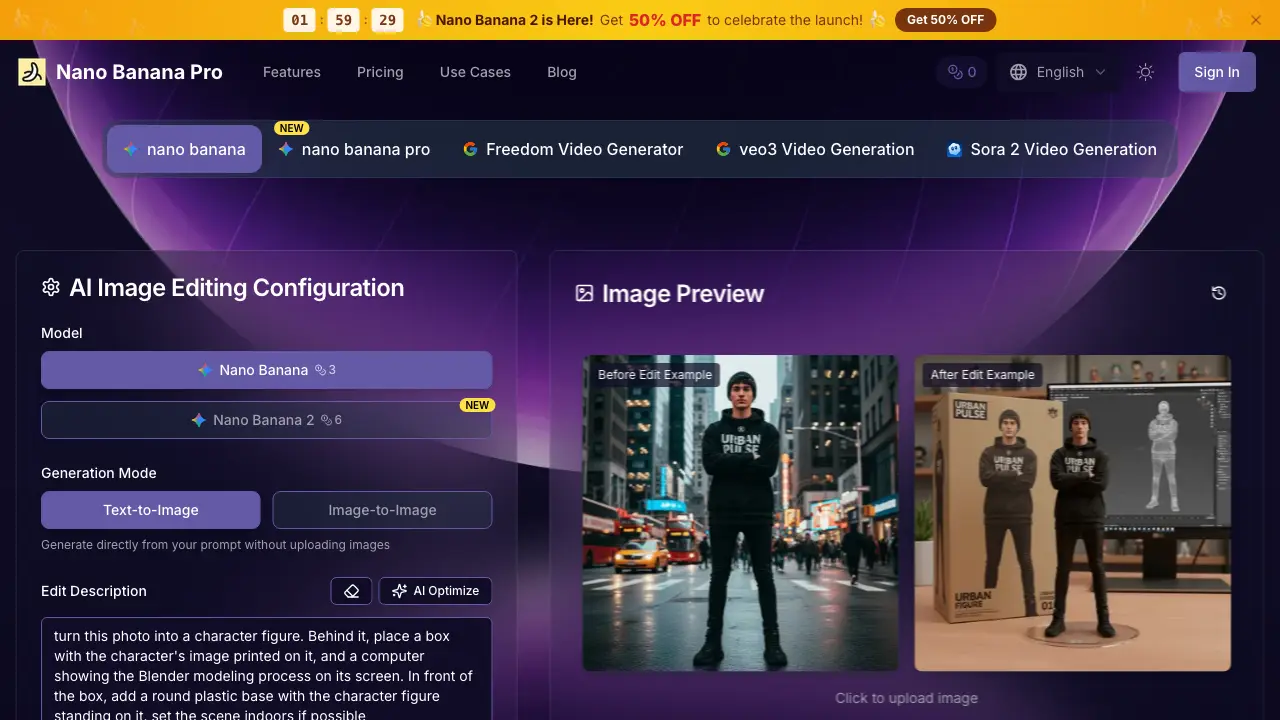
FAQs of Nano Banana Pro
What makes Nano Banana Pro unique for image editing?
Nano Banana Pro utilizes advanced AI algorithms specifically trained for interpreting complex text prompts to execute precise image edits. This technology enables professional-grade transformations through simple natural language instructions, distinguishing it from traditional editing software that requires manual tool proficiency.
Do I need design experience to use Nano Banana Pro?
No design experience is necessary. Nano Banana Pro is built for users of all skill levels. You only need to describe the desired changes in plain text, and the AI handles the technical editing processes automatically, making professional image modification accessible to everyone.
How quickly does Nano Banana Pro process image edits?
Most edits are completed within 30 to 60 seconds. The platform's optimized processing pipeline delivers quick results without sacrificing quality or detail accuracy, allowing for efficient workflow integration in time-sensitive projects.
What types of image editing can Nano Banana Pro perform?
Nano Banana Pro supports a comprehensive range of edits including background replacement, object addition or removal, style transfers, color and lighting adjustments, artistic effects, and detail enhancement. All are achievable through descriptive text prompts.
Is technical support available for Nano Banana Pro users?
Yes, support is provided through extensive documentation, tutorial resources, and responsive customer service. Premium subscribers on Professional and Enterprise plans receive priority assistance for advanced editing techniques and workflow optimization.
What is your refund policy?
A 30-day money-back guarantee is offered. If you are unsatisfied with Nano Banana Pro's performance, you may request a full refund within 30 days of purchase without any justification, ensuring a risk-free trial of the service.
How does Nano Banana Pro handle user data and privacy?
Nano Banana Pro processes uploaded images securely in compliance with data protection regulations. Images are used solely for the requested edit operation and are not stored permanently. Detailed data handling and security practices are fully outlined in the Privacy Policy.
What image formats and resolutions does Nano Banana Pro support?
The platform accepts common image formats such as JPEG, PNG, and WebP for upload. Export options provide high-resolution outputs in multiple file types, accommodating various use cases from web content to professional print publishing with maintained quality.
How do credits work, and are there any usage limits?
Credits are deducted per edit based on the selected output quality and complexity. Standard high-quality images consume fewer credits, while Nano Banana Pro AI images and video generations have higher credit costs. Your monthly allowance resets with each billing cycle according to your subscription plan.
What are the differences between High quality and Nano Banana Pro AI image outputs?
High quality images deliver excellent results for most general applications. Nano Banana Pro AI outputs undergo enhanced processing for superior detail, realism, and color fidelity, making them ideal for professional print, large-format displays, or projects with the highest quality demands.
Can I use edited images for commercial projects?
Yes, both Professional and Enterprise subscription plans include a commercial use license. This permits the use of edited images in client deliverables, marketing campaigns, products for sale, and other for-profit business contexts. The Free plan is restricted to personal, non-commercial use only.
How to use Nano Banana Pro
- Users access the Nano Banana Pro platform and navigate to the image editor interface, where configuration options for AI image editing are presented.
- The appropriate AI model (Nano Banana3 or Nano Banana2) and generation mode (Text-to-Image or Image-to-Image) are selected based on the desired edit type.
- The source image is uploaded via the designated field. Supported formats include JPEG and PNG, with the AI instantly analyzing composition, lighting, and elements.
- A detailed English text prompt describes the required changes, specifying objects, backgrounds, styles, and adjustments for optimal AI image editing results.
- Optional settings like output aspect ratio and template selection from the library are configured to guide the editing process and final output format.
- Clicking "Start AI Edit" initiates processing. Credit consumption varies by model and quality, with most edits completing within 30 to 60 seconds.
- The generated edit is reviewed using the before-and-after preview. Users assess integration, lighting fidelity, and overall composition against the prompt.
- If needed, the prompt is refined and the edit regenerated. Iterative adjustments improve accuracy for professional transformations in subsequent attempts.
- The final high-resolution image is downloaded. Subscribers receive watermark-free files with commercial licenses for immediate use in projects.
- Edited images are applied to specific use cases such as social media content, marketing materials, or e-commerce photos, adhering to licensing terms.
