
AI Make Song FAQs
AI Make Song is a web‑based AI music generator that lets creators and musicians turn text or lyrics into royalty‑free songs instantly, offering text‑to‑music, lyrics‑to‑music and style customization.

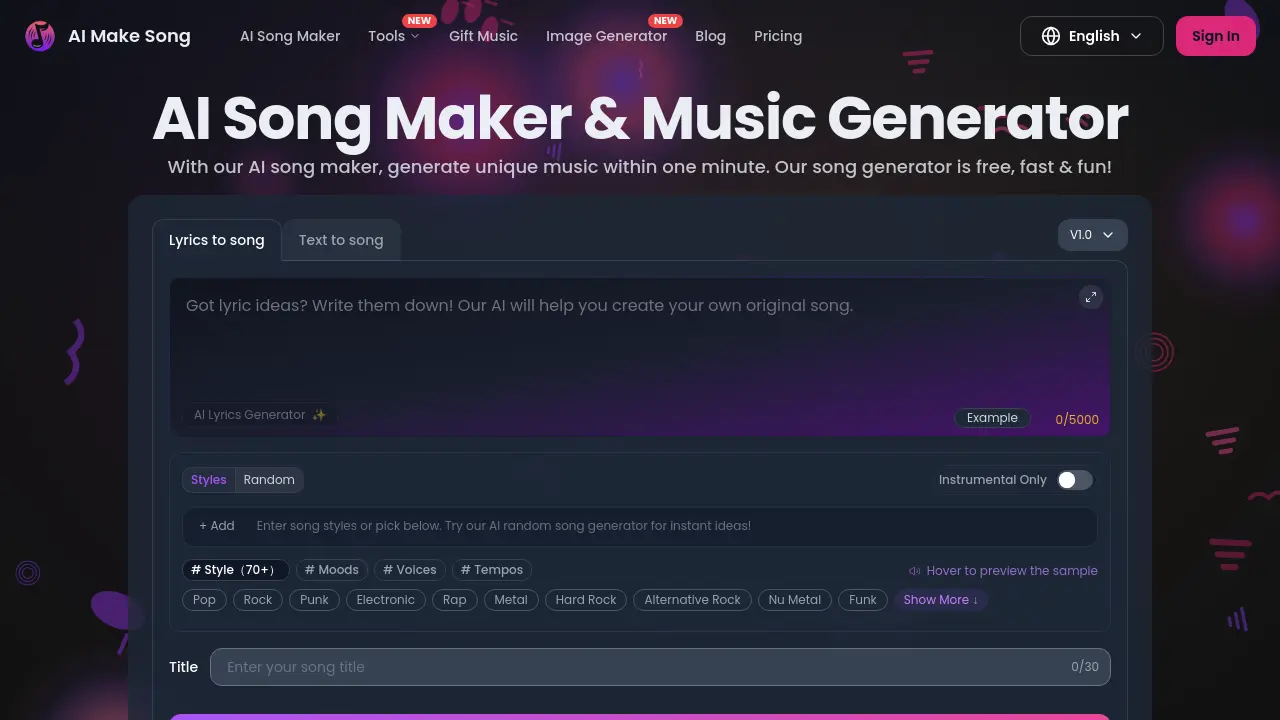
FAQs of AI Make Song
What is AIMakeSong?
AIMakeSong is an AI‑powered song maker and music generator that lets users create royalty‑free tracks in seconds. By entering lyrics, a text description, or selecting a style, the platform automatically composes melody, beats, and vocal performances, making it suitable for creators, educators, and hobbyists.
How Does AIMakeSong Work?
The system uses a large language model combined with a trained music synthesis engine. Users provide input (lyrics or descriptive text), choose a voice and genre, and the AI analyzes the emotional tone, rhythm, and structure before generating a full‑length audio file. The process typically finishes within one minute, and the result can be streamed, downloaded, or shared directly from the site.
Can I use this as an AI rap generator?
Yes, AIMakeSong includes a dedicated rap mode that produces aggressive beats, bass‑heavy drums, and lyrical flows. Users can either input original rap verses or let the AI lyrics generator produce verses, then select a male or female rap voice to render the final track.
How can I remove vocals from a song on AIMakeSong?
AIMakeSong offers a free vocal remover tool that isolates instrumental stems by applying source‑separation algorithms. Upload any audio file, the system extracts the vocal track, and provides a clean instrumental version suitable for karaoke, remixing, or background music.
How can I create my own ringtone with AIMakeSong's AI song generator?
To make a ringtone, generate a short track (30‑60 seconds) using the text‑to‑song or lyrics‑to‑song feature, then select “download” and choose a compatible format such as MP3 or WAV. The AI can tailor the tempo and mood to fit typical ringtone lengths, allowing easy transfer to a mobile device.
How can I create an AI song with any artist on AIMakeSong?
AIMakeSong does not replicate specific artists’ vocal signatures; instead, it provides a range of generic male, female, and instrumental voices. Users can emulate a style by selecting a genre and adjusting the mood, but the platform respects copyright by avoiding direct imitation of copyrighted vocal timbres.
Can I use the generated music for commercial purposes?
All tracks produced by AIMakeSong are guaranteed copyright‑clean because the underlying model is trained only on legally purchased, licensed datasets. Users receive a royalty‑free license, allowing unrestricted commercial use in videos, podcasts, advertisements, games, and other monetized projects.
Can I create music in different languages?
Yes, the AI song maker supports multilingual input. Users can submit lyrics or text prompts in many languages, and the system will generate vocals that match the language’s phonetics and rhythm, making it a versatile tool for international creators.
Is my generated music private?
Each generation is processed in a secure environment, and the resulting audio files are stored under the user’s account with optional 30‑day or permanent cloud storage, depending on the subscription tier. AIMakeSong does not publicly share private tracks unless the user explicitly publishes them.
Tips for Creating Better AI Songs
Provide clear, concise prompts with defined moods, tempos, and genre tags; avoid ambiguous language. Use the “Random” style option for inspiration, but refine results by iterating on lyrics or adjusting voice selections. Keeping the input under 5,000 characters ensures optimal processing speed and more accurate musical interpretation.
How to use AI Make Song
AI Make Song serves as an AI song maker and music generator that transforms text or lyrics into royalty‑free, customizable tracks, supporting multiple genres, voices, and tempos.
Choose the input mode: select “Text to Music” for descriptive prompts or “Lyrics to Music” to upload or generate lyrics, then enter the content into the provided field.
Configure output preferences by picking a voice (male, female, or instrumental) and a style from the extensive genre list, optionally adjusting tempo and mood sliders.
Click the “Generate” button; the platform processes the request, synthesizes melody, arrangement, and vocals, and presents a preview player with download options.
Listen to the generated track, evaluate its alignment with the original prompt, and use the built‑in download feature to save a high‑quality, copyright‑clean audio file.
Apply the final track to your project—video, podcast, game, or personal use—and, if needed, revisit previous steps to refine style or lyrics for optimal results.
