
Zoom Out AI FAQs
Zoom Out AI generates zoom-out videos from a single image, zooming out to show the entire Earth, and it's ideal for creating unique video effects.

FAQs of Zoom Out AI
Is Zoom Out AI free?
Zoom Out AI offers a free trial and multiple flexible paid plans designed to accommodate a wide range of users. This allows users to explore the features and benefits before committing to a subscription.
Do I need to sign up?
No sign-up is required to use the basic features of Zoom Out AI. However, creating an account allows users to save their generated zoom out ai videos and access additional premium features.
Is my image safe?
Zoom Out AI prioritizes user privacy and processes images securely. The platform assures users that their images are never stored without explicit permission, ensuring data confidentiality throughout the zoom out ai video generation process.
What image formats are supported?
Zoom Out AI supports both JPG and PNG image formats for generating zoom out ai videos. Users can upload images in either of these formats to create stunning zoom-out effects.
Is there a limit to video length?
Yes, the video length generated by Zoom Out AI is dependent on the specific plan selected by the user. Detailed information regarding video length limits for each plan can be found on the pricing page.
How can I contact support?
Users can contact the Zoom Out AI support team by sending an email to support@zoomoutai.pro. The support team is available to assist with any questions or issues related to the zoom out ai video generator.
What is Zoom Out AI?
Zoom Out AI is a free tool that allows users to transform any image into a captivating zoom-out video, creating an effect where the camera pulls back to reveal the Earth. It's ideal for presentations, creative endeavors, and adding a unique touch to any project.
What are the key features of Zoom Out AI?
Zoom Out AI provides features like free unlimited zoom-out video generation, ensuring accessibility for all users. It guarantees high-resolution output for professional-quality videos, and utilizes a super-fast AI engine to generate videos quickly, making it an efficient zoom out ai tool.
What kind of zoom styles are available?
Zoom Out AI offers multiple zoom styles. Users can pick their preferred zoom-out style and speed.
Can I use Zoom Out AI for commercial purposes?
The terms of service outline the permitted uses of Zoom Out AI, including stipulations for commercial use depending on the subscription plan. Reviewing the terms will clarify the usage rights for generated zoom out ai videos.
Does Zoom Out AI offer an API?
Currently, there is no mention of a public API for Zoom Out AI. The features are primarily accessed through the website interface. Check the documentation or contact support for any potential updates regarding API availability.
How to use Zoom Out AI
Zoom Out AI is an AI-powered tool designed to create zoom-out videos from still images, allowing users to generate visually engaging content without needing advanced video editing skills.
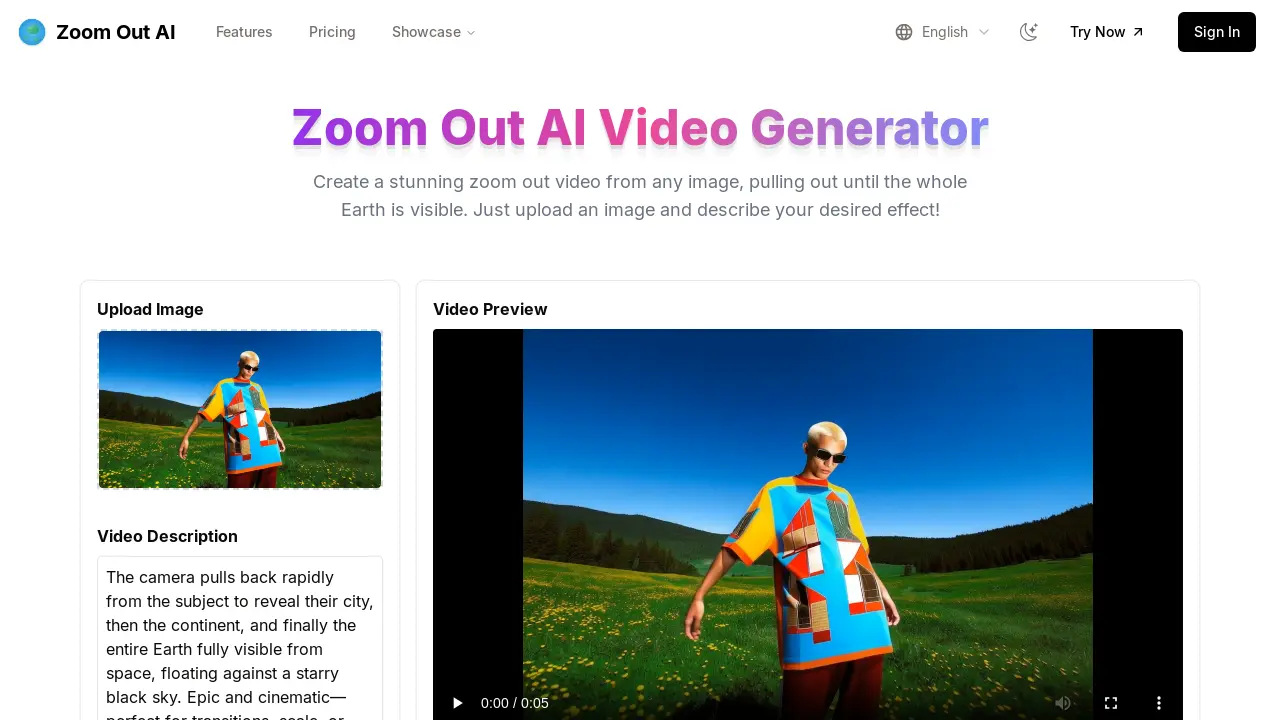
Begin by uploading the desired image to the Zoom Out AI platform. The tool supports JPG and PNG formats for generating your zoom out ai video.
Input a video description, detailing the desired zoom effect; for example, "zoom out to show the Earth". This step is crucial for the AI to understand the desired outcome.
Click the "Generate Zoom Out Video" button. Zoom Out AI then processes your image and description using its AI engine to create the zoom out ai generated video.
Preview the generated video to ensure it meets your expectations. Zoom Out AI offers varying zoom styles. Users can also utilize the zoom in ai features.
Download the video. Based on your chosen pricing plan, you will receive a high-resolution zoom-out video suitable for various applications. Zoom Out AI ensures high quality output.
Explore advanced options. Some plans offer custom zoom paths and professional animation libraries, enhancing the zoom out ai filter capabilities for a more tailored experience.
Consider upgrading to a paid plan to unlock features like ultra-high quality video, faster processing, and priority support, suitable for professional content creation needs relating to zoom out ai.
