
Wan AI FAQs
Wan AI is a multimodal AI platform that transforms text or images into professional 1080p videos with synchronized audio, serving creators and brands.

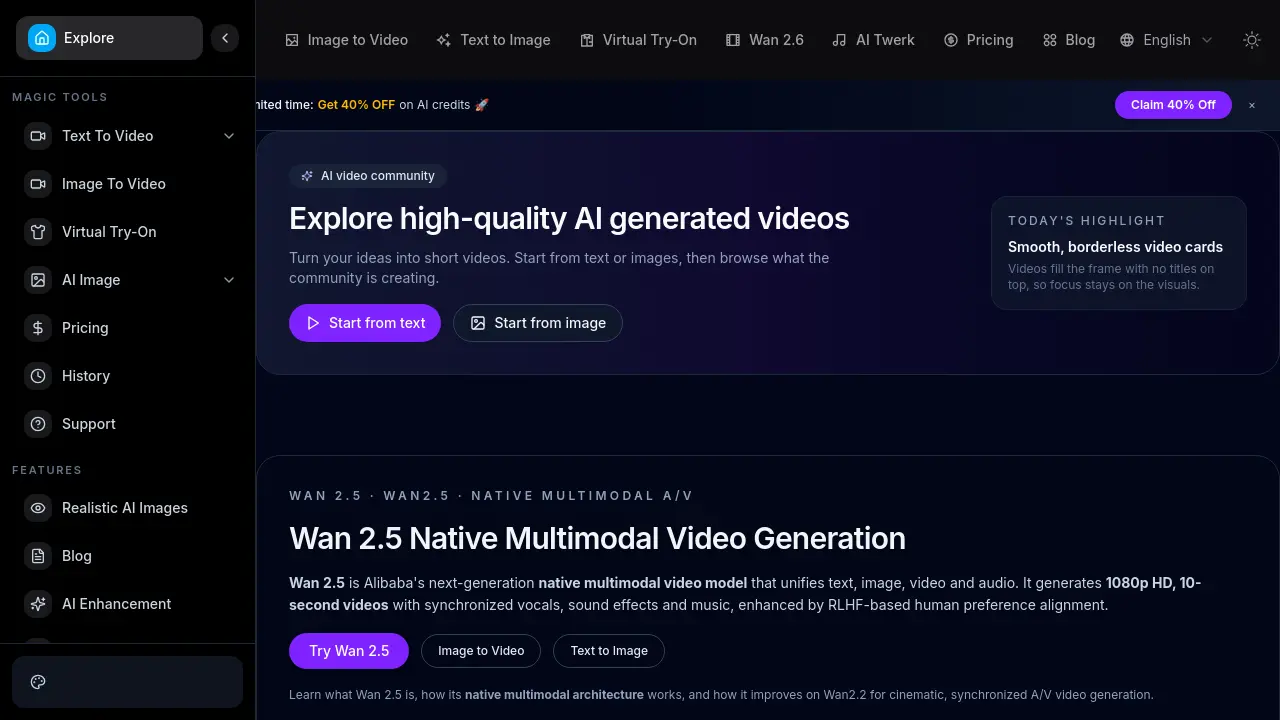
FAQs of Wan AI
What is Wan AI?
Wan AI is an AI-powered video generation platform that creates short videos from text prompts or static images. It specializes in producing 1080p HD content with cinematic motion and realistic details, targeting creators, developers, and marketing teams for efficient video production.
What is Wan 2.5?
Wan 2.5 is Alibaba's next-generation native multimodal video model. It unifies text, image, video, and audio generation within a single architecture. This model produces 10-second 1080p videos with synchronized audio, including dialogue and music, enhanced by human preference alignment training.
What generation modes does Wan AI support?
Wan AI supports multiple generation modes including Text-to-Video (T2V) and Image-to-Video (I2V). The platform also accommodates workflows like Text+Image-to-Video (TI2V) and character animation. These modes allow users to start from different creative inputs for flexible video creation.
What are the key features of Wan AI?
Key features include fluid cinematic motion with temporal stability, native multi-shot storytelling for consistent scenes, and support for diverse aesthetic styles. The platform offers precise prompt control for complex scenes and lightning-fast generation speeds, making it suitable for professional and amateur creators.
How does Wan AI handle audio in generated videos?
Wan 2.5's native multimodal architecture generates precisely synchronized audio directly from the prompt. This includes dialogue, ambient sound effects, Foley, and background music. The audio and visual elements are aligned within the same generation process, eliminating the need for separate audio editing.
What is the maximum video length and resolution for Wan AI outputs?
Wan AI, specifically using the Wan 2.5 model, generates videos up to 10 seconds in length at 1080p HD resolution. This duration and quality are optimized for short-form content such as social media clips, trailers, and educational snippets, balancing detail with generation efficiency.
What hardware specifications are required to run Wan AI?
Wan AI is optimized for consumer GPUs, including the NVIDIA 4090. The open-source platform under Apache 2.0 license allows deployment on various hardware configurations. Efficient operation requires sufficient VRAM to handle the model's computational demands for smooth video generation.
Is there an API available for integrating Wan AI into applications?
Yes, Wan AI provides an API for developers to integrate video generation capabilities into custom applications and production pipelines. Documentation is accessible on the website, enabling scalable implementation for enterprise or project-based use cases with robust infrastructure support.
How does Wan AI compare to previous versions like Wan2.2?
Wan 2.5 shows significant improvements over Wan2.2, including 25% faster generation speed, 30% better video quality, and 40% higher semantic compliance. It also offers 35% smoother motion reconstruction and 20% improved hardware efficiency while maintaining open-source access under Apache 2.0.
Where can I find current pricing and subscription plans for Wan AI?
Detailed pricing information, including potential discounts like the 40% off AI credits promotion, is available on the official Wan AI pricing page. Plans vary based on generation quotas, feature access, and support levels. Users should consult the website for the most up-to-date rates and subscription options.
How to use Wan AI
Wan AI is an AI video generation platform that converts text prompts or images into 1080p HD videos with synchronized audio, powered by the Wan 2.5 native multimodal model for cinematic output.
- Users access the Wan AI platform by navigating to wanai.dev in a web browser. They authenticate via account login or continue as a guest to explore the tools.
- Select the appropriate AI video generation tool from the dashboard, such as Text to Video for text prompts, Image to Video for photo animation, or Virtual Try-On for clothing try-on videos.
- For text-to-video, input a detailed textual prompt describing the scene, including subjects, actions, environment, and visual style for optimal generation.
- For image-to-video or Virtual Try-On, upload the required source image(s) as specified by the tool, ensuring high quality for best results.
- If available, configure optional settings like video duration, resolution, or audio preferences to customize the output according to project requirements.
- Initiate generation by clicking the corresponding button. Allow processing time, typically several minutes, based on prompt complexity and server workload.
- After generation, play the 1080p video in the preview player. Evaluate motion smoothness, visual fidelity, and audio sync aligned with the prompt.
- Download the final video or share it directly. To enhance quality, modify the prompt or input assets and repeat the generation process.
The generated video should showcase Wan 2.5's native multimodal capabilities, including synchronized audio and 1080p cinematic quality. Users evaluate these factors for content creation in marketing, social media, or education.
