
Vogoo AI – Free AI Video and Image Generator for Creators

What is Vogoo AI
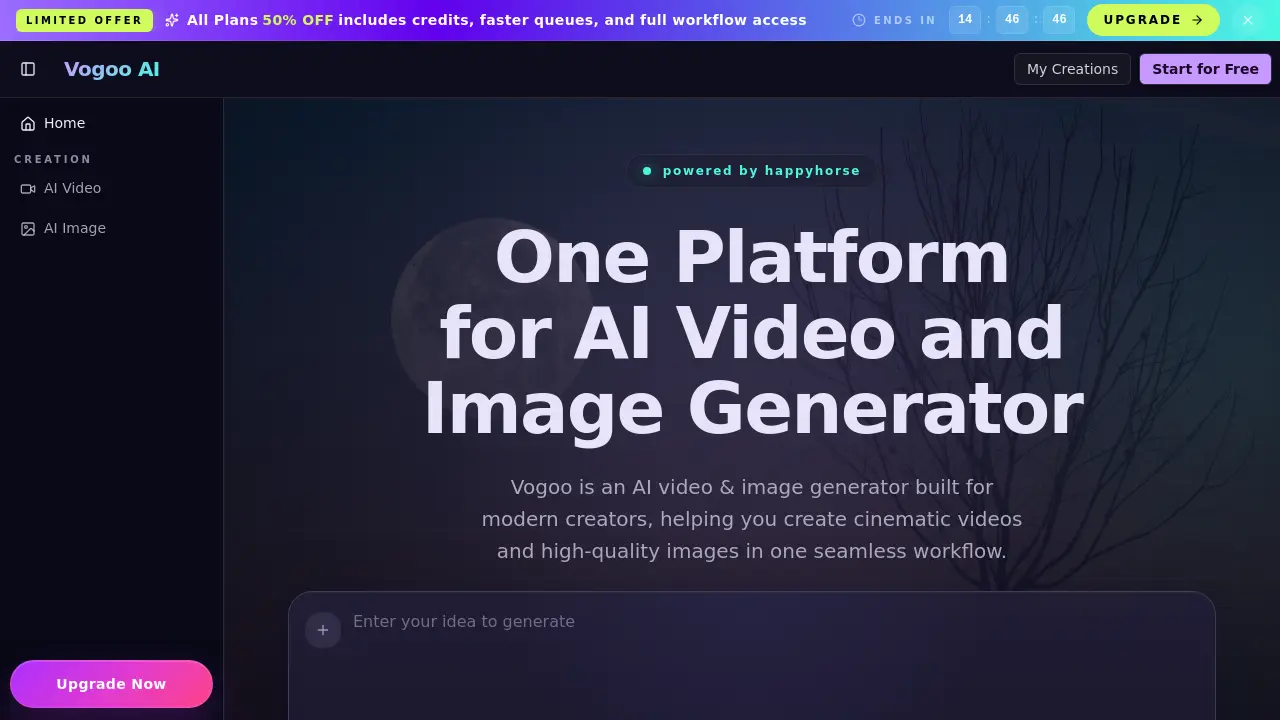
Vogoo AI is a browser‑based platform that unifies AI video generation, image creation, and post‑production editing in a single workflow. Users can input text or a reference image and receive cinematic‑grade video clips with coherent motion, stable lighting, and 4K‑native resolution, while the image engine produces high‑detail, style‑consistent visuals suitable for product photography or editorial content. The system supports text‑to‑video, image‑to‑video, text‑to‑image, and image‑to‑image pipelines, allowing teams to iterate quickly without switching between separate tools. Built‑in editing controls let creators fine‑tune timing, framing, and visual effects before export, reducing handoff friction and accelerating review cycles. With sub‑second inference times and a physics accuracy rate of 99.9 %, Voggo AI targets marketers, agencies, and in‑house production teams seeking fast, reliable content generation from concept to final delivery.
How does Vogoo AI work
Vogoo AI operates as a browser‑based platform that unifies text‑to‑video, image‑to‑video, text‑to‑image, and image‑to‑image generation within a single workflow. Users input prompts or reference files, after which the system routes the request to a set of diffusion and animation models that render frames, apply physics‑based motion continuity, and up‑sample to native resolutions such as 4K. Rendered assets pass through an integrated editor, allowing adjustments to timing, framing, and style before export. By keeping prompts, models, and editing tools in one environment, Vogoo AI reduces handoff friction and supports rapid iteration for marketers, creators, and agencies.
Benefits of Vogoo AI
Vogoo AI provides a single, browser‑based platform for generating and editing both video and image content. Users can create cinematic text‑to‑video sequences, convert single images into coherent video clips, and produce high‑detail text‑to‑image or image‑to‑image assets without switching applications. The tool offers fast inference (≈0.8 s), 4K native resolution, and physics‑accurate motion, supporting rapid A/B testing, campaign mockups, and storyboard previews. Integrated editing controls let creators refine timing, framing, and style before export, reducing handoff friction for marketers, agencies, and in‑house teams seeking consistent visual output.
Pros and Cons of Vogoo AI
Pros
- Integrated AI video and image generation workflow.
- Browser‑based, no heavy software installation.
- Sub‑second inference for 720p clips (0.8 s).
- Supports text‑to‑video, image‑to‑video, text‑to‑image, image‑to‑image.
- Built‑in editor for quick post‑generation tweaks.
Cons
- Free tier limited to 720p resolution.
- No explicit mention of API access for automation.
- Pricing details unclear beyond limited 50 % discount.
- Advanced visual effects may require higher‑tier plans.
- Customer support options not highlighted.
Core Features of Vogoo AI
Text‑to‑Video Generation
Transforms written prompts into cinematic video sequences, adding camera motion, lighting rhythm, and pacing that suit production‑ready storytelling.
Text‑to‑Image Creation
Generates high‑detail images from textual descriptions, maintaining style consistency, visual hierarchy, and product‑level realism for editorial or marketing use.
Image‑to‑Video Conversion
Converts a single reference image into a short video clip, preserving subject identity and delivering coherent motion and intentional transitions.
Image‑to‑Image Editing & Iteration
Applies AI‑driven modifications to existing images—adjusting mood, texture, composition, or typography—without rebuilding assets from scratch.
Integrated AI Video & Image Editing Workspace
Provides on‑platform controls for timing, framing, color grading, and visual consistency, enabling rapid refinements before final export.
Use Cases of Vogoo AI
- Marketing teams: Produce ad loops and explainer videos rapidly using Vogoo AI’s text‑to‑video generator for consistent brand visuals.
- E‑commerce managers: Generate high‑detail product photos and alternative hero images with the AI image maker, reducing photoshoot costs.
- Creative agencies: Convert single reference images into animated clips via image‑to‑video, maintaining facial stability and motion continuity for client presentations.
- Film pre‑production crews: Create short cinematic sequences with the AI movie generator to test shot pacing, lighting rhythm, and camera movement before filming.
- Content editors: Refine AI‑generated footage and images within Vogoo AI’s integrated editor, adjusting timing, framing, and style without external software.
FAQs of Vogoo AI
What is Vogoo AI and who is it for?
Vogoo AI is a browser‑based platform that integrates an AI video generator, AI image generator, and editing tools. It is aimed at marketers, content creators, agencies, and in‑house production teams that need to produce cinematic videos and high‑quality images quickly without installing complex software. The service supports both novices and experienced professionals by providing clear controls for style, pacing, and consistency throughout the creative pipeline.
Can Vogoo AI generate both video and image content?
Yes. Vogoo AI offers text‑to‑video, image‑to‑video, text‑to‑image, and image‑to‑image workflows, allowing users to create and iterate visual assets entirely within one interface. This unified approach helps maintain brand style across web, social, and paid‑media channels while reducing the need to switch between separate AI tools.
Does Vogoo AI work as an AI movie generator?
Vogoo AI can function as an AI movie generator for short cinematic sequences, concept trailers, storyboard previews, and scene tests. It enables rapid iteration of camera movement, pacing, and tonal variations, making it valuable during pre‑production to validate story beats before committing to costly live‑action shoots.
What does Vogoo AI offer for image quality and photo workflows?
The platform produces high‑detail AI image output suitable for product photography, editorial visuals, and social‑media mockups. By allowing reference‑based generation, Vogoo AI keeps color balance, composition, and product identity stable across multiple variations, which is essential for scaling image production across diverse audiences and formats.
How does Vogoo AI compare to using separate tools?
Because prompts, styles, references, and exports remain within a single system, Vogoo AI eliminates the “prompt drift” and hand‑off friction common with disparate applications. Teams can collaborate in one workspace, reducing coordination overhead and ensuring visual and narrative consistency across video and image assets.
Can I edit outputs inside Vogoo AI?
Yes. Vogoo AI includes built‑in editing controls for both video and image outputs, such as timing adjustments, framing tweaks, style refinements, and visual consistency checks. These features enable fast revision cycles without exporting to external post‑production software, preserving turnaround speed and creative control.
How fast is the rendering process on Vogoo AI?
The platform advertises an average inference time of 0.8 seconds per frame, delivering near‑real‑time generation for 720p video clips and supporting native 4K resolution output. This speed allows creators to test multiple concepts quickly and meet tight production deadlines.
What subscription options are available for Vogoo AI?
Vogoo AI provides a free tier with limited credits and basic queue priority, while paid plans unlock faster queues, higher resolution rendering, and full workflow access. Promotional offers may include a 50 % discount on all plans for a limited time, encouraging users to upgrade for expanded capabilities.
Where can I get support if I encounter issues?
Users can reach the support team via email at support@vogoo.ai. Additional resources such as documentation, tutorials, and a community forum are available on the Vogoo AI website, helping creators troubleshoot common problems and learn best practices for AI video and image generation.
How to use Vogoo AI
Voggo AI serves as an integrated AI video generator and AI image generator, enabling creators to produce cinematic videos and high‑quality images from text or image prompts.
Access the platform via browser, select “AI Video” or “AI Image” from the main menu, and choose the appropriate workflow (text‑to‑video, image‑to‑video, text‑to‑image, or image‑to‑image).
Enter a concise description or upload a reference image, then adjust style, resolution, and motion parameters using the on‑screen sliders before confirming the generation request.
Initiate processing; Voggo AI renders the content in approximately 0.8 seconds per frame, displaying a preview thumbnail and a progress bar for real‑time monitoring.
Review the generated preview, checking continuity, lighting, and visual fidelity; use the built‑in AI video editor controls to trim, re‑frame, or modify effects as needed.
Export the final output in native 4K resolution or chosen format, then download or share directly to collaboration channels for immediate use in campaigns.
Analyze export metrics—such as physics accuracy and inference time—provided in the report to assess production efficiency and inform future prompt refinements.
Apply insights from the result analysis to iterate prompts, adjust style settings, and streamline the creative pipeline, optimizing both AI video and AI image workflows.