
VidBeer FAQs
VidBeer provides easy AI image and video creation for creators, featuring text-to-image, text-to-video, and photo editing tools with no learning curve.

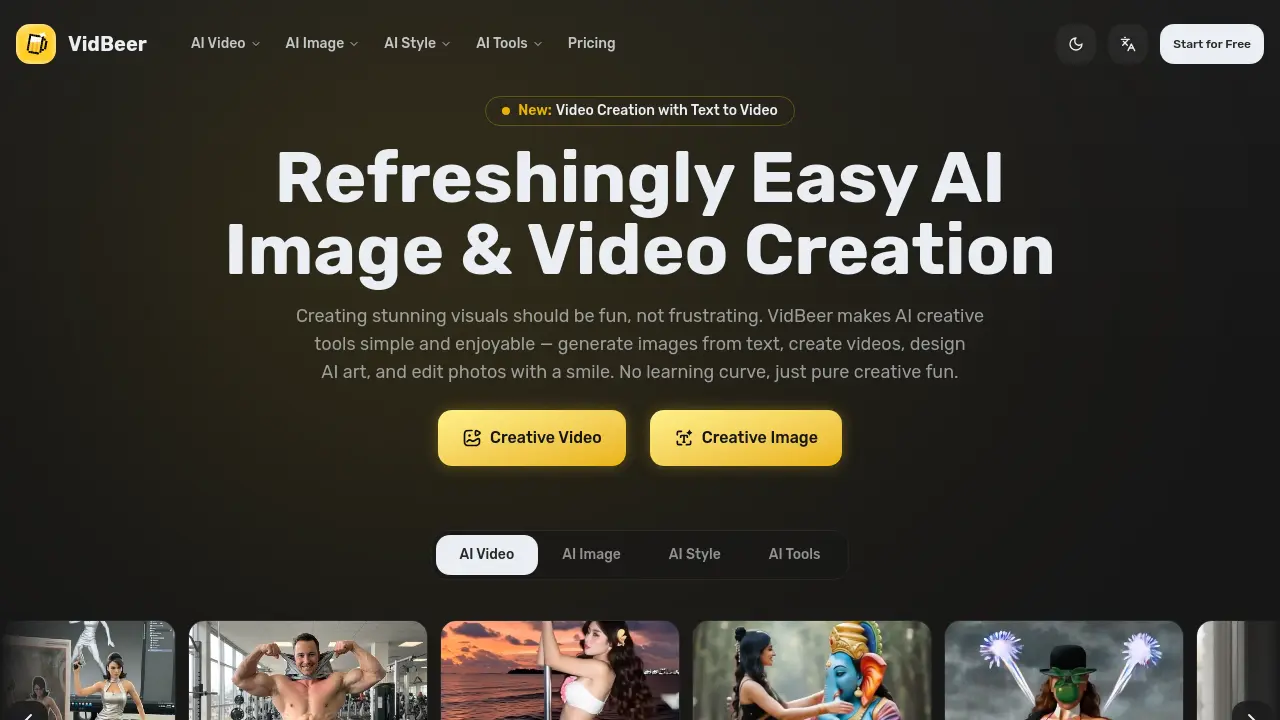
FAQs of VidBeer
What is VidBeer?
VidBeer is an AI-powered platform designed for generating and editing visual content, including images and videos. It provides tools for text-to-video creation, image enhancement, style transfer, and various photo editing functions, aiming to simplify creative workflows for users with diverse skill levels.
How do I get started with VidBeer?
Users can begin by signing up for a free account on the VidBeer website. The platform operates through a web interface, requiring no software installation or prior technical expertise. After registration, users can immediately access the dashboard to explore AI tools for image and video generation.
What types of content can be created using VidBeer?
VidBeer enables the creation of videos from text prompts, animation of still images, application of artistic styles to photos, and numerous photo edits. Specific capabilities include background removal, virtual clothing try-ons, hairstyle changes, and generating images from text descriptions, covering both practical and entertainment use cases.
What file formats does VidBeer support for input and output?
VidBeer accepts common image formats such as JPEG and PNG for uploads. Video outputs are typically generated in MP4 format, which is widely compatible. Input requirements and output options may vary slightly depending on the specific AI tool selected, such as text-to-video or image enhancement functions.
Does VidBeer offer tutorials or learning resources for its tools?
VidBeer provides a blog section and documentation to assist users in understanding its features. These resources include guides, tips, and updates on new tools. Additionally, the platform's intuitive design minimizes the need for extensive tutorials, allowing most users to start creating immediately.
What are the system requirements for using VidBeer?
VidBeer is a cloud-based service accessible through modern web browsers on desktop and mobile devices. A stable internet connection is necessary for processing media. While no specific hardware is mandated, a device with sufficient memory and a current browser version ensures optimal performance for AI-driven tasks.
How does VidBeer handle user privacy and data security?
User privacy and data security are managed according to VidBeer's privacy policy. The platform processes uploaded images and videos to generate results, and user data is handled with standard encryption practices. Detailed information on data retention, third-party sharing, and user rights is available in the official legal documents.
Is there a free tier available to try VidBeer?
A free tier is offered, allowing users to test VidBeer's core features without financial commitment. This includes limited access to AI tools for generating and editing visuals, enabling evaluation of the platform's capabilities and output quality before considering a paid subscription for expanded features.
What are the pricing plans for VidBeer?
VidBeer provides multiple subscription plans tailored to different usage levels, from occasional creators to high-volume professionals. Plans vary in terms of credit allocations, feature access, and output resolution. Comprehensive pricing details, including plan comparisons and billing cycles, are published on the dedicated pricing page.
Can a VidBeer subscription be canceled at any time?
Subscriptions can be canceled at any time through the user's account settings. Upon cancellation, access to premium features continues until the end of the current billing period, after which the account reverts to the free tier. No additional charges are applied after the cancellation is processed.
Are AI-generated images and videos from VidBeer eligible for commercial use?
Commercial usage rights depend on the specific subscription plan and are outlined in VidBeer's terms of service. Generally, paid plans grant broader commercial licenses for generated content compared to the free tier. Users intending commercial use should review the latest terms or contact support for clarification.
How to use VidBeer
- VidBeer serves as an AI‑driven creative platform, enabling users to generate videos from text or images, apply video effects, and edit images with style transfer and object removal.
- The user registers for a free account, then logs into the dashboard where a screenshot shows tool categories such as AI Video, AI Image, and AI Tools.
- From the AI Video section, the user selects Text to Video, which opens a prompt interface for entering descriptive sentences.
- The user types a concise description, then adjusts optional parameters such as style, duration, and resolution before initiating generation.
- After processing, a preview thumbnail appears; the user can play the clip to assess pacing, visual fidelity, and alignment with the prompt.
- If needed, the user navigates to Video Effects, selects an effect like 3D Figurine Factor, and applies it to the generated clip.
- Once satisfied, the user clicks Export, choosing format and quality, then downloads the final video file for sharing or further editing.
- The output video’s narrative coherence, visual style, and pacing indicate how well the AI interpreted the prompt, guiding adjustments for future iterations.
- By aligning the video’s attributes with target audience preferences, the user can optimize engagement metrics, brand messaging, or creative storytelling outcomes.
