
Viblo AI YouTube MP3 Downloader Core Features
Viblo AI YouTube MP3 Downloader inspects public videos and lists available M4A or WebM audio formats with size, duration, and temporary direct links.

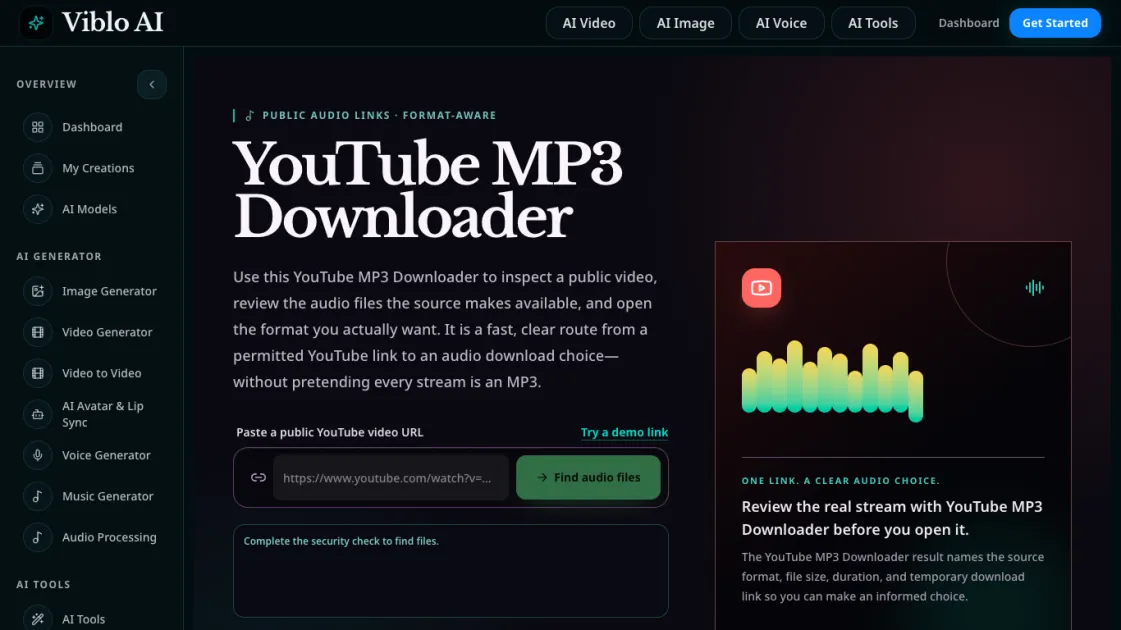
Core Features of Viblo AI YouTube MP3 Downloader
Format-Aware Audio Inspection
The YouTube MP3 Downloader identifies the exact audio format served by YouTube for each video. M4A files typically contain AAC audio, while WebM files commonly use Opus encoding. The tool labels each format with its MIME type so users can choose based on actual compatibility rather than a generic MP3 label.
Real-Time File Details
Each inspection result includes the source format, file size, duration, and a temporary direct download link. These details appear together so users can compare options before downloading. File sizes help users choose between higher-bitrate streams for quality and smaller files for convenience.
Broad YouTube Link Support
The tool accepts standard watch URLs, youtu.be short links, YouTube Shorts, live streams, and embed links. The video ID is extracted from the URL and used to query the available audio streams. Tracking parameters are stripped automatically.
Security Check Integration
Before displaying results, the tool runs a security verification step. This ensures the request comes from a legitimate source and helps protect against automated abuse. The check is brief and does not require user login or YouTube credentials.
Temporary Direct Links
Download links are generated per request and expire after a limited time. This means users should save files promptly after opening them. The temporary nature of the links prevents outdated URLs from circulating, keeping the workflow focused on immediate, authorized use.
Use Cases of Viblo AI YouTube MP3 Downloader
- Creators: Inspect a permitted audio reference from your own YouTube upload, compare the M4A or WebM streams, and keep the project master separately.
- Learners: Locate a lecture or demonstration stream for offline listening when permitted, keeping the file with its course link and creator name.
- Teams: Use the tool for internal briefs after receiving permission, recording the source URL, review date, format, and rights status with each file.
- Editors: Compare available audio formats by file size and bitrate before choosing which stream to use in a project timeline.
