
TurboDoc FAQs
TurboDoc uses AI to transform unstructured invoices into structured data, saving businesses time and money on accounts payable. It integrates with Gmail and offers various subscription plans.

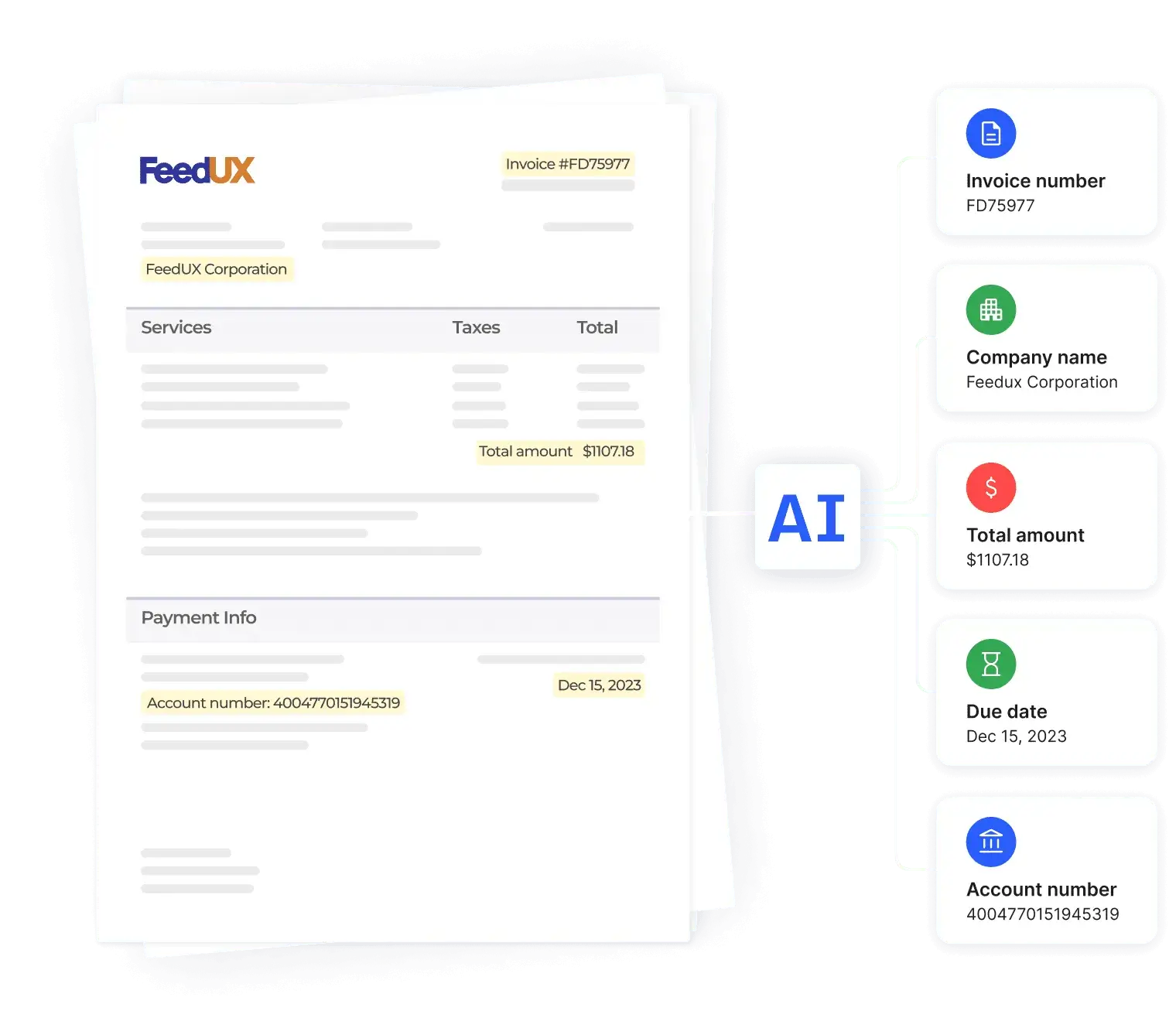
FAQs of TurboDoc
What is TurboDoc?
TurboDoc is an AI-powered invoice processing solution designed to automate the extraction of data from invoices. It transforms unstructured invoice data into easily readable and usable structured data, saving users time and improving efficiency in accounts payable processes. The platform offers various features, including automated invoice processing from Gmail and different pricing tiers to suit varying needs.
How does TurboDoc's invoice data extraction work?
TurboDoc utilizes advanced AI models trained on a vast dataset of invoices to accurately extract key information. The system processes uploaded invoices (.pdf, .jpeg, .png, .webp, .heic, .tiff) and identifies key data points such as company name, invoice number, total amount, due date, and payment details. This structured data is then presented in an organized format, ready for further accounting processes.
What are the pricing plans for TurboDoc?
TurboDoc offers several pricing plans to cater to different user needs. The "Simple" plan starts at $6/month and includes 50 invoice processings, while the "Pro" plan, at $30/month, provides 300 invoice processings and premium support. A self-hosting option allows for customized invoice processing volume and includes premium technical support, with invoices processed on your servers.
Does TurboDoc integrate with other applications?
Currently, TurboDoc offers automatic invoice processing directly from Gmail. Future integrations with other accounting software and applications are planned. A waitlist is available for users interested in these upcoming integrations. The platform aims to streamline workflows by enabling seamless data transfer between TurboDoc and other commonly used business tools.
What types of files can TurboDoc process?
TurboDoc accepts a wide variety of file formats for invoice processing, including .pdf, .jpeg, .png, .webp, .heic, and .tiff. The minimum file size is 1000 bytes, and the maximum file size is 10 MB. Users are encouraged to use clear and legible images for optimal accuracy in data extraction.
How to use TurboDoc
- Begin by uploading an invoice (PDF, JPEG, PNG, WEBP, HEIC, TIFF) to the TurboDoc platform via drag-and-drop or file selection. Ensure the file size is between 1000 bytes and 10 MB.
- TurboDoc's AI will process the invoice; the extraction process takes only a few seconds. Observe the progress indicator.
- The system extracts key data points such as company name, invoice number, total amount, due date, and payment details. This structured data is presented clearly.
- Review the extracted information. For more comprehensive data, consider registering for a free trial to access the full structured data output.
- Integrate TurboDoc with your Gmail account for automated invoice processing and data extraction directly from your inbox. This streamlines your accounting workflow.
- Utilize the TurboDoc dashboard to manage, analyze, and report on extracted invoice data. This improves accounting efficiency and provides valuable business insights. Choose a pricing plan (Simple, Pro, or Self-hosting) that aligns with your needs.
