
Seedance FAQs
Seedance Video provides an AI video generator with Seedance 2.0, supporting text-to-video and image-to-video for fast video creation via a simple workflow.

FAQs of Seedance
Do you support Seedance 2.0?
Yes, the platform fully supports the Seedance 2.0 model. This is the primary AI model available for video generation, enabling both text-to-video and image-to-video creation with the specified capabilities and quality.
What can I generate here?
Users can generate short video clips from descriptive text prompts or by using a reference image. The AI interprets the input to produce motion, composition, and style aligned with the Seedance 2.0 model's training, suitable for creative and prototyping workflows.
Is this a Seedance AI video generator?
This service is specifically built as a Seedance AI video generator. It provides a dedicated, streamlined interface for generating videos using Seedance models, focusing on a clear and production-oriented user experience for Seedance creators.
Do I need an account to generate videos?
Yes, a user account is required to generate videos. Signing in allows the system to track your credit balance, manage generated content, and provide a persistent workflow. You can sign up via the provided link on the site.
How do I contact support?
Support can be contacted by email at support@lotook.com. This is the primary channel for technical assistance, account inquiries, and other questions not covered in the FAQ section.
How does the credit system work for video generation?
Video generation consumes a set number of credits per creation, as indicated on the generator interface (e.g., "Cost 5 credits"). Credits must be purchased through the pricing page. Your remaining credit balance is displayed, and generation is blocked when credits are exhausted until more are acquired.
What is the output quality and format of generated videos?
The Seedance 2.0 model generates high-quality video outputs suitable for preview and reuse. Specific technical details like resolution and frame rate are not listed on the public site, but videos are downloadable for integration into user workflows after generation.
Can I use the generated videos for commercial purposes?
The terms of commercial use are defined in the website's Terms of Service. Users should review this document to understand licensing, ownership rights, and any restrictions on the commercial utilization of videos created with the Seedance AI generator.
What is the difference between text-to-video and image-to-video?
Text-to-video generates a video purely from a descriptive text prompt. Image-to-video uses an uploaded reference image to guide the video's motion, composition, and stylistic elements, providing more control over the starting visual content and its evolution.
What file formats are supported for image-to-video uploads?
The specific supported image file formats (e.g., JPG, PNG) and any size or dimension restrictions are not detailed in the provided context. Users should consult the interface prompts or documentation within the image-to-video tool for precise upload specifications.
How to use Seedance
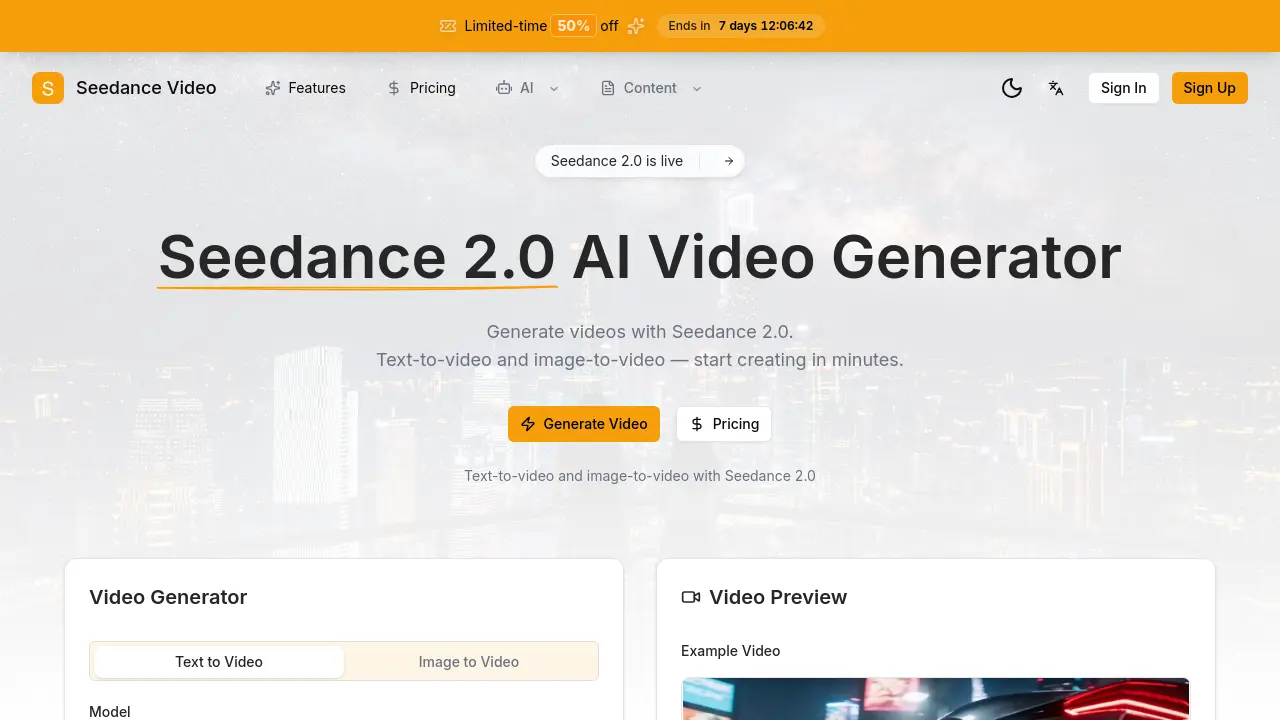
- Seedance Video is an AI video generator that creates videos from text prompts or reference images using the Seedance 2.0 model, enabling efficient video content production for various creative applications.
- Access the official website at seedance-video.net and authenticate by signing in; new users must register an account to manage credits and access generation features.
- Navigate to the AI video generator interface by clicking the "Generate Video" option typically located in the main navigation or homepage menu.
- Select the appropriate mode: choose "Text to Video" for prompt-based generation or "Image to Video" to use an uploaded reference image as input.
- For text-to-video, enter a detailed prompt in the text field, specifying scene elements, actions, style, lighting, and atmospheric details to guide the AI.
- For image-to-video, upload a high-quality reference image that influences motion, composition, and visual style in the generated video output.
- Confirm the Seedance 2.0 model is selected from the available options, as it is the primary model optimized for high-fidelity video generation on this platform.
- Check your credit balance displayed on the interface; if credits are insufficient, purchase more via the "Buy Credits" link, noting each video costs 5 credits.
- Click the "Generate Video" button to start the process and wait for the AI to process your input, with processing time varying based on complexity.
- Preview the generated video in the integrated player to evaluate its visual quality, coherence, and alignment with your original prompt or image.
- If the result is unsatisfactory, refine your prompt details or select a different reference image, then regenerate to iteratively improve the output.
- Download the final video using the download option to save the file locally for integration into projects like social media content or presentations.
- Interpret the video results by analyzing factors such as motion smoothness, prompt adherence, and visual appeal to inform and optimize future generation attempts.
