
AI-Native Legal Practice Management for Modern Law Firms

What is Referent
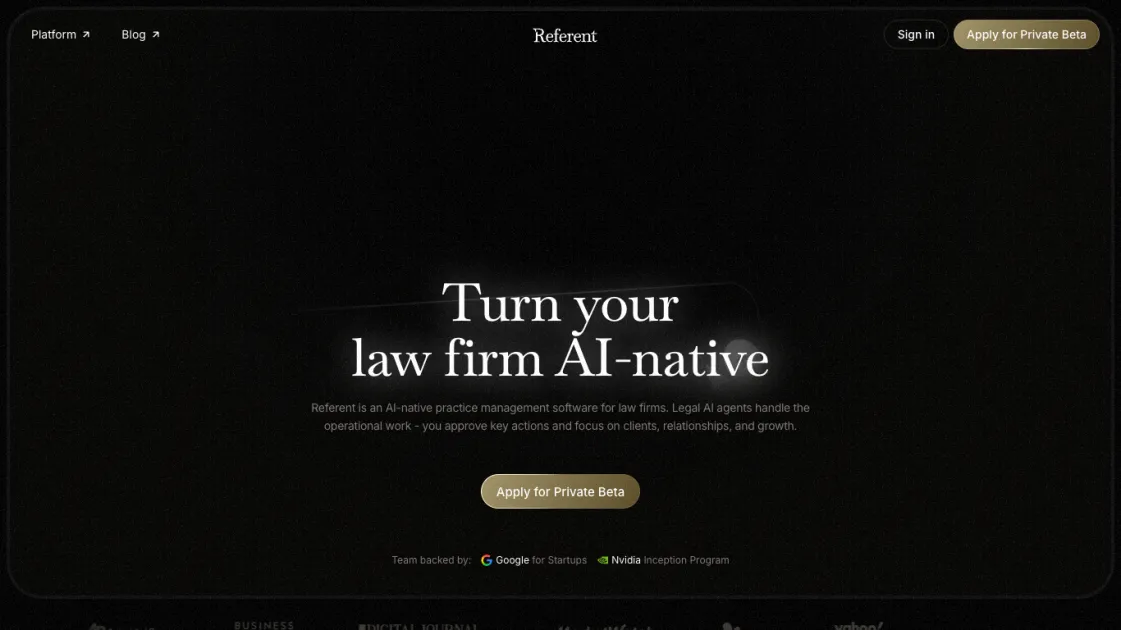
Referent is an AI-native legal practice management platform that replaces manual data entry with voice-driven AI agents. Instead of clicking through legacy software to log every client interaction, lawyers tell Referent what needs to happen and the system handles the operational work - client intake, matter record updates, task creation, email filing, and billing prep. The platform connects with Gmail, Google Calendar, and Google Drive to automatically route correspondence, sync hearings, and make documents searchable inside matters. Backed by Google for Startups and Nvidia Inception, Referent targets solo practitioners and boutique firms looking to run their practice without growing their administrative headcount.
How does Referent work
Referent operates through a layered AI agent architecture. First, the system ingests data from connected Google services - reading emails, scanning calendar events, and indexing Drive documents. Natural language input from the lawyer (spoken or typed) triggers the appropriate agent: intake agents handle new client workflows, CRM agents update matter records, and filing agents route documents to the correct case file. Each agent presents key actions for human approval before execution. The platform learns from approved patterns to improve routing accuracy over time, while disconnected Google data is deleted to maintain privacy boundaries.
Benefits of Referent
Referent cuts the administrative overhead that consumes most of a lawyer's workday. By automating client intake, matter management, email filing, and task creation through AI agents, solo and boutique firms can operate with the efficiency of a much larger team. The voice-driven interface removes the friction of legacy legal software, while Google Drive integration ensures all documents remain searchable inside the correct matter context. The human-in-the-loop model preserves professional control over critical decisions without requiring manual handling of routine operations. One tradeoff: firms that prefer complete manual oversight of every process step may find the automation model too hands-off.
Pros and Cons of Referent
Pros
- Voice-driven input removes legacy software data entry
- Google Workspace integration reduces manual filing work
- Human approval keeps control over critical decisions
- AI intake automates the entire pre-matter workflow
- Backed by Google for Startups and Nvidia Inception
Cons
- Google-dependent - no Outlook or standalone option yet
- Big Law features marked as coming soon only
- Limited customization for niche practice areas
- AI agent decisions may need frequent oversight initially
Core Features of Referent
Voice-Operated Practice Management
Forget manual data entry. Tell Referent what needs to happen and its Legal AI handles the rest, from matter creation to document filing.
AI Client Intake
Referent automates the pre-matter workflow: it collects context, organizes details, prepares proposals, and sends payment links without manual intervention.
Google Data Integration
Connect Gmail, Google Calendar, and Google Drive. Referent reads correspondence, files emails to the right case, syncs hearings both ways, and makes Drive documents searchable inside matters.
Automated CRM Management
Legal AI agents update matter records, create tasks, route work, and keep the CRM organized without touching the interface.
Intelligent Email and File Linking
Every email, file, note, and call is automatically linked to the correct matter, eliminating the need to manually file documents.
Human-in-the-Loop Approval
Referent handles the work but every critical action requires lawyer approval before execution, keeping control where it belongs.
Use Cases of Referent
- Solo practitioners: Offload client intake, email filing, and task tracking to AI agents while focusing on billable work.
- Boutique law firms: Standardize workflows across the team with automated matter management and CRM updates.
- Growing practices: Scale operations without proportional administrative hires by automating routine legal operations.
- Google Workspace law firms: Eliminate manual cross-app data entry by connecting existing Gmail, Calendar, and Drive workflows.
- New client heavy firms: Stream high-volume pre-matter intake with automated context collection and proposal generation.
FAQs of Referent
What is Referent and who is it for?
Referent is an AI-native legal practice management platform designed for solo lawyers and boutique law firms. It uses AI agents to handle operational tasks like client intake, matter management, email filing, and billing preparation so lawyers can focus on legal work and client relationships rather than administrative data entry.
How does Referent handle client intake?
Referent's AI intake agent manages the entire pre-matter workflow automatically. When a new client inquiry comes in, the system collects relevant context, organizes the details into a structured matter profile, prepares an engagement proposal, and sends a payment link - all without the lawyer manually entering data into forms or templates.
Can Referent integrate with my existing tools?
Yes, Referent connects with Gmail, Google Calendar, and Google Drive. Once connected, the system reads correspondence and files emails to the correct case, syncs hearings and meetings both ways between calendar and matter timeline, and makes Drive documents searchable inside matters. You can disconnect anytime and synced data gets deleted.
How much control do I have over AI agent actions?
Referent operates on a human-in-the-loop model. AI agents handle the operational work but every critical action requires your approval before execution. You review proposed actions through the dashboard and confirm or adjust them, ensuring you stay in control of important decisions without needing to manually handle routine steps.
What does pricing look like?
Referent offers a freemium model - you can start free and upgrade to a paid plan as your firm grows. Specific pricing tiers are available on the website. The platform is designed to deliver ROI primarily through time saved on administrative work rather than per-seat licensing costs.
Is Referent suitable for large law firms?
Referent currently targets solo practitioners and boutique firms. Big Law support is listed as coming soon. Larger firms with complex multi-practice-area structures and enterprise compliance requirements may find the current feature set better suited to smaller operations.
What kind of support and reliability can I expect?
Referent is backed by Google for Startups and the Nvidia Inception program, and has been featured in Associated Press, Business Insider, MarketWatch, and Yahoo Finance. The platform provides standard support channels and regular updates to its AI agent capabilities.
How to use Referent
- Create an account on referent.law and connect your Google Workspace (Gmail, Calendar, Drive) during onboarding.
- Set up your firm profile by specifying practice areas, matter types, and approval preferences for AI agent actions.
- Start a matter by telling Referent the client name and case type - the intake agent collects context and prepares the engagement proposal.
- Review and approve key actions through the dashboard: new matter creation, task assignments, document filings, and billing steps.
- Let the system run day-to-day operations - emails land in the right case files automatically, and you check in to approve what matters.
Referent Website Traffic Analysis
Latest traffic information
- Monthly Visits5.76K
- Bounce Rate31.47%
- Pages Per Visit1.55
- Visit Duration00:01:40
- Global Rank3.25M
- Country/Region Ranking51.43K
Top Keywords
| Keyword | Traffic | Volume | Cost Per Click |
|---|---|---|---|
| law firm ranking software | 220 | 260 | -- |
| referent | 80 | 13.58K | $0.52 |
| make hermes as a legal ai agen | 40 | 110 | -- |
| referent.law affiliate program | 30 | 30 | -- |
| vincent ai | 10 | 3.57K | $5.56 |
Top Regions
| Region | Percentage |
|---|---|
| United States | 83.91% |
| Canada | 16.09% |
Referent Alternatives
Wery is a virtual AI studio that routes one goal to specialist agents for video, images, music and documents, keeping characters and project assets consistent.

Relay App turns plain-language instructions into AI workflows that connect 200+ apps, run reliable automations, and pause for human approval.
Dash is an AI teammate in Slack and Microsoft Teams that connects 3,000+ tools, automates workflows and completes tasks in your channel.
Ritto AI learns from one real demonstration of your work, finds the repeated tasks, and completes them the same way. Join the beta for early access.
Aldena creates isolated rooms where AI agents handle client work with real roles, shared memory, and human approval gates.
Loop Engineering is an AI-powered platform that automates SaaS maintenance through verified agent workflows, memory persistence, and independent verification for every product run.
Tenderbolt uses AI to automate RFP and tender responses. It analyzes documents, completes security questionnaires, and generates tailored proposals.
BidPacto is an RFP response automation platform for proposal teams, enabling rapid source-backed drafting, missing‑info alerts, review workflows, and export to Word, PDF or CSV formats.
MiroFish is an AI simulation chat platform that converts text, PDF, MD or TXT inputs into graph building, scenario simulation, and structured reports, offering continuous chat‑driven prediction for analysts and decision‑makers.
EZ-Estimates uses AI to generate line-item quotes, manage change orders, and collect e-signatures, helping contractors build professional estimates in under 60 seconds.
eety.ai is an AI-powered patent drafting assistant that works like a brilliant colleague, amplifying your expertise through a 10-phase pipeline that analyzes disclosures, drafts claims, generates drawings, and maintains your unique writing style.
Gamma AI is a revolutionary AI PPT maker that transforms ideas into polished presentations, using cutting-edge artificial intelligence to handle design, layout, and content structure for professional results.