
Playlist Length Calc FAQs
Playlist Length Calc is a free online tool for students, educators and viewers to instantly calculate total YouTube or Spotify playlist duration, view playback-speed breakdowns and plan daily watch schedules.

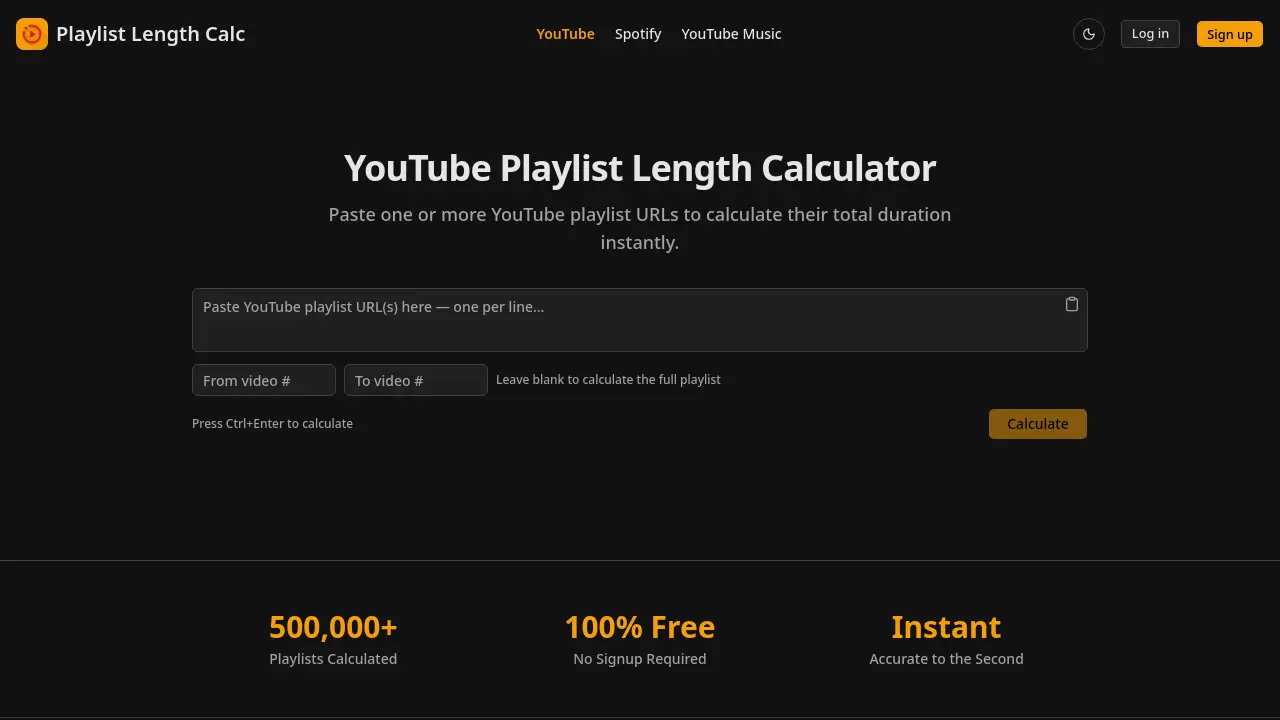
FAQs of Playlist Length Calc
How do I find my YouTube playlist URL?
To locate the playlist URL, open the desired playlist on YouTube and copy the address from the browser’s address bar. The link typically follows the pattern youtube.com/playlist?list=PL.... This full URL can be pasted directly into Playlist Length Calc without any modification.
Is this YouTube playlist length calculator free?
Yes, Playlist Length Calc is completely free to use. There are no hidden fees, subscription charges, or premium tiers. Users can calculate playlist durations without creating an account, providing an instant, cost‑free service for any number of playlists.
How accurate is the calculation?
The calculator retrieves each video’s official duration from YouTube’s public data and sums them to the second. As a result, the total time displayed is accurate to the second, matching the platform’s reported lengths for all videos in the playlist.
Can I calculate only part of a playlist?
Absolutely. The Video Range Calculator feature lets you specify a start and end position within the playlist. By entering the desired range, the tool computes the combined duration for just those selected videos, helping you measure un‑watched or targeted segments.
Can I calculate multiple playlists at once?
Yes. You can paste several YouTube playlist URLs—one per line—into the input box. The tool processes all entries simultaneously and returns a combined total duration, as well as individual statistics for each playlist, simplifying bulk analysis.
Is there a limit on playlist size?
Playlist Length Calc handles playlists of any length, from a single video to thousands of entries. While very large playlists may take a few extra seconds to process, there is no imposed cap on the number of videos or total duration.
What playback speeds are shown?
The results include watch‑time breakdowns for the standard playback speed (1×) and four common accelerated speeds: 1.25×, 1.5×, 1.75×, and 2×. These figures help users estimate how much time they will save when viewing at faster rates.
Why does my calculated time differ from YouTube's estimate?
YouTube does not provide an official total duration for playlists, so any estimate you see on the platform is typically based on rough averages. Playlist Length Calc uses each video’s exact length, which can produce a more precise total that may differ from YouTube’s informal guesses.
Can I share my results?
After a calculation completes, you can copy the displayed summary or take a screenshot to share with others. The site does not currently offer a built‑in sharing link, but the plain‑text results are easy to paste into emails, messages, or documents.
Do I need a YouTube account or API key?
No account, API key, or authentication is required. The calculator accesses publicly available video metadata, so anyone can use the service without logging in or providing personal credentials.
How to use Playlist Length Calc
Identify the tool’s purpose: Playlist Length Calc instantly aggregates YouTube playlist URLs to display total duration, video count, average length, and speed‑adjusted watch times.
Open the calculator page, locate the input box, and paste one or more YouTube playlist URLs—each on a separate line—without modifying the link format.
Press Ctrl + Enter (or click the Calculate button); the system retrieves video metadata, sums durations, and presents results within seconds, accurate to the second.
Review the generated summary: total watch time, number of videos, average video length, and breakdowns for 1.25×, 1.5×, 1.75×, and 2× playback speeds.
Use the Daily Watch Planner field to enter desired daily viewing minutes; the calculator then estimates the exact number of days required to finish the playlist.
If only a segment of the playlist is needed, input start and end indices in the Video Range Calculator to obtain a partial‑playlist duration.
Interpret the speed‑adjusted times to decide optimal playback rates for study sessions, coursework planning, or entertainment scheduling.
Export or share the result via the provided share link or copy‑paste the summary into your notes for future reference.
Repeat the process for additional playlists or combine multiple URLs to compare total durations across courses, tutorials, or music collections.
