
ImageToImageAI FAQs
ImageToImageAI uses AI to transform photos into art. It is ideal for artists and designers, offering styles like anime and cyberpunk.

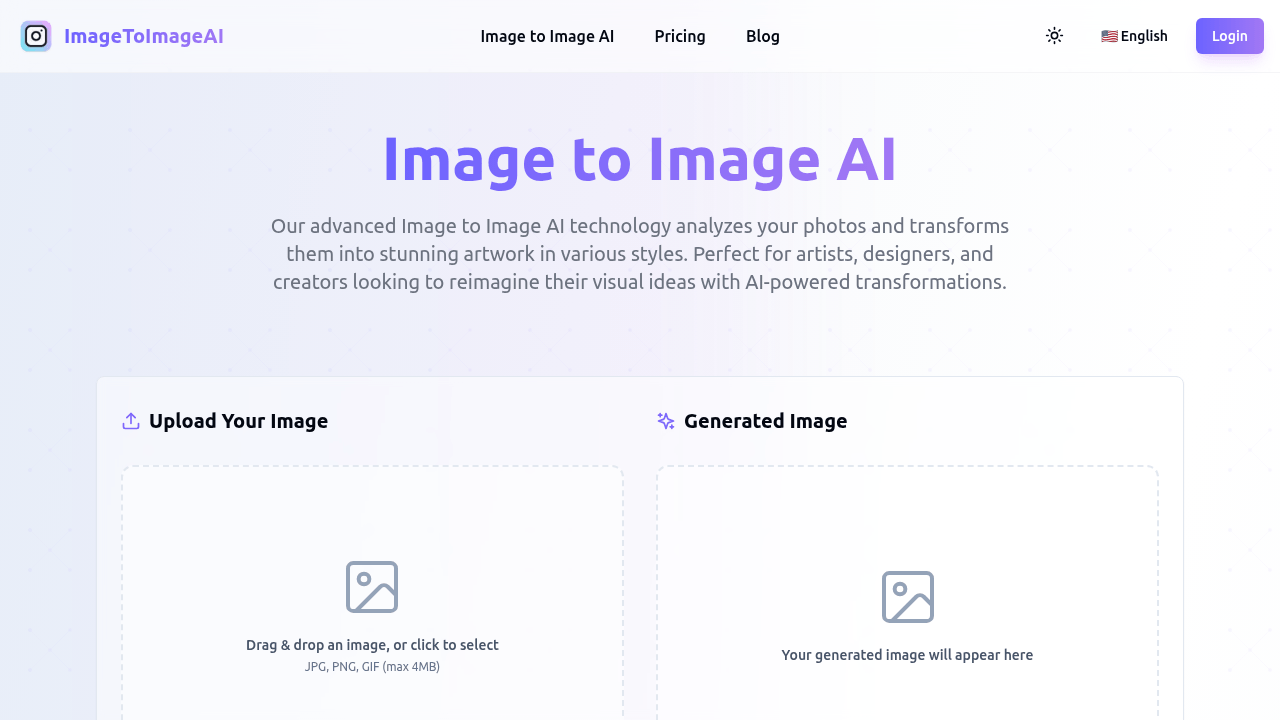
FAQs of ImageToImageAI
What makes ImageToImageAI unique?
ImageToImageAI utilizes advanced technology to transform photos into various artistic styles. Unlike basic tools, it captures subtle artistic elements, composition details, and style nuances to generate high-quality transformations. The AI is specifically trained on millions of successful image transformations, providing a superior result.
How accurate is the ImageToImageAI converter?
ImageToImageAI achieves over 95% accuracy in transforming photos while preserving key elements and details. The AI analyzes everything from basic objects to complex artistic styles, ensuring the transformed image maintains the essence of the original photo. This high level of accuracy makes it a reliable image to image AI generator.
What styles are available in the ImageToImageAI tool?
ImageToImageAI offers various artistic styles including anime, chibi, portrait photography, and cyberpunk. The platform is continuously adding new styles to provide more creative options for image transformations. This diverse range of styles enhances the versatility of the image to image AI art generator.
How does ImageToImageAI technology work?
ImageToImageAI technology uses advanced computer vision and neural networks to analyze images. It identifies visual elements, composition, and details, then applies the selected style while maintaining the core structure of the original image. This process ensures high-quality image to image AI transformations.
What types of images work best with the ImageToImageAI tool?
ImageToImageAI works with all types of images, from photographs to digital art and illustrations. For best results, use high-quality images with clear subjects and good lighting. Utilizing clear and well-lit images will maximize the effectiveness of the image to image AI generator.
Can I use the transformed images commercially?
Yes, all images created with ImageToImageAI are available for both personal and commercial use. Users retain full rights to the output images generated from their original photos, making it suitable for various applications.
Is ImageToImageAI free to use?
ImageToImageAI offers a "Try For Free" option, indicating a free tier is available. However, the website also has a pricing page, suggesting that additional features or usage may require a paid subscription. Explore the available options to find the best fit.
What image formats are supported by ImageToImageAI?
ImageToImageAI supports common image formats including JPG, PNG, and WEBP, allowing users to upload images from their device or import directly from cloud storage. This broad support ensures compatibility for most users of the image to image AI tool.
Can I fine-tune the image transformations with custom prompts?
Yes, ImageToImageAI offers the ability to fine-tune transformations with custom text prompts. This allows users to guide the AI towards their creative vision and desired outcome, providing more control over the image to image AI generation process.
How to use ImageToImageAI
- Begin by uploading your image (JPG, PNG, GIF, max 4MB). Drag and drop or click to select the file for the image to image ai generator.
- Choose an appropriate style from the available options. This guides the ImageToImageAI in transforming your image.
- Optional: Input a prompt to further refine the AI's transformation. This helps achieve desired results in the ai image generation.
- Click the "Generate Image" button. The image to image ai tool will process the input. This is where the AI does its magic.
- Review the generated image displayed below. Evaluate if it aligns with your vision. You can use it for personal/commercial use.
- Adjust style and prompt iteratively. Fine-tune the inputs, then regenerate for optimal results in your image to image ai art.
- Explore the various artistic styles offered. Experimenting leads to unique and interesting ai image transformations, utilizing image to image ai free.
- Consider the image quality when uploading. High-quality inputs typically lead to better results in the ai image generation process.
- Utilize custom prompts creatively. Guide the image to image ai generator to produce specific artistic effects and content.
- Refer to the FAQ section if encountering issues. Get quick answers regarding functionality and features of image to image ai generator free online.
