
HeyVid AI FAQs
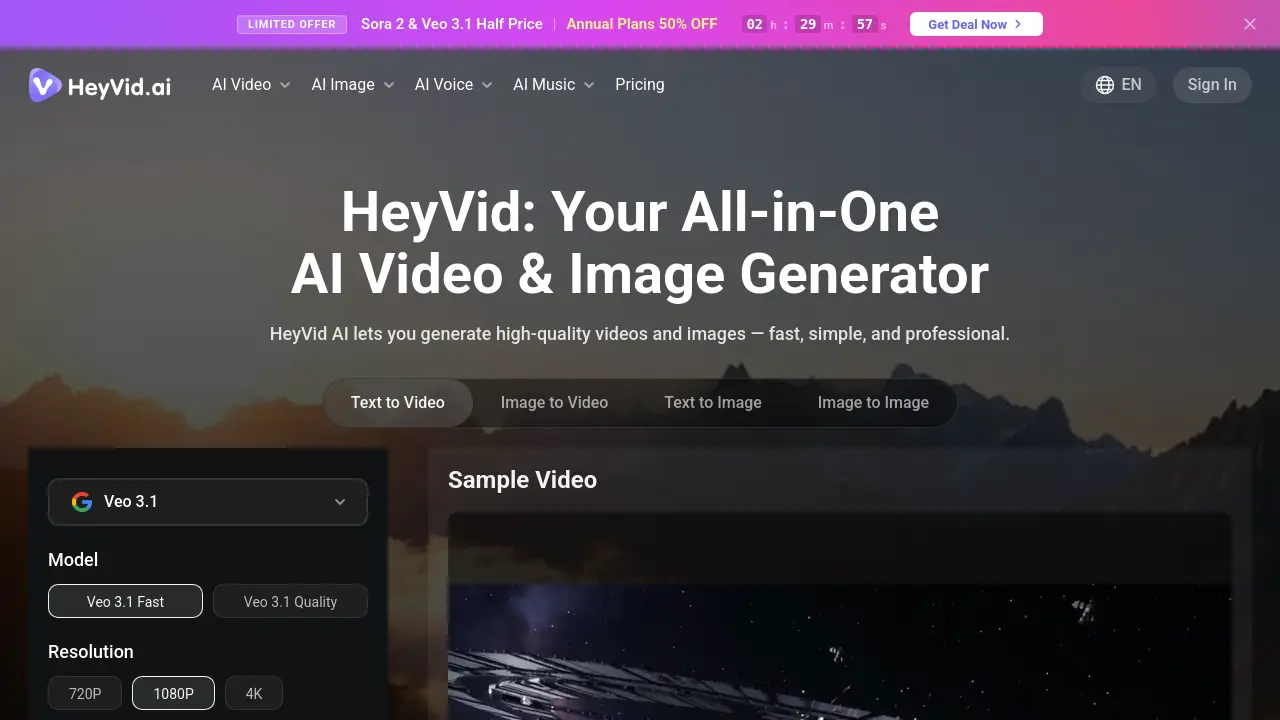
HeyVid AI is an all-in-one creative platform offering 18+ top AI models including Kling, Sora, Runway, Midjourney, and Flux for generating high-quality videos and images from text or images.

FAQs of HeyVid AI
What is HeyVid AI?
HeyVid AI is an all-in-one creative platform that allows you to easily generate stunning visuals and media from text or images. It supports 18+ top AI models including Kling, Sora, Runway, Midjourney, and Flux — all accessible from a single platform. Transform your ideas into high quality content in any style.
How do I get started with HeyVid AI?
To get started with HeyVid AI, simply visit the website and choose your desired AI model from the available options. You can then describe your vision, customize settings such as resolution and aspect ratio, and generate your content with just a few clicks. No technical skills are required to use the platform.
How fast is content generation with HeyVid AI?
Content generation with HeyVid AI is typically very quick, allowing you to create professional-quality videos and images in minutes rather than hours. The exact generation time may vary depending on the complexity of your request and the specific AI model you choose, but the platform is designed for rapid content creation.
Why should I choose HeyVid AI for image generation?
HeyVid AI offers access to multiple leading image models including Midjourney, Flux AI, Dall-E, and Stable Diffusion, giving you more creative options than single-model platforms. The platform combines these powerful tools in one interface, making it easier to experiment with different styles and achieve the exact visual results you want for your projects.
Do I need technical skills to use HeyVid AI?
No technical skills are required to use HeyVid AI. The platform features an intuitive, user-friendly interface that guides you through the content creation process step by step. Whether you're a beginner or a professional, you can easily navigate the tools and create stunning videos and images without any prior editing experience.
Is the content generated by HeyVid AI unique?
Yes, the content generated by HeyVid AI is unique to your specific prompts and settings. Each generation is based on your text descriptions or input images, resulting in original content tailored to your vision. The AI models used by HeyVid AI are designed to create diverse and distinctive outputs for each user.
Do HeyVid AI exports have watermarks?
The availability of watermarks on HeyVid AI exports may depend on your subscription plan or specific usage terms. Free plans often include watermarks, while premium subscriptions typically offer watermark-free exports. You should check the current pricing and features page or contact support for the most up-to-date information about watermark policies.
Can I use HeyVid AI for commercial projects?
HeyVid AI can be used for commercial projects, but you should review the specific terms of service and licensing agreements for the platform and individual AI models. Commercial usage rights may vary depending on your subscription level and the content being generated. It's recommended to check the terms or contact support for clarification on commercial usage rights.
Is HeyVid AI free to use?
HeyVid AI offers various pricing plans, including potentially a free tier with limited features or generation credits. The platform also provides paid subscription options that unlock additional features, higher quality outputs, and more generation credits. For current pricing information and to compare different plans, you should visit the pricing page on the HeyVid AI website.
How can I contact HeyVid AI support?
You can contact HeyVid AI support by sending an email to support@heyvid.ai. The platform also provides various resources on their website, including FAQs and documentation that may help answer common questions. For urgent issues or specific inquiries, email support is the recommended contact method.
How to use HeyVid AI
- Visit the HeyVid AI website to access the platform's main features.
- Choose between AI video generation or AI image generation based on your needs.
- For videos, select a model like Veo 3.1 or Sora 2 from the available options.
- Enter your text prompt or upload an image to begin the creation process.
- Customize settings such as resolution, aspect ratio, and watermark preferences.
- Click "Generate" to create your video or image content instantly.
- Download or share your finished product directly from the platform.
