
GenSong FAQs
GenSong's AI Music Generator produces commercial-ready songs from text prompts, enabling content creators to generate unique music without production skills.

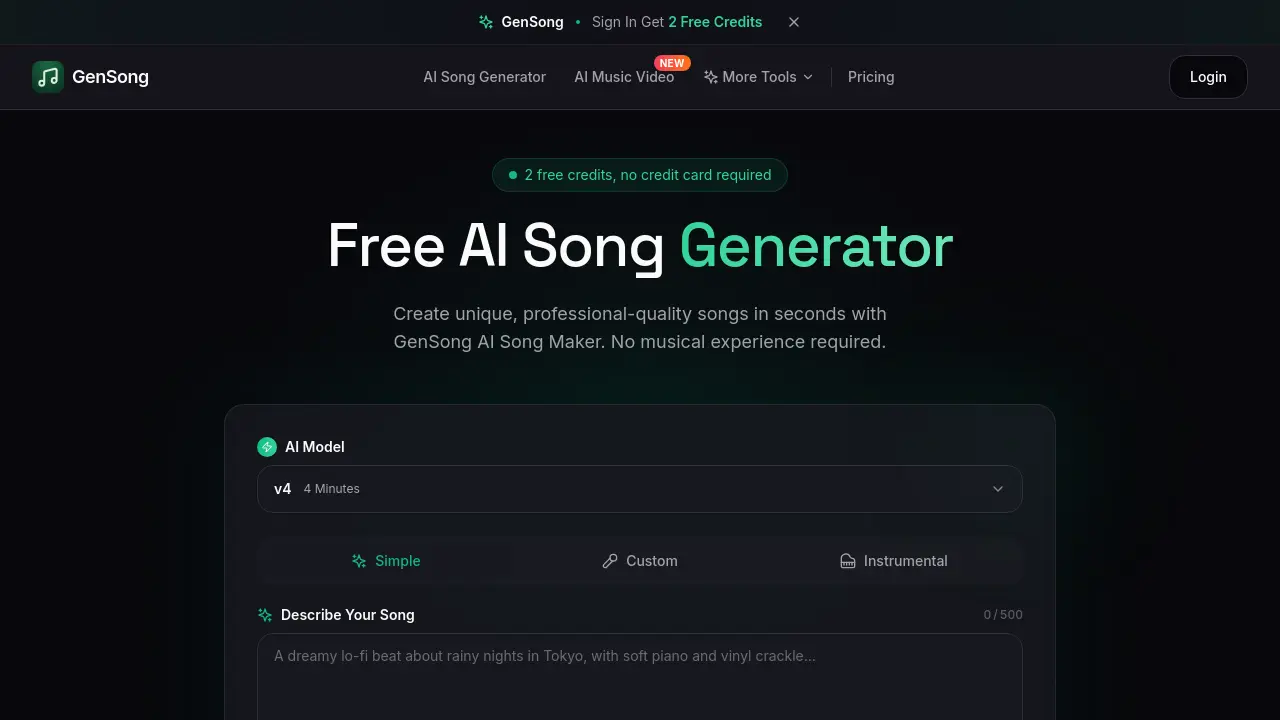
FAQs of GenSong
What is an AI Song Generator?
An AI Song Generator is a tool that uses artificial intelligence to create original, complete songs from text descriptions. Users specify elements like genre, mood, tempo, and lyrics, and the AI generates a full track with vocals and instrumentation automatically.
How does the AI Song Maker work?
The AI Song Maker processes user text prompts through machine learning models trained on extensive musical data. It composes melody, harmony, rhythm, and instrumentation, synthesizes vocals if lyrics are provided, and produces a final mixed and mastered audio file.
Is the AI Song Generator free to use?
New users receive 2 free song generation credits upon signing up, with no credit card required. Each credit produces one complete, downloadable song. Additional generations require a paid subscription plan.
Can I use AI-generated songs commercially?
Yes, all songs created with GenSong's AI Song Maker include a full commercial license. Users may utilize the tracks in YouTube videos, podcasts, advertisements, games, apps, and on streaming platforms without copyright restrictions.
What music styles can the AI Song Generator create?
The AI supports a wide range of genres including pop, rock, hip-hop, electronic, classical, jazz, country, R&B, lo-fi, ambient, and metal. Users can also describe hybrid or unique styles for the AI to interpret.
How long does the AI Song Maker take to create a song?
Generation typically completes in under 2 minutes. The system provides instant results after processing the text prompt, delivering a studio-quality track ready for immediate download.
Do I need music experience to use the AI Song Generator?
No prior musical knowledge is necessary. The interface uses simple text prompts, making it accessible for users to describe their desired song in everyday language while the AI handles complex composition and production.
Can I edit songs after they're generated?
Generated songs can be downloaded and edited in external Digital Audio Workstations (DAWs) like GarageBand, FL Studio, or Ableton. Users may also regenerate tracks with adjusted prompts to explore different variations.
What audio formats are available for download?
Songs are available for download in standard high-quality audio formats suitable for various uses, though specific format options like MP3 or WAV are not detailed on the primary page.
How do the free credits work?
The 2 free credits are applied to two separate song generation attempts. Each use of the "Generate Music" button consumes one credit, producing one complete song. Credits do not roll over after sign-up.
Is there an API for integrating the AI Song Maker?
Yes, GenSong provides an API for developers, as indicated by a testimonial from an app developer. The API allows for integration into external workflows and applications for automated music generation.
What are the limits on song length or structure?
The standard generated song length is approximately 4 minutes, as noted in the interface. Specific controls over song structure, such as verse-chorus patterns or instrumental breaks, are managed automatically by the AI based on the prompt.
How does GenSong handle vocal generation?
If lyrics are included in the prompt, the AI synthesizes vocals to match the specified style, singer gender, and emotional tone. Vocal quality is designed to be studio-grade and integrated seamlessly with the instrumental track.
Can I generate instrumental-only songs?
Yes, users can create songs without vocals by omitting lyrics in their text prompt. The AI will then generate a complete instrumental track based on the described genre, mood, and instrumentation preferences.
What should I do if a generated song doesn't match my prompt?
Users can adjust their text description for clarity and detail, or generate multiple versions. Since the AI interprets prompts creatively, refining keywords related to genre, instruments, tempo, or mood can help achieve the desired result.
How to use GenSong
- Begin by signing up on the GenSong website to receive two free credits instantly, with no credit card required for initial access to the AI Song Generator.
- From the user dashboard, navigate to the AI Song Generator tool to access the primary text-to-song interface for creating new tracks.
- In the prompt field, describe the desired song by specifying genre, mood, instruments, tempo (BPM), and optional lyrics for vocal generation.
- Select the song's visibility as public or private; public tracks appear in the community gallery, while private songs remain exclusive to the user's account.
- Click the "Generate Music" button to initiate the AI process. The system uses the v4 model to compose melody, harmony, rhythm, and synthesize vocals.
- Wait approximately one minute for the AI to process the request and create a complete, studio-quality audio track based on the provided description.
- After generation, the song is saved to the user's library. Play the track to assess quality and review automatically tagged metadata like genre and instrumentation.
- Download the finished song as a high-fidelity audio file (MP3 or WAV) directly from the library for immediate offline use or integration.
- All generated downloads include a copyright-free commercial license, permitting unrestricted use in videos, podcasts, apps, and streaming platforms.
- For advanced customization, import the downloaded file into a digital audio workstation (DAW) to edit arrangement, add effects, or remix components.
