
PPT Reverse Prompt FAQs
PPT Reverse Prompt uses AI to analyze PowerPoint files, extracting colors, fonts, and layouts to generate design style prompts for efficient AI presentation creation and brand consistency.

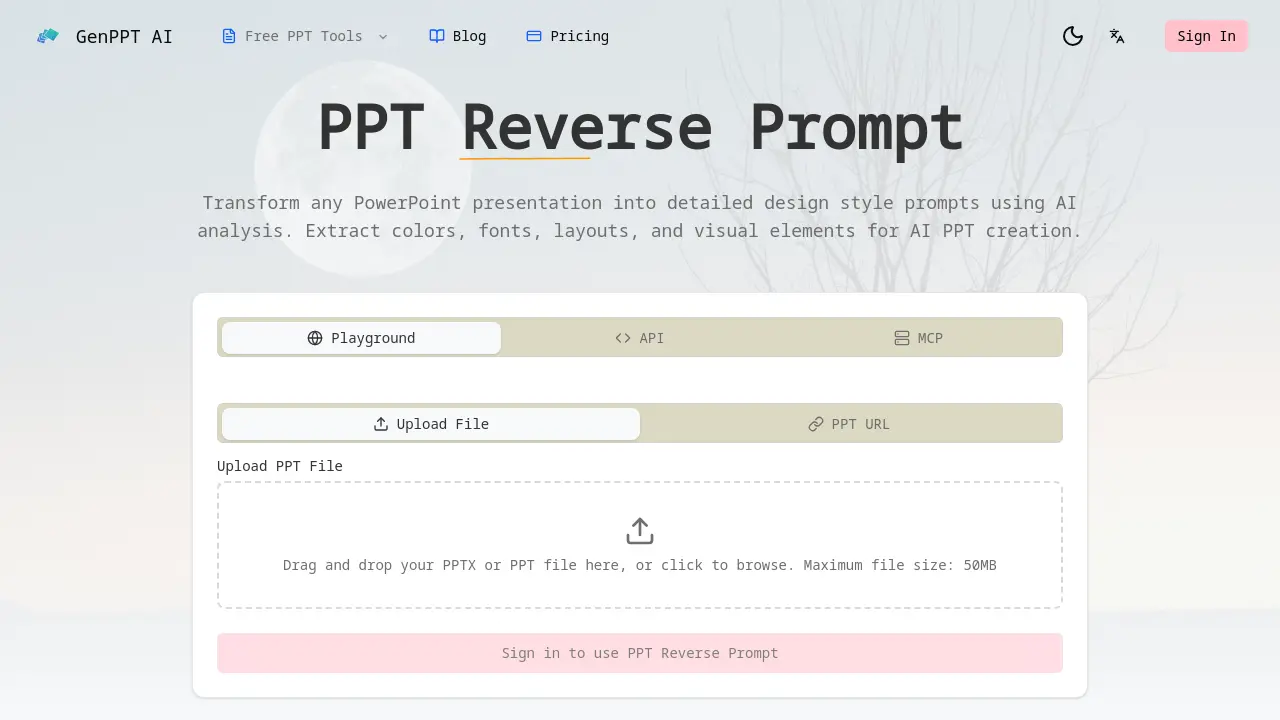
FAQs of PPT Reverse Prompt
What is PPT reverse prompt?
PPT Reverse Prompt is an AI-powered tool that analyzes PowerPoint presentation files to extract detailed design style prompts. It identifies elements like color schemes, typography, layouts, and visual components, converting them into actionable text prompts. These prompts can then be used with other AI presentation generators to replicate the analyzed style.
What file formats does PPT reverse prompt support?
The tool currently supports Microsoft PowerPoint file formats, specifically .pptx and .ppt files. Users can upload these files directly through the web interface, with a maximum file size limit of 50MB per upload. This covers the vast majority of standard presentation files created in recent versions of PowerPoint.
How accurate is the PPT reverse prompt analysis?
The analysis accuracy depends on the complexity and clarity of the source presentation's design. Powered by Google Gemini AI, the tool is designed to identify common design patterns, color palettes, font pairings, and layout structures. While it effectively extracts explicit design choices, subtle or highly custom graphical elements may have less precise extraction.
Can I use PPT reverse prompt results with AI presentation tools?
Yes, the generated design prompts are specifically formatted for compatibility with popular AI presentation tools. The extracted style instructions can be directly applied within platforms like Gamma, Beautiful.ai, Tome, and other AI PPT generators to create new slides that match the analyzed design language.
Is PPT reverse prompt free to use?
The source page indicates a free tier is available, as it invites users to "Try our free AI presentation analysis tool now." However, specific details regarding usage limits, premium features, or subscription plans are not explicitly stated on the provided context page. Access may require signing in.
How does PPT reverse prompt handle confidential presentations?
The source context does not specify detailed data handling or privacy policies. Users concerned with confidential or sensitive presentations should review the website's full Privacy Policy and Terms of Service. Generally, uploaded files are processed by the AI service, and users should assume standard data processing practices apply.
What design elements does PPT reverse prompt extract?
The tool performs a comprehensive analysis to extract core design elements. This includes color schemes (palettes and usage), typography choices (font families, sizes, hierarchies), layout patterns (slide structures, content placement), and general visual elements like shape styles, icon usage, and image treatment approaches.
Can PPT reverse prompt analyze presentations in any language?
The primary function is design analysis, which focuses on visual elements rather than textual content. Therefore, it can likely analyze the visual layout of presentations containing text in any language. However, the AI's understanding of design principles and its interface are primarily optimized for English-based interaction.
What is the typical output format of a generated prompt?
The generated output is a structured text prompt detailing the extracted design style. It typically includes descriptive sections for color palettes with hex codes, specified font names and their applications, layout descriptions, and notes on visual hierarchy. The format is designed to be copied and pasted directly into a compatible AI presentation tool's style or theme instructions.
How long does the analysis process take?
Analysis time is generally rapid, with the tool promising results "in seconds, not hours." The exact processing duration depends on the presentation's file size and slide count. For typical presentations under the 50MB limit, users can expect the AI analysis and prompt generation to complete within a short timeframe after file upload.
Does the tool support batch processing multiple presentations?
Based on the provided context, the interface describes uploading a single file or providing a single PPT URL. There is no explicit mention of a batch upload or queue system for analyzing multiple presentation files simultaneously in one operation. Each analysis appears to be initiated as an individual task.
Can the extracted style prompts be customized or edited?
The generated prompts serve as a foundational style guide. While the tool outputs a specific prompt based on its analysis, users can typically edit the resulting text prompt before using it in another AI tool. This allows for manual adjustments to better fit a specific project's needs while retaining the core extracted design principles.
How to use PPT Reverse Prompt
PPT Reverse Prompt is an AI tool that transforms PowerPoint presentations into actionable design style prompts. It extracts colors, fonts, layouts, and visual elements for use with AI presentation generators, enabling brand consistency and efficient design replication.
- The user begins by navigating to the PPT Reverse Prompt section on the GenPPT AI website to access the file upload interface for analysis.
- A PowerPoint file (PPT or PPTX format, up to 50MB) is uploaded via drag-and-drop into the designated drop zone or by using the file browser to select the file.
- Google Gemini AI automatically processes the uploaded presentation, extracting key design elements including color schemes, typography selections, layout patterns, and visual hierarchy indicators.
- After analysis, a comprehensive design prompt is generated, listing specific colors (with hex codes), font families, spacing metrics, and alignment principles from the original slides.
- The user copies this prompt and inputs it into AI presentation tools such as Gamma, Beautiful.ai, or Tome to create new slides that match the analyzed design.
- Using the style transformation feature, the extracted design can be adapted into alternative themes, for example converting a corporate aesthetic into a startup pitch deck style.
- By consistently applying these prompts in new presentations, users maintain brand guidelines, reduce manual design effort, and produce visually cohesive materials across projects.
The generated prompts serve as interpretable specifications for AI PPT tools, allowing precise replication of visual styles and streamlined creation of branded presentations without manual redesign.
