
PPT Reverse Prompt
PPT Reverse Prompt: AI Analysis for PowerPoint Design Styles

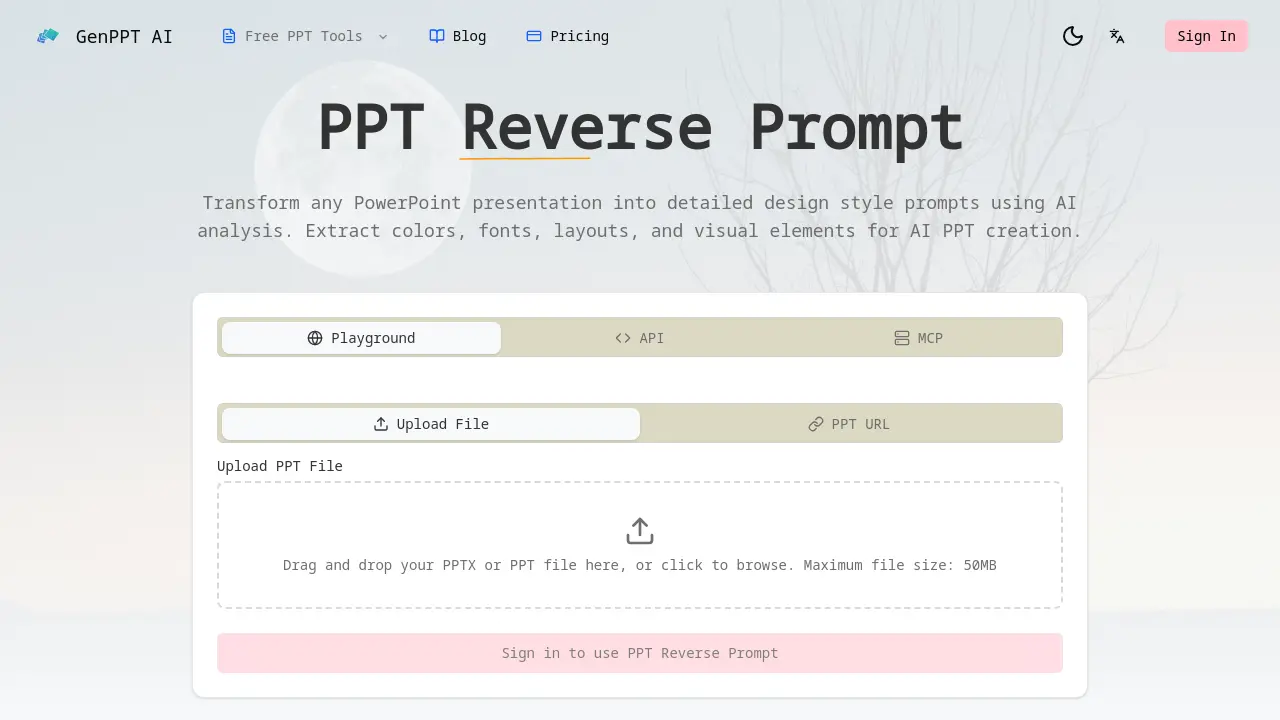
What is PPT Reverse Prompt
PPT Reverse Prompt is an AI-powered tool that transforms PowerPoint presentations into detailed design style prompts. It analyzes uploaded PPTX or PPT files to extract color schemes, typography, layout patterns, and visual hierarchy, creating actionable prompts for AI presentation generators.
Leveraging Google Gemini AI, the tool performs deep analysis of design principles, enabling users to replicate styles across new projects. This facilitates brand consistency for marketing teams, helps design agencies quickly capture client preferences, and allows startup founders to deconstruct successful pitch decks. Generated prompts are formatted for direct use with platforms like Gamma, Beautiful.ai, and Tome.
The primary benefit is automation of tedious manual style analysis, reducing design research time from hours to seconds while ensuring visual alignment with existing corporate or creative standards.
How does PPT Reverse Prompt work
The PPT Reverse Prompt operates by allowing users to upload a PowerPoint file or URL, which is then analyzed by AI, specifically Google Gemini. The system performs a comprehensive analysis to extract core design elements such as color schemes, typography, layout patterns, and visual hierarchy. These components are transformed into structured, export-ready design style prompts. Users can also request style transformations, converting one presentation aesthetic into another. The generated prompts are formatted for direct compatibility with various AI presentation generators, enabling designers and teams to replicate or adapt visual styles efficiently for brand consistency or creative inspiration.
Benefits of PPT Reverse Prompt
PPT Reverse Prompt leverages AI to analyze PowerPoint presentations, extracting comprehensive design elements—including color schemes, typography, layouts, and visual hierarchy—into structured, actionable prompts. This enables users to maintain brand consistency by replicating established styles across new presentations and significantly reduces the time spent on manual design analysis. The generated prompts are formatted for immediate use with popular AI presentation tools such as Gamma, Beautiful.ai, and Tome, facilitating seamless style adaptation for marketing teams, design agencies, and founders aiming to transform or learn from existing slide decks.
Pros and Cons of PPT Reverse Prompt
Pros
- Extracts comprehensive design elements from PPT files.
- Powered by Google Gemini for accurate analysis.
- Exports prompts compatible with major AI presentation tools.
- Transforms styles between different presentation types.
- Saves significant time compared to manual analysis.
Cons
- Requires sign-in, limiting immediate accessibility.
- 50MB file size cap restricts large presentations.
- Unclear accuracy metrics despite AI claims.
- FAQ lacks details on supported languages and formats.
- Potential privacy concerns with confidential presentations.
Core Features of PPT Reverse Prompt
Comprehensive PPT Analysis
Performs deep analysis of PowerPoint files to extract color schemes, typography, layout patterns, and visual elements, creating detailed design prompts for AI PPT creation.
AI-Powered Design Extraction
Uses Google Gemini AI to identify subtle design choices including spacing, alignment, and visual hierarchy, providing professional-grade design insights automatically from presentations.
Style Transformation
Converts extracted design prompts into different styles, such as transforming corporate presentations into startup pitch decks or academic slides into creative marketing materials.
Export-Ready Prompts
Formats generated design prompts for immediate use with AI presentation tools like Gamma, Beautiful.ai, and Tome, ensuring seamless integration and compatibility.
Use Cases of PPT Reverse Prompt
- Marketing Teams: Extract brand-consistent design prompts from existing PPTs to maintain visual identity across campaigns with AI analysis.
- Design Agencies: Quickly analyze client presentation styles to generate reusable design prompts for efficient project alignment.
- Startup Founders: Deconstruct effective investor pitch decks to extract visual strategies for their own fundraising presentations.
- Educators: Analyze exemplary academic slides to create design prompts that enhance educational material presentation quality.
FAQs of PPT Reverse Prompt
What is PPT reverse prompt?
PPT Reverse Prompt is an AI-powered tool that analyzes PowerPoint presentation files to extract detailed design style prompts. It identifies elements like color schemes, typography, layouts, and visual components, converting them into actionable text prompts. These prompts can then be used with other AI presentation generators to replicate the analyzed style.
What file formats does PPT reverse prompt support?
The tool currently supports Microsoft PowerPoint file formats, specifically .pptx and .ppt files. Users can upload these files directly through the web interface, with a maximum file size limit of 50MB per upload. This covers the vast majority of standard presentation files created in recent versions of PowerPoint.
How accurate is the PPT reverse prompt analysis?
The analysis accuracy depends on the complexity and clarity of the source presentation's design. Powered by Google Gemini AI, the tool is designed to identify common design patterns, color palettes, font pairings, and layout structures. While it effectively extracts explicit design choices, subtle or highly custom graphical elements may have less precise extraction.
Can I use PPT reverse prompt results with AI presentation tools?
Yes, the generated design prompts are specifically formatted for compatibility with popular AI presentation tools. The extracted style instructions can be directly applied within platforms like Gamma, Beautiful.ai, Tome, and other AI PPT generators to create new slides that match the analyzed design language.
Is PPT reverse prompt free to use?
The source page indicates a free tier is available, as it invites users to "Try our free AI presentation analysis tool now." However, specific details regarding usage limits, premium features, or subscription plans are not explicitly stated on the provided context page. Access may require signing in.
How does PPT reverse prompt handle confidential presentations?
The source context does not specify detailed data handling or privacy policies. Users concerned with confidential or sensitive presentations should review the website's full Privacy Policy and Terms of Service. Generally, uploaded files are processed by the AI service, and users should assume standard data processing practices apply.
What design elements does PPT reverse prompt extract?
The tool performs a comprehensive analysis to extract core design elements. This includes color schemes (palettes and usage), typography choices (font families, sizes, hierarchies), layout patterns (slide structures, content placement), and general visual elements like shape styles, icon usage, and image treatment approaches.
Can PPT reverse prompt analyze presentations in any language?
The primary function is design analysis, which focuses on visual elements rather than textual content. Therefore, it can likely analyze the visual layout of presentations containing text in any language. However, the AI's understanding of design principles and its interface are primarily optimized for English-based interaction.
What is the typical output format of a generated prompt?
The generated output is a structured text prompt detailing the extracted design style. It typically includes descriptive sections for color palettes with hex codes, specified font names and their applications, layout descriptions, and notes on visual hierarchy. The format is designed to be copied and pasted directly into a compatible AI presentation tool's style or theme instructions.
How long does the analysis process take?
Analysis time is generally rapid, with the tool promising results "in seconds, not hours." The exact processing duration depends on the presentation's file size and slide count. For typical presentations under the 50MB limit, users can expect the AI analysis and prompt generation to complete within a short timeframe after file upload.
Does the tool support batch processing multiple presentations?
Based on the provided context, the interface describes uploading a single file or providing a single PPT URL. There is no explicit mention of a batch upload or queue system for analyzing multiple presentation files simultaneously in one operation. Each analysis appears to be initiated as an individual task.
Can the extracted style prompts be customized or edited?
The generated prompts serve as a foundational style guide. While the tool outputs a specific prompt based on its analysis, users can typically edit the resulting text prompt before using it in another AI tool. This allows for manual adjustments to better fit a specific project's needs while retaining the core extracted design principles.
How to use PPT Reverse Prompt
PPT Reverse Prompt is an AI tool that transforms PowerPoint presentations into actionable design style prompts. It extracts colors, fonts, layouts, and visual elements for use with AI presentation generators, enabling brand consistency and efficient design replication.
- The user begins by navigating to the PPT Reverse Prompt section on the GenPPT AI website to access the file upload interface for analysis.
- A PowerPoint file (PPT or PPTX format, up to 50MB) is uploaded via drag-and-drop into the designated drop zone or by using the file browser to select the file.
- Google Gemini AI automatically processes the uploaded presentation, extracting key design elements including color schemes, typography selections, layout patterns, and visual hierarchy indicators.
- After analysis, a comprehensive design prompt is generated, listing specific colors (with hex codes), font families, spacing metrics, and alignment principles from the original slides.
- The user copies this prompt and inputs it into AI presentation tools such as Gamma, Beautiful.ai, or Tome to create new slides that match the analyzed design.
- Using the style transformation feature, the extracted design can be adapted into alternative themes, for example converting a corporate aesthetic into a startup pitch deck style.
- By consistently applying these prompts in new presentations, users maintain brand guidelines, reduce manual design effort, and produce visually cohesive materials across projects.
The generated prompts serve as interpretable specifications for AI PPT tools, allowing precise replication of visual styles and streamlined creation of branded presentations without manual redesign.
PPT Reverse Prompt Website Traffic Analysis
Latest traffic information
- Monthly Visits91
- Bounce Rate37.19%
- Pages Per Visit1.07
- Visit Duration00:00:00
- Global Rank3.4M
- Country/Region Ranking--
Top Regions
| Region | Percentage |
|---|---|
| Spain | 100% |
PPT Reverse Prompt Alternatives
A browser collection of 13 free creative editors for photos, vector art, PDFs, documents, video, audio, and CAD, opening without an account or install.

Pi is an AI presentation generator that turns ideas into polished slides. One-click generation, smart layouts and templates make decks fast and easy.
Convert PPT to MP4 video online with AI. Upload slides, set duration, resolution and sound, then generate a polished cinematic video with narration and music.
ImagineMyHouse is an AI home design tool that turns room photos into photorealistic interior, exterior, and landscape redesigns while preserving the original space geometry.
Turn JPG, PNG, and WebP images into editable PowerPoint slides. Upload up to 10 images, set the order, and let AI rebuild each image as a real slide.
Gamma AI is an AI presentation generator that turns text, PDF, and Word into slides with structured outlines, in-browser editing, and editable PPTX export.
Fuu AI is an AI presentation maker that turns text, PDFs, and documents into professional PPT slides in minutes, powered by Claude Opus 4.7.
Convert PPT to Keynote-ready PPTX online. Free PPT to Keynote converter for Apple Keynote imports with secure processing and no installs.
SlidesGo is an AI-powered PPT generator for businesses, educators and content creators, offering instant slide creation, design beautification, format conversion and automatic speaker notes to streamline presentation development.
CartoMind is a free AI infographic generator that lets marketers, educators and creators turn text, documents or ideas into professional infographics in seconds, using automatic layout, typography and multi‑language design.
Generate realistic store receipts online with 400+ templates including Walmart, Target, and CVS, featuring a free drag-and-drop editor and instant download.
Gamma AI is a revolutionary AI PPT maker that transforms ideas into polished presentations, using cutting-edge artificial intelligence to handle design, layout, and content structure for professional results.