
Merge PPT FAQs
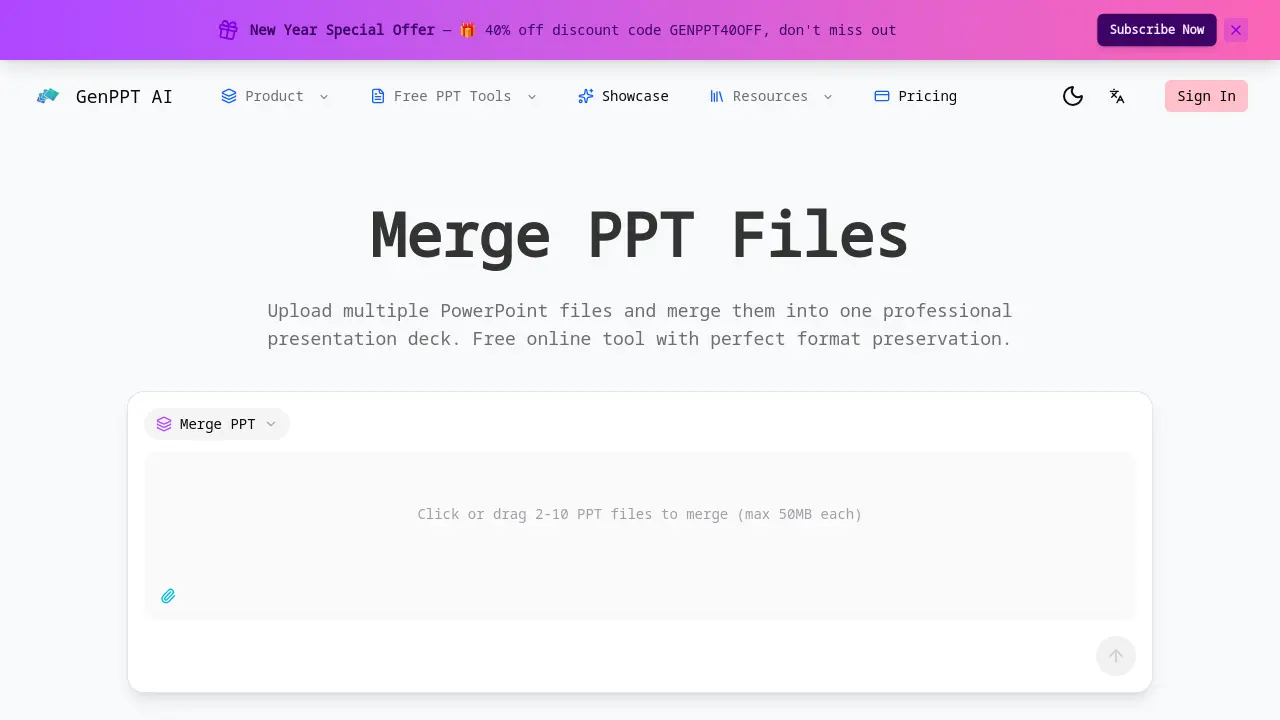
GenPPT's free online PPT merger combines PowerPoint files while preserving formatting, images, and animations with batch processing and drag-and-drop ordering.

FAQs of Merge PPT
How do I merge PPT files online?
Users can merge PPT files by visiting the GenPPT website, uploading 2 to 10 PowerPoint files via drag-and-drop or file selection, arranging the order using the drag-and-drop interface, and clicking the merge button. The merged file is then available for immediate download, streamlining the combination process without requiring software installation.
Is the PPT merge tool free?
Yes, the PPT merge tool is completely free to use with no subscription fees, watermarks, or hidden charges. All merging features are available at no cost to registered users, making it an accessible solution for combining presentations without financial barriers.
What file formats are supported?
The tool supports standard PowerPoint file formats including .ppt and .pptx. Users can upload these formats for merging, and the output is a single PowerPoint file that maintains compatibility with common presentation software like Microsoft PowerPoint and Google Slides.
How many files can I merge at once?
The merger allows users to combine between 2 and 10 PowerPoint files in a single operation. Each individual file must not exceed 50MB in size, which ensures efficient processing while accommodating most typical presentation files within reasonable constraints.
Will formatting be preserved when merging?
Formatting is fully preserved during the merge process. All original elements such as fonts, colors, images, slide layouts, and animations remain intact, ensuring the merged presentation retains the exact design intent of the source files without distortion or quality loss.
Does the merge tool work on mobile devices?
The web-based merge tool is accessible on mobile devices through mobile browsers. However, for optimal experience and easier file management, using a desktop or laptop computer is recommended due to larger screen size and more straightforward drag-and-drop functionality.
Are my files secure when using this tool?
Files are processed securely on the server side and are automatically deleted immediately after the merge is complete. No data is stored or shared with third parties, ensuring user privacy and confidentiality throughout the entire process.
Can I merge PowerPoint files with different themes?
Yes, presentations with different themes can be merged. Each slide retains its original theme and formatting, so the merged deck will showcase a variety of designs as per the source files, without forced unification or style overrides.
How long does it take to merge presentations?
Merging typically takes only a few seconds, depending on the total number of slides and file sizes. The tool processes files instantly online, allowing quick combination even for multiple or complex presentations without significant delays.
What happens if the merge fails?
If a merge fails, users should verify that all files are valid PowerPoint formats and within the size limit. Corrupted files or incompatible formats may cause issues. Retrying with corrected files usually resolves the problem; persistent failures can be reported to customer support for assistance.
What operating systems and browsers are compatible?
The merge tool works on any operating system—Windows, macOS, Linux—as long as a modern web browser like Chrome, Firefox, Safari, or Edge is used. Being web-based eliminates OS-specific dependencies and ensures broad accessibility.
Can embedded media such as videos or audio be merged successfully?
Embedded media files within PowerPoint presentations are preserved during merging. However, users should ensure that all media files are properly linked in the original presentations to avoid playback issues in the merged output, especially with large or externally referenced clips.
Is there a limit on the total slide count after merging?
There is no fixed limit on the total number of slides post-merge. Practical constraints may arise from browser memory limitations or extremely large cumulative file sizes, but the tool handles typical presentation volumes without imposing strict slide count restrictions.
Can I customize the order of slides from different files?
Yes, the drag-and-drop interface allows users to reorder the uploaded files before merging, which determines the sequence of slides in the final presentation. This provides direct control over the narrative flow when combining content from multiple sources.
Is user registration mandatory for using the merge feature?
Registration is required to access the merge tool, but it is free and does not involve any paid subscription. Creating an account helps manage usage and ensures compliance with privacy policies, while all core merging features remain available at no cost.
How to use Merge PPT
Merge PPT is a free online tool for combining multiple PowerPoint presentations into a single file with perfect format preservation. It supports batch merging of 2-10 files up to 50MB each.
- Begin by uploading 2-10 PPT files, each up to 50MB, via drag-and-drop or file selection.
- Arrange the desired slide order by dragging file thumbnails before initiating the merge.
- Click the merge button to process the files; the tool preserves all original formatting.
- Download the merged presentation once processing completes instantly.
- Verify the final deck's slide sequence and formatting, as files are automatically deleted after download.
