
AI PDF to PPT FAQs
AI PDF to PPT by GenPPT uses smart AI to convert PDFs into editable PowerPoint slides with professional layouts, ideal for businesses and students.

FAQs of AI PDF to PPT
How does AI PDF to PPT conversion work?
The AI PDF to PPT tool parses the entire PDF, extracting text, headings, tables, and images. It then maps these elements to appropriate slide layouts, preserving the document’s structure and formatting. The result is a fully editable PowerPoint file that reflects the original content while optimizing slide design for readability.
What types of PDFs can be converted?
The converter accepts standard PDF files, including scanned documents, PDFs with embedded images, and those containing tables or charts. It works best with PDFs that have clear text layers; OCR is applied automatically to scanned images to recover text, though complex layouts may require manual adjustment after conversion.
Is the converted presentation fully editable?
Yes. Unlike screenshot‑based converters, the output is a native PowerPoint file (.pptx). Users can modify text, change fonts, adjust layouts, rearrange slides, and edit embedded graphics directly within PowerPoint or the GenPPT editor.
Can I control the number of slides in the output?
The tool automatically generates slides based on the PDF’s structure, but users can manually delete or merge slides after conversion. There is no built‑in option to set a maximum slide count during the initial conversion; editing is performed post‑conversion.
Does the converter support web search for enrichment?
When enabled, the web search feature queries up‑to‑date online sources to supplement slide content. It can add recent statistics, images, or contextual information, ensuring that the presentation reflects current data while maintaining the original PDF’s narrative.
How long does the conversion process take?
Conversion time depends on file size and complexity. Typical PDFs convert within 1–3 minutes on the GenPPT platform. Larger documents or those with many images may take slightly longer, but the process remains fast compared to manual recreation.
Is AI PDF to PPT free to use?
The basic conversion service is free and requires no sign‑up. Users can upload PDFs and receive a downloadable PowerPoint file immediately. Premium features, such as advanced editing or batch processing, may be available under paid plans.
What makes this different from traditional PDF converters?
Traditional converters often produce static images or poorly formatted slides. GenPPT’s AI approach preserves text, hierarchy, and design, automatically selecting slide layouts and enabling full editability. It also offers optional web search enrichment and a streamlined, no‑sign‑up workflow.
What file size limits apply to uploads?
The free tier allows PDFs up to 50 MB. Larger files can be processed under the paid plans, which support up to 200 MB per document. Files exceeding these limits must be split or compressed before conversion.
Which languages are supported in the conversion process?
The AI engine supports English, Spanish, French, German, Chinese, Japanese, and Korean. It detects the language of the PDF and preserves character sets, ensuring accurate text extraction and slide rendering for multilingual documents.
How is my PDF data protected during conversion?
All uploads are transmitted over HTTPS and stored temporarily on secure servers. The data is deleted automatically within 24 hours after conversion, and no personal information is retained or shared with third parties.
Can I edit the output after conversion within the tool?
After conversion, users can download the PowerPoint file and edit it locally. The GenPPT web interface also offers basic editing tools—such as text replacement and layout adjustments—directly in the browser before downloading.
Does the tool support batch conversion of multiple PDFs?
Batch processing is available only in the paid subscription plans. Users can upload up to 10 PDFs simultaneously, and the tool will generate a separate PowerPoint file for each, preserving the order of uploads.
How to use AI PDF to PPT
- The AI PDF to PPT tool converts PDFs into editable PowerPoint decks, extracting text, headings, tables, and applying smart slide layouts automatically.
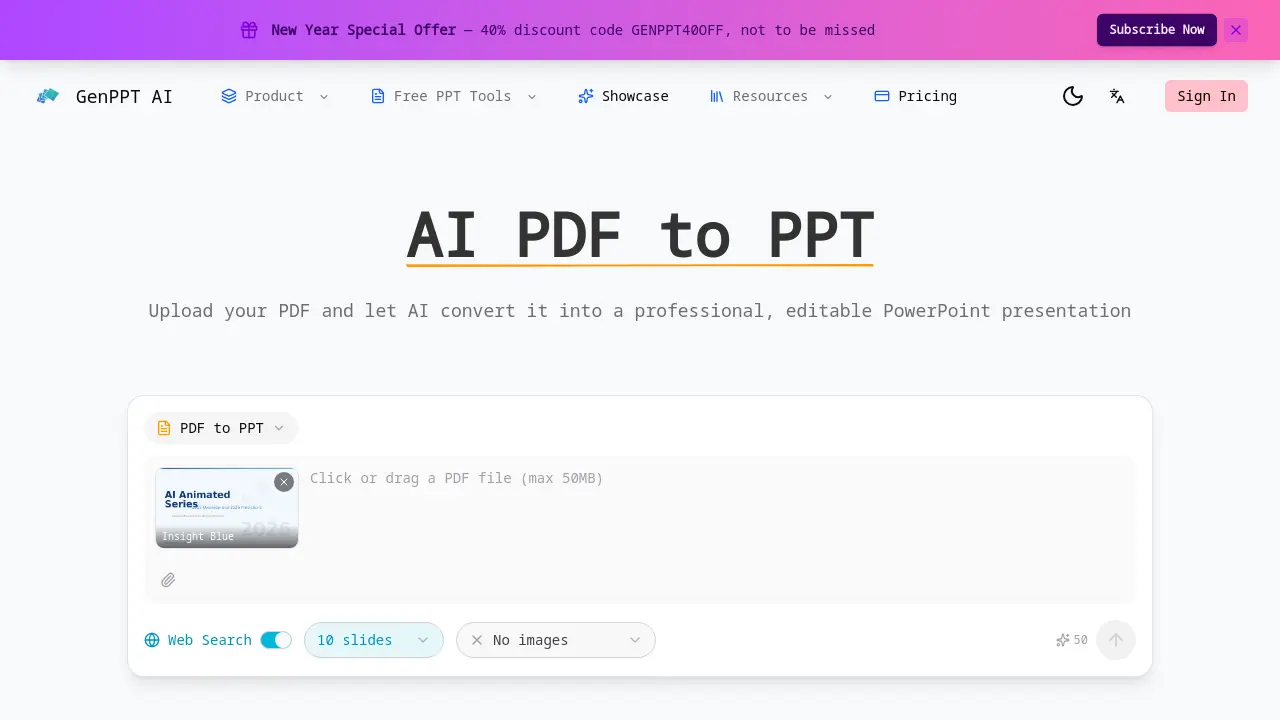
- The user navigates to the website, clicks the upload button, and selects the PDF file from local storage; the interface accepts various PDF formats without requiring registration.
- If desired, the web search option is toggled to allow the AI to supplement slide content with up‑to‑date data and statistics during conversion.
- The convert button is clicked, prompting the AI to process the document, extract structure, and generate slides within minutes, with a progress indicator displayed.
- The resulting .pptx file is downloaded, opened in PowerPoint, and headings, tables, and layouts are verified against the original PDF structure.
- PowerPoint’s editing tools are employed to modify text, adjust formatting, rearrange slides, or replace placeholders, ensuring alignment with presentation goals.
- Slide hierarchy and content fidelity are assessed; high alignment indicates successful extraction, while discrepancies suggest manual refinement or re‑uploading with different settings.
- After satisfaction, the final deck is exported, embedded in a webinar, or shared via email, leveraging the fully editable format for collaborative review.
