
WAN-2.6 FAQs
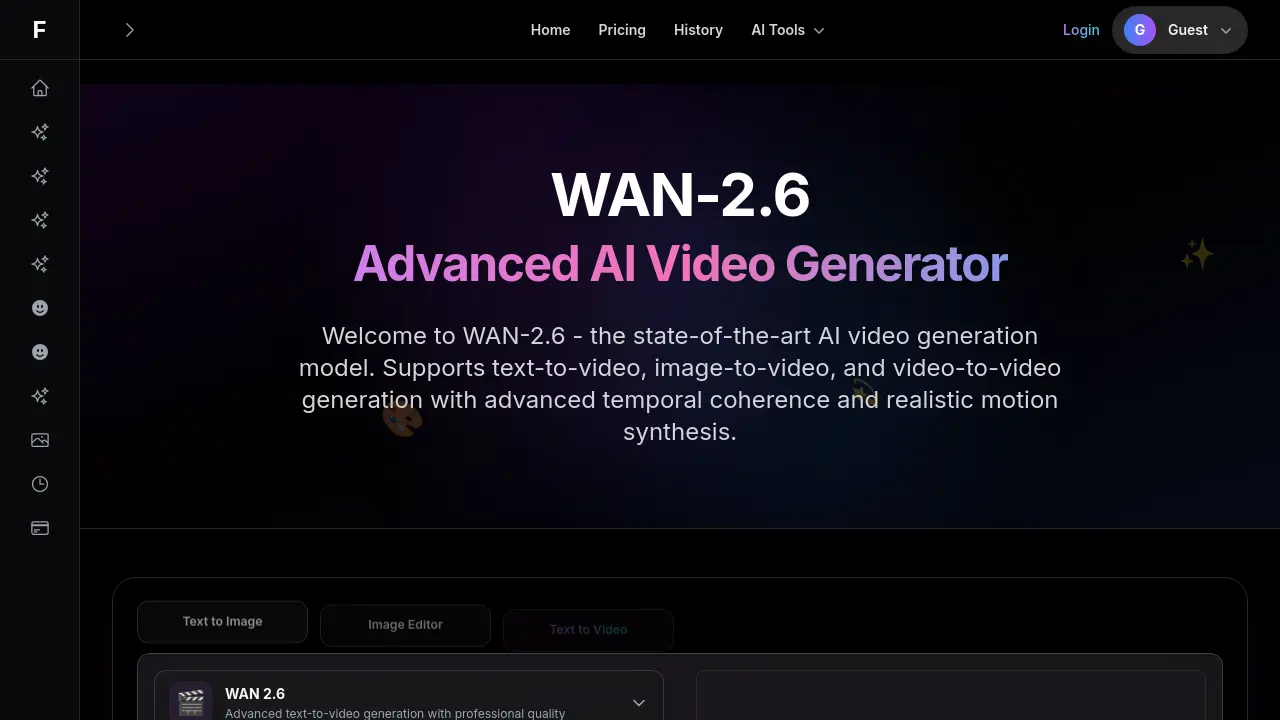
WAN-2.6 generates videos from text, animates images, and refines existing footage, allowing creators to produce professional content with advanced coherence.

FAQs of WAN-2.6
What is WAN-2.6?
WAN-2.6 is an advanced AI video generation model that creates professional‑quality videos from text prompts, static images, or existing footage. It uses temporal coherence tech to ensure smooth motion and realistic physics across frames, delivering high‑resolution content suitable for broadcast, streaming, and production pipelines.
What are the different generation modes?
WAN‑2.6 offers three generation modes:
- Text‑to‑Video turns descriptive prompts into cinematic clips.
- Image‑to‑Video animates still pictures with natural motion.
- Video‑to‑Video applies style transfer or enhancement to existing recordings.
What video quality does WAN‑2.6 produce?
The model outputs high‑resolution videos (up to 1280 × 720 or higher) with exceptional clarity, consistent lighting, and professional‑grade detail. Each frame aligns temporally, so motion looks natural and the visual fidelity remains high throughout.
How long are the generated videos?
Users can set any duration within the platform’s limits. WAN‑2.6 keeps quality consistent across length, ensuring smooth transitions even for longer runs. Typical outputs vary from a few seconds to several minutes depending on prompt and hardware.
Can I use WAN‑2.6 for commercial projects?
Yes. Content produced with WAN‑2.6 can be incorporated into marketing, education, entertainment, or other commercial applications. Licensing terms are outlined on the Fooocus pricing page, and the model’s terms allow commercial use.
How fast is the video generation?
Generation speed is optimized for rapid iteration. Under standard settings, a typical clip finishes within minutes on a capable GPU, while faster “WAN‑2.2‑i2v‑14b‑fast”‑style image‑to‑video passes can complete in seconds, balancing speed and quality.
How does WAN‑2.6 improve temporal coherence compared to earlier versions like WAN‑2.5?
Compared to WAN‑2.5, WAN‑2.6 incorporates a refined motion transformer that enhances frame consistency, reducing jitter and preserving object shapes over longer sequences. This yields smoother animation, especially for complex scenes such as dancing or moving vehicles.
Is there a local deployment option for WAN‑2.6 on a private server?
Fooocus provides Docker images and downloadable weights for developers who wish to run WAN‑2.6 locally. This allows private deployment on a dedicated GPU cluster, ensuring data security and zero reliance on external cloud services.
Are there pre‑trained weights available for iOS or other mobile platforms?
While Fooocus does not offer a native iOS app, the WAN‑2.6 model can be accessed via an API that supports iOS clients. Developers can integrate the API into mobile apps, though performance on mobile hardware depends on the device’s GPU capabilities.
What are the primary differences between WAN‑2.6 and WAN‑2.1?
WAN‑2.6 introduces advanced temporal coherence, higher resolution outputs, and expanded generation modes (image‑to‑video and video‑to‑video) that were limited or absent in WAN‑2.1. It also supports faster image‑to‑video passes akin to “WAN‑2.2‑i2v‑14b‑fast,” making it more versatile for rapid prototyping.
How can I integrate WAN‑2.6 into my existing video editing pipeline via API?
The WAN‑2.6 API accepts JSON prompts, image uploads, or video URLs and returns a rendered video URL. It can be embedded into scripts, DAWs, or production pipelines, enabling batch generation, automated rendering, or real‑time preview within external editors.
How to use WAN-2.6
- WAN‑2.6 is an advanced AI video generation model that supports text‑to‑video, image‑to‑video, and video‑to‑video with temporal coherence for smooth motion and realistic physics across frames.
- Select the desired generation mode from the dropdown menu: text‑to‑video, image‑to‑video, or video‑to‑video, then proceed before entering your prompt or uploading media.
- Enter a detailed text prompt or upload a high‑quality source image or video file specifying camera angles, lighting, and artistic style for better results.
- Choose Video Size, Duration, and Shot Type in settings: typical options are 1280×720 HD, 5‑second length, single‑shot. WAN‑2.1 offers similar settings at lower resolution.
- Click the Generate Video button to start processing. The interface displays a progress bar and estimated completion time for the AI generation.
- After completion, review the preview in the player and check frame quality and motion consistency. Any issues should prompt adjusting parameters or rewriting the prompt.
- Use the Download button to save the final video in MP4 or other resolution options. The file size will depend on selected resolution and duration.
- If necessary, modify the prompt, swap media, or adjust settings, then regenerate for refined output. Repeat until the desired cinematic quality is achieved.
