
Eraser - All-in-One Docs and Diagrams for Engineering Teams
| Added on: | May 5, 2024 |
| Monthly Visits: | 699.29K |
| Social & Email: | -- |

What is Eraser
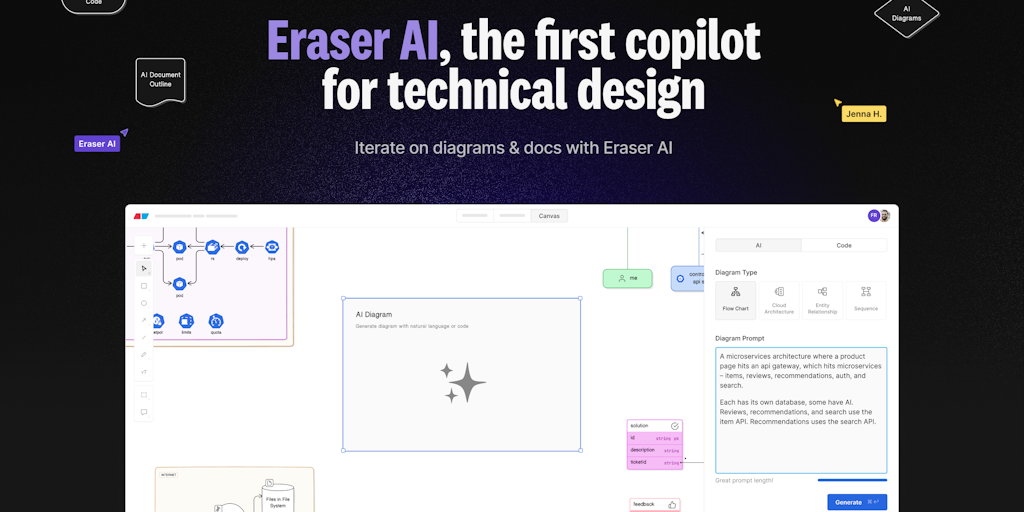
Eraser is a tool for engineering teams to create diagrams, design docs, and visual documentation. It's an all-in-one technical ideation tool. It's aimed at helping teams to better communicate and collaborate on their projects. Eraser's key features include:
- Creating diagrams of various types, such as flowcharts, UML diagrams, and ER diagrams
- Designing documents with a rich text editor and collaboration features
- Creating visual documentation that can be shared with team members and stakeholders
Eraser uses a variety of technologies to provide its users with a seamless experience, including a cloud-based platform, real-time collaboration features, and a user-friendly interface. It's a powerful tool that can help teams to improve their productivity and communication.
Core Features of Eraser
Create diagrams
Eraser allows users to create diagrams for different purposes, such as flowcharts, UML diagrams, and network diagrams.
Design documents
Users can design technical documents for various needs. This includes software specifications, API documentation, and system architectures.
Visual documentation
Eraser enables users to create visual documentation that can help explain complex ideas and concepts.
Collaboration
Eraser enables teams to collaborate on diagrams, design documents, and visual documentation. Teams can work together in real-time, leaving comments and suggestions.
Integration
Eraser integrates with other tools that engineers commonly use, such as Jira, Slack, and GitHub.
FAQs of Eraser
What is Eraser?
Eraser is a tool that helps engineering teams create diagrams, design docs, and visual documentation. It's meant to be your all-in-one tool for technical ideation. 👍
How do I use Eraser?
You can use Eraser to create diagrams, design docs, and other types of visual documentation. You can also use it to collaborate with your team on these documents.
What are the benefits of using Eraser?
Eraser can help your team to:
- Create better documentation
- Improve collaboration
- Communicate more effectively
- Save time
How does Eraser compare to other similar tools?
Eraser is different from other similar tools because it focuses on providing a seamless experience for creating and collaborating on visual documentation. It's meant to be a one-stop shop for all your technical ideation needs.
How can I get started with Eraser?
You can sign up for a free trial of Eraser on the Eraser website.
Eraser Website Traffic Analysis
Latest traffic information
- Monthly Visits699.29K
- Bounce Rate42.58%
- Pages Per Visit3.65
- Visit Duration00:01:37
- Global Rank65.97K
- Country/Region Ranking10.75K
Top Keywords
| Keyword | Traffic | Volume | Cost Per Click |
|---|---|---|---|
| eraser | 28.1K | 83.49K | $0.3 |
| eraser io | 14.2K | 12.31K | $0.99 |
| eraser ai | 4.63K | 4.78K | $0.39 |
| eraser.io | 1.42K | 1.25K | $1.08 |
| app eraser io | 1.15K | 940 | $1.06 |
Top Regions
| Region | Percentage |
|---|---|
| India | 38.68% |
| United States | 8.7% |
| Pakistan | 8.38% |
| South Africa | 3.04% |
| Philippines | 2.79% |
Eraser Alternatives
ScanPDF AI is a free online PDF scanner that turns photos and scans into clean PDFs, OCR searchable text, and receipt-to-Excel data in your browser.

Git-native task management for AI coding agents: track intent, status, blockers, dependencies, history, and commit evidence in Git.
Gamma AI is an AI presentation generator that turns text, PDF, and Word into slides with structured outlines, in-browser editing, and editable PPTX export.
Aldena creates isolated rooms where AI agents handle client work with real roles, shared memory, and human approval gates.
AI-powered PDF to Markdown converter with OCR for scanned pages. Get clean, structured Markdown from any PDF in seconds online.
AI project scheduling tool that generates editable Gantt charts from prompts, templates, or imported files, checking dependencies and revision impact.
1Scholar is an AI academic toolbox for scholars and researchers, offering citation verification, source discovery, and AI‑generated text humanization to streamline manuscript preparation and reduce errors.
PDF Translate is an AI PDF translator for professionals and students, providing free, fast multilingual translation of PDFs while keeping fonts, tables and images intact.
PDF2Word is an online PDF to Word converter that creates editable DOCX files, preserves layout, supports scanned PDFs, and processes files securely with size limits for free and paid users.
CartoMind is a free AI infographic generator that lets marketers, educators and creators turn text, documents or ideas into professional infographics in seconds, using automatic layout, typography and multi‑language design.
MiroFish is an AI simulation chat platform that converts text, PDF, MD or TXT inputs into graph building, scenario simulation, and structured reports, offering continuous chat‑driven prediction for analysts and decision‑makers.
EZ-Estimates uses AI to generate line-item quotes, manage change orders, and collect e-signatures, helping contractors build professional estimates in under 60 seconds.