
DeemosTech FAQs
Experience the power of Rodin Gen-1 - Stable Diffusion & ControlNet for 3D. Transform your text and images into stunning 3D creations in seconds. Visit us at https://hyperhuman.deemos.com/ to learn more.

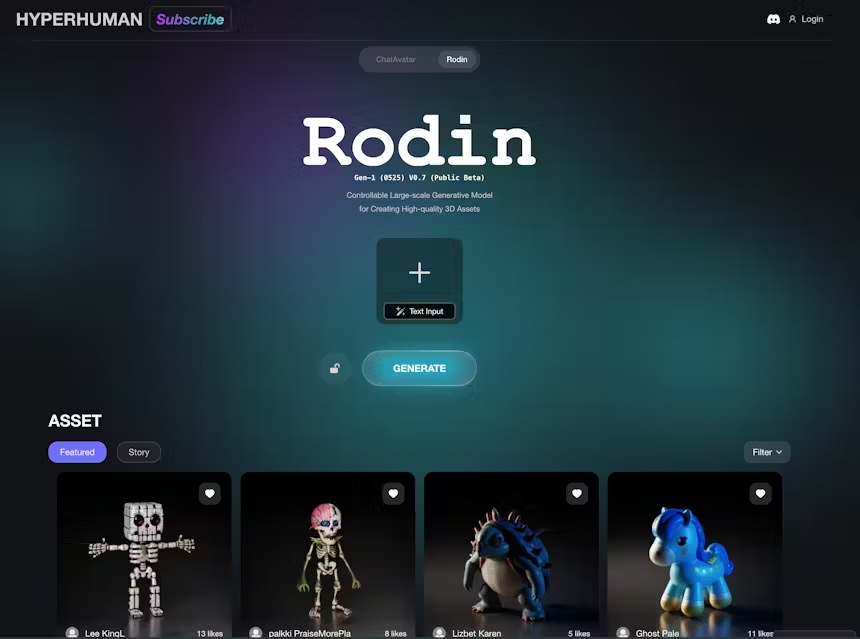
FAQs of DeemosTech
What is DeemosTech?
DeemosTech is a company developing advanced 3D asset generators, like Rodin and ChatAvatar.
What is ChatAvatar?
ChatAvatar is a 3D asset generator that can create hyper-realistic 3D facial assets from text or images. These assets are production-ready, meaning they come with PBR textures and are compatible with popular 3D software like Unity, Unreal Engine, and Maya.
What is Rodin?
Rodin is another 3D asset generator, still in development, but nearing production readiness. It uses similar technology to ChatAvatar but is designed to create realistic 3D models of people from text or images.
How are these tools different from other 3D asset generators?
DeemosTech's tools are based on their proprietary diffusion models and a unique Production-Ready Assets dataset. This allows them to generate assets that are higher quality and more realistic than other tools on the market.
What are some examples of how these tools can be used?
ChatAvatar and Rodin can be used for a wide range of applications, including:
- Game development: Create realistic characters for video games.
- Film and animation: Generate high-quality assets for movies, TV shows, and animated films.
- Virtual reality and augmented reality: Create immersive experiences with realistic 3D assets.
- Marketing and advertising: Create engaging visuals for product demonstrations and advertising campaigns.
- Education: Develop interactive learning materials with realistic 3D models.
How can I learn more about DeemosTech and its products?
You can visit the DeemosTech website, https://hyperhuman.deemos.com, for more information on their products and services. You can also follow them on social media to stay up-to-date on their latest developments.
How to use DeemosTech
- Access the DeemosTech Rodin platform via the provided URL (https://hyperhuman.deemos.com). This initiates the AI-powered 3D model generation process.
- Choose between text or image input. If using text, input a description of your desired 3D model (e.g., "a futuristic robot"). Image input allows uploading images for 3D conversion.
- Select your preferred generation settings. This may include choosing between single-image or multi-view fusion (subscription required for multi-view).
- Initiate the generation process by clicking the "GENERATE" button. DeemosTech Rodin will process your request and generate a 3D model.
- Once complete, review the generated 3D model. Inspect the geometry, materials, and overall quality. Download and utilize the model in your preferred application.
- For advanced features like multi-view fusion or higher resolution models, explore DeemosTech Rodin's subscription options. This unlocks enhanced capabilities for 3D asset creation.
- Utilize the DeemosTech Rodin generated assets for various purposes like 3D printing, game development (Unity, Unreal, etc.), animation, or other 3D modeling projects.
- Explore the DeemosTech Rodin community and resources for tutorials, tips, and inspiration. This can help you improve your workflow and leverage the platform's full potential. Experiment with different prompts and settings to fine-tune your results.
