
Meshy - AI-Powered 3D Model Generator from Text and Images

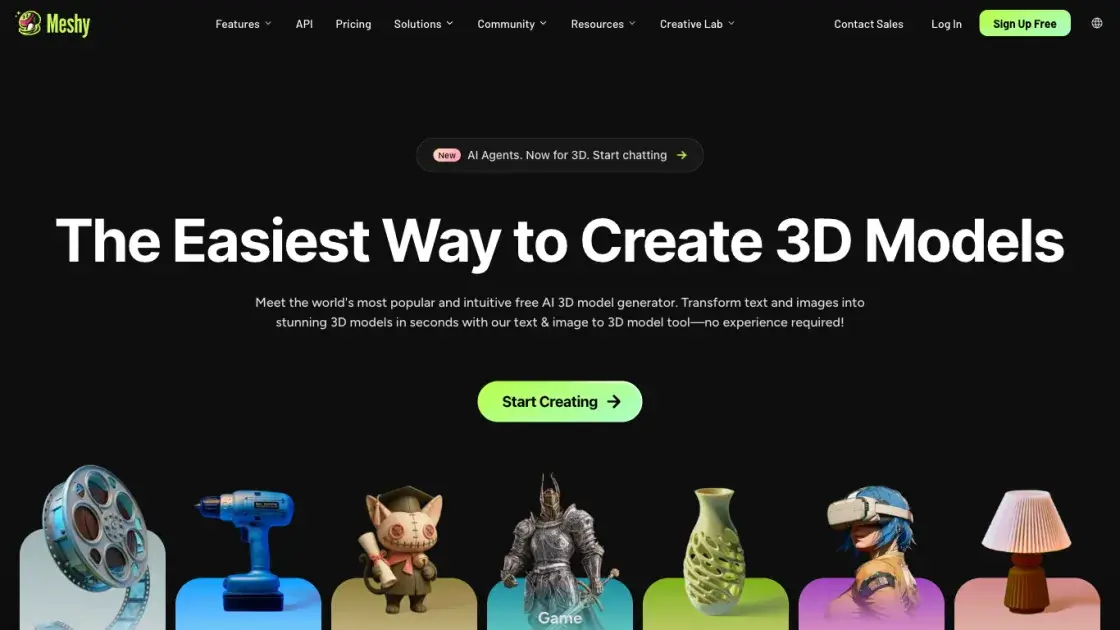
What is Meshy
Meshy is an AI-powered 3D model generator that creates production-ready 3D assets from text prompts and reference images. The platform produces textured 3D models in roughly 20 to 30 seconds, supporting workflows like text-to-3D, image-to-3D, and 3D-to-video conversion. With AI-driven texturing, smart remeshing, rigging, and animation tools, Meshy targets creators across game development, film production, product design, education, and 3D printing. The tool exports models in FBX, OBJ, GLB, and STL formats, making them compatible with major 3D software and game engines. A community of over 10 million creators has generated more than 300 million downloads on the platform, with enterprise features including multi-team management, SSO, and dedicated support.
How does Meshy work
Meshy uses generative AI models trained on large datasets of 3D assets to synthesize new models from text or image inputs. When a user provides a text prompt, the system interprets the description and generates a 3D mesh with corresponding geometry. For image-based generation, the AI analyzes the input image to extract shape, color, and surface information, then constructs a matching 3D representation. After the initial mesh is created, AI texturing applies PBR material maps to define the model's surface appearance. The smart remesh step then optimizes the topology for the intended use case, balancing detail against performance. Finally, optional rigging and animation can be applied to bring the model to life.
Benefits of Meshy
Meshy reduces the 3D asset creation pipeline from hours or days to under a30 seconds, making it accessible to creators without specialized modeling skills. The platform handles the full workflow from concept to export-ready files, covering texturing, remeshing, rigging, and animation in a single interface. Output formats (FBX, OBJ, GLB, STL) integrate with industry-standard tools like Blender, Unity, and Unreal Engine. The combination of speed, multi-format export, and built-in animation tools positions Meshy as a practical option for teams that need rapid prototyping or high-volume asset generation, though complex custom characters may still require manual refinement.
Pros and Cons of Meshy
Pros
- Generates textured 3D models in 20 to 30 seconds
- Supports both text-to-3D and image-to-3D input modes
- Built-in AI texturing, remeshing, rigging, and animation
- Exports to FBX, OBJ, GLB, and STL formats
- Large community with 10 million plus creators
Cons
- Complex custom characters may need manual refinement
- Free tier has limited generation credits
- AI-generated topology may not match hand-crafted quality for production use
- Advanced features require paid subscription
Core Features of Meshy
Text to 3D
Meshy converts natural language descriptions into textured 3D models. Users describe the desired object, style, or scene, and the AI generates a complete 3D asset with geometry and textures applied automatically.
Image to 3D
A single reference image can be transformed into a fully realized 3D model. The system analyzes the input image for shape, color, and surface details, then constructs a matching 3D mesh with appropriate materials.
3D to Video
Generated 3D models can be animated and rendered into short video clips directly within the platform, eliminating the need for external rendering software for simple showcases.
AI Texturing
Meshy applies intelligent texturing to 3D models, generating PBR-compatible texture maps that define surface appearance including color, roughness, and normal details without manual painting.
Smart Remesh
The smart remeshing feature optimizes model topology for different use cases, reducing polygon count while preserving visual quality. This makes models suitable for real-time applications like game engines.
Rigging and Animation
Models can be automatically rigged with skeletal structures and animated, enabling character posing and motion without requiring dedicated rigging expertise or external tools.
Use Cases of Meshy
- Game Developers: Rapidly prototype and populate game worlds with 3D assets, characters, and props without dedicated modeling teams.
- Film and Animation Studios: Generate concept models and pre-visualization assets quickly during pre-production phases.
- Product Designers: Create 3D product mockups from descriptions or images for presentations and client reviews.
- Educators and Students: Teach 3D modeling concepts using an accessible tool that lowers the barrier to creating 3D content.
- 3D Printing Enthusiasts: Generate printable models from text descriptions and export them in STL format for fabrication.
- VR/AR Developers: Produce immersive content assets compatible with virtual and augmented reality platforms.
FAQs of Meshy
What is Meshy and who is it for?
Meshy is an AI-powered 3D model generator that creates textured 3D assets from text descriptions and reference images. It serves game developers, film studios, product designers, educators, and anyone who needs 3D models without specialized modeling skills.
How fast does Meshy generate 3D models?
Most models are generated within 20 to 30 seconds, depending on the complexity of the input description and the chosen generation mode. Text-to-3D and image-to-3D workflows have similar generation times.
What file formats does Meshy support for export?
Meshy exports 3D models in FBX, OBJ, GLB, and STL formats. These formats are compatible with major 3D software including Blender, Maya, Unity, and Unreal Engine, as well as 3D printing workflows.
Does Meshy offer a free plan?
Meshy operates on a freemium model with a free tier that includes limited generation credits. Paid plans unlock additional credits, faster generation, and advanced features like rigging and animation.
Can Meshy models be used in commercial projects?
Yes, models generated on Meshy can be used in commercial projects including games, films, product visualizations, and 3D printing. Users should review the platform's terms of service for specific licensing details.
How does Meshy compare to traditional 3D modeling?
Meshy dramatically reduces the time needed to create 3D assets compared to manual modeling, which can take hours or days. However, AI-generated models may lack the precision and customization of hand-crafted assets for high-end production work.
What industries use Meshy?
Meshy is used across game development, film production, product design, education, 3D printing, VR/AR development, and interior design. Enterprise customers include companies like Nexon, DNEG, and Square Enix.
How to use Meshy
- Sign up for a Meshy account at https://www.meshy.ai and select a plan that fits the usage needs, including a free tier with limited credits.
- Choose a generation mode: text-to-3D for prompt-based creation, or image-to-3D to convert a reference image into a 3D model.
- Enter a detailed text description or upload a reference image, then start the generation process which typically completes in 20 to 30 seconds.
- Review the generated 3D model in the built-in viewer, adjusting texturing, remeshing, or rigging settings as needed for the target application.
- Export the finished model in the desired format (FBX, OBJ, GLB, or STL) and import it into game engines, 3D software, or rendering pipelines.
- For video output, use the 3D-to-video feature to animate and render the model directly within the platform.
Meshy Website Traffic Analysis
Latest traffic information
- Monthly Visits19.99M
- Bounce Rate57.81%
- Pages Per Visit1.26
- Visit Duration00:03:25
- Global Rank3.71K
- Country/Region Ranking4.84K
Top Keywords
| Keyword | Traffic | Volume | Cost Per Click |
|---|---|---|---|
| meshy ai | 342.87K | 413.51K | $1.39 |
| meshy | 281.37K | 388.93K | $1.86 |
| text to 3d | 103.33K | 421.89K | $2.19 |
| ai 3d model generator | 59.69K | 520.83K | $2.03 |
| image to 3d | 44.89K | 379.53K | $1.42 |
Top Regions
| Region | Percentage |
|---|---|
| United States | 18.57% |
| India | 5.98% |
| Brazil | 4.87% |
| Russia | 3.81% |
| Germany | 3.73% |
Meshy Alternatives
JuJuBit turns a photo into a custom 3D-printed figurine: choose a style, preview the AI-generated model, and receive a hand-refined painted collectible.
Make3DMap creates interactive 3D maps from real-world locations. Shape terrain, add routes and pins, then share, embed or export your scene.
img2threejs converts product photos and object images into editable procedural Three.js models, with named parts, JSON specs, and TypeScript downloads for web 3D projects.
World Model Hub allows creators to generate AI videos, images, and 3D assets with model comparison and output control for efficient production.
For 3D artists and developers, Seed3D AI transforms images into production-ready 3D models with PBR materials, optimized for games and XR.

SAM 3D is an online platform that converts a single image into 3D models of objects or human bodies in seconds, using Meta’s SAM 3D models for inference.
This platform generates 3D textured models instantly using AI, with no signup required, offering GLB/STL export for various 3D software and 3D printing.
This AI-powered online converter transforms images into 3D printable STL files in minutes, supporting GLB and OBJ exports for various applications.
This AI platform transforms 2D images into detailed 3D models, offers universal 3D model preview, and optimizes file sizes for game development, 3D printing, and AR/VR.
This AI-powered platform allows users to reconstruct production-ready 3D models from single 2D photographs, featuring object, scene, and body reconstruction with universal format support.
SAM 3D is a new generation of AI models that reconstructs 3D objects, people, and scenes from a single image, building 3D assets faster.
Marble AI, using spatial intelligence, transforms single images into persistent 3D environments, enabling free navigation and collaborative viewing for various applications.