
Convert images to 3D printable models with AI online.

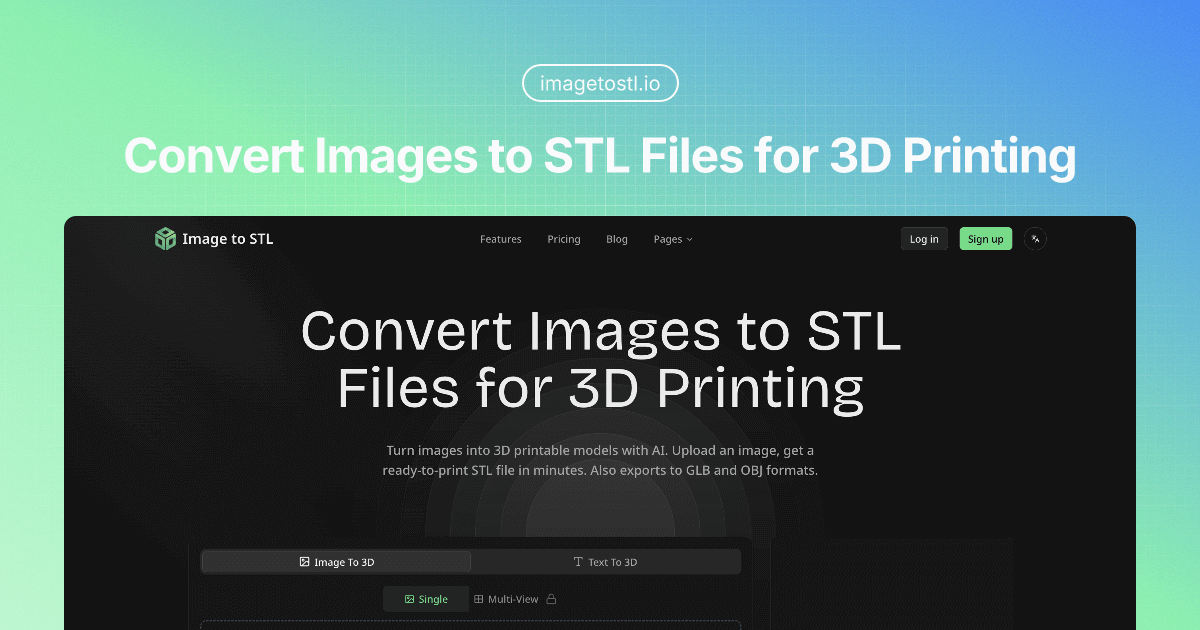
What is Image to STL
Image to STL offers an AI-powered solution for converting 2D images into 3D printable STL files. This image to STL converter facilitates the creation of 3D models from various input types, including single images, multi-view images, or text descriptions. The platform supports universal export formats like GLB and OBJ, in addition to STL, making it versatile for 3D printing, game asset generation, and AR/VR development. Users can choose between Standard and Pro quality modes, generating models with up to 1,500,000 triangles. This free image to STL tool streamlines the workflow for designers, architects, and hobbyists seeking to transform 2D visuals into detailed 3D assets.
How does Image to STL work
Image to STL operates as an AI-powered image to STL converter, facilitating the transformation of 2D images into 3D printable models. Users upload an image or provide a text description, which the platform's advanced AI processes to generate a high-quality 3D mesh. The generated 3D model can be previewed and refined within an interactive viewer before being exported in various universal formats, including GLB, OBJ, and the primary STL file format, enabling diverse applications such as 3D printing, game asset creation, and AR/VR development. The service provides both free and paid tiers, with features like PBR materials and multi-view image to 3D conversion.
Benefits of Image to STL
The Image to STL converter efficiently transforms images into 3D printable STL files and other formats like GLB and OBJ, utilizing AI for rapid model generation. This tool supports various applications, including 3D printing, game asset creation, and AR/VR development. Users can upload images or text descriptions, with options for standard or pro quality meshes up to 1500K triangles. This image to STL AI free solution offers universal export formats, enabling seamless integration into diverse 3D workflows and providing a versatile image to STL file converter for creators.
Pros and Cons of Image to STL
Pros
- Converts images to STL files for 3D printing.
- Utilizes AI for rapid 3D model generation.
- Supports GLB and OBJ export formats.
- Offers multiple input modes, including text to 3D.
- Provides high-quality meshes up to 1,500,000 triangles.
Cons
- Free plan has limited credits and downloads.
- Pro and Max plans require a monthly subscription.
- Credit system adds complexity to usage.
- Assets in the free plan are CC BY 4.0 licensed.
- Queue priority varies with subscription tiers.
Core Features of Image to STL
AI-Powered Image to 3D Model Conversion
This core function enables users to transform 2D images into high-quality 3D printable models using advanced AI, simplifying 3D content creation.
Multi-Format 3D Model Export
Allows generated 3D models to be exported in various universal formats, including STL, GLB, and OBJ, ensuring compatibility across diverse 3D applications and workflows.
Text-to-3D Model Generation
Provides the capability to create 3D models from textual descriptions, offering an alternative input method for generating diverse 3D assets for various purposes.
Multi-View Image to 3D Conversion
Supports generating 3D models from multiple image angles, enhancing the accuracy and detail of the resulting 3D mesh for more complex objects.
Interactive 3D Model Preview and Refinement
Offers an interactive viewer for users to preview, rotate, zoom, and inspect generated 3D models, with options to regenerate for refining settings and quality.
Use Cases of Image to STL
- 3D Printing Enthusiasts: Utilize the image to STL converter free service to generate printable models from photos.
- Game Developers: Create game-ready 3D assets quickly from images, exporting to GLB format for various engines.
- Architects: Visualize building concepts by converting architectural sketches into 3D models using the image to STL AI.
- E-commerce Businesses: Generate interactive 3D product previews from images to enhance online customer engagement.
- AR/VR Developers: Build immersive experiences by transforming 2D images into optimized 3D models for AR/VR platforms.
FAQs of Image to STL
How does the credit system work for Image to STL conversion?
Image to STL utilizes a credit-based system for its services, allowing users to convert images to STL files. Free plan users receive 20 monthly credits, while Pro and Max subscribers receive 500 and 1000 credits, respectively, for generating 3D models. Additional credit packages are available for purchase if more conversions are needed.
What formats can Image to STL export?
The Image to STL converter supports multiple universal export formats for your 3D models. Users can download their generated models in GLB, STL, and OBJ formats. This versatility ensures compatibility with various 3D printing software, game engines, AR/VR platforms, and other 3D applications.
What is the difference between Standard and Pro mode for Image to STL?
The primary difference between Standard and Pro mode in Image to STL lies in the quality and complexity of the generated 3D meshes. Standard mode generates models with approximately 80,000 triangles, suitable for general use. Pro mode, however, can generate high-quality 3D meshes with up to 1,500,000 triangles, offering accurate geometry and clean topology for detailed work and close-up renders when converting images to STL.
Can I use the models generated by Image to STL commercially?
The commercial use of models generated by Image to STL depends on the subscription plan. Under the Free plan, assets are released under a CC BY 4.0 license, which typically allows for commercial use with attribution. For Pro and Max plans, assets are private and customer-owned, providing full commercial rights to the user for their image to STL creations.
How long does Image to STL generation take?
The generation time for Image to STL conversion can vary based on factors such as image complexity and selected quality mode. While the platform advertises getting a ready-to-print STL file in minutes, specific times may differ. The AI processing aims for efficient conversion from image to STL, providing a preview for refinement before export.
What types of input does the Image to STL converter accept?
The Image to STL converter supports multiple input modes. Users can upload a 2D image directly or describe their desired 3D model using text. For enhanced accuracy and higher quality 3D meshes, the platform also supports uploading multiple image angles, particularly beneficial for complex objects when converting an image to STL.
What are the main applications for models created with Image to STL?
Models created with Image to STL offer diverse applications across various industries. They are ideal for 3D printing of prototypes and custom objects, generating game-ready assets in GLB format, and building immersive AR/VR experiences. Additionally, the service assists in architectural visualization, transforming 2D artwork into 3D sculptures, and creating interactive 3D product previews for e-commerce, making the image to STL tool versatile.
Does Image to STL offer PBR materials?
Yes, Image to STL supports Physically Based Rendering (PBR) materials, particularly for users on the Pro and Max plans. PBR materials enable the generation of 3D models with realistic textures and lighting properties, enhancing the visual quality and fidelity of the converted image to STL file. This feature is crucial for professional applications requiring high-fidelity renderings.
How to use Image to STL
Image to STL is an AI-powered tool that converts 2D images into 3D models, specifically STL files, suitable for 3D printing, game asset creation, and AR/VR applications. This image to STL converter also supports GLB and OBJ exports.
- Navigate to the Image to STL platform and locate the designated upload area to begin your image to STL conversion.
- Upload your desired 2D image file or provide a text description for AI-driven 3D model generation.
- Select the preferred quality setting, choosing between Standard (80K triangles) or Pro (1500K triangles) for your 3D model.
- Initiate the AI processing; the system will analyze your input to generate a high-quality 3D mesh for your image to STL file.
- Preview the generated 3D model in the interactive viewer, allowing for rotation and zoom to inspect the detailed geometry.
- Refine the model by regenerating it with different settings if necessary, ensuring optimal results for your image to STL file.
- Export your 3D model in the desired format, such as STL, GLB, or OBJ, making it ready for 3D printing or other applications.
- Utilize the downloaded STL file for 3D printing, integrating into game engines, or developing immersive AR/VR experiences.
Image to STL Website Traffic Analysis
Latest traffic information
- Monthly Visits19.44K
- Bounce Rate40.85%
- Pages Per Visit1.8
- Visit Duration00:00:26
- Global Rank1.4M
- Country/Region Ranking225.5K
Visits Over Time
Traffic Sources
- Direct: 61.92%
- Organic Search: 33.55%
- Referrals: 2.94%
- Generative AI: 1.59%
Top Keywords
| Keyword | Traffic | Volume | Cost Per Click |
|---|---|---|---|
| stl转glb | 640 | -- | -- |
| glb viewer | 310 | 21.94K | $1.24 |
| cual es el mejor conversor de iamgen a stl | 170 | -- | -- |
| テクスチャ付きobjファイル ビューワー | 110 | -- | -- |
| imagetostl | 90 | 3.89K | $2.51 |
Top Regions
| Region | Percentage |
|---|---|
| France | 26.3% |
| United States | 8.83% |
| Italy | 7.01% |
| Spain | 6.95% |
| United Kingdom | 6.88% |
