
Bullet Time FAQs
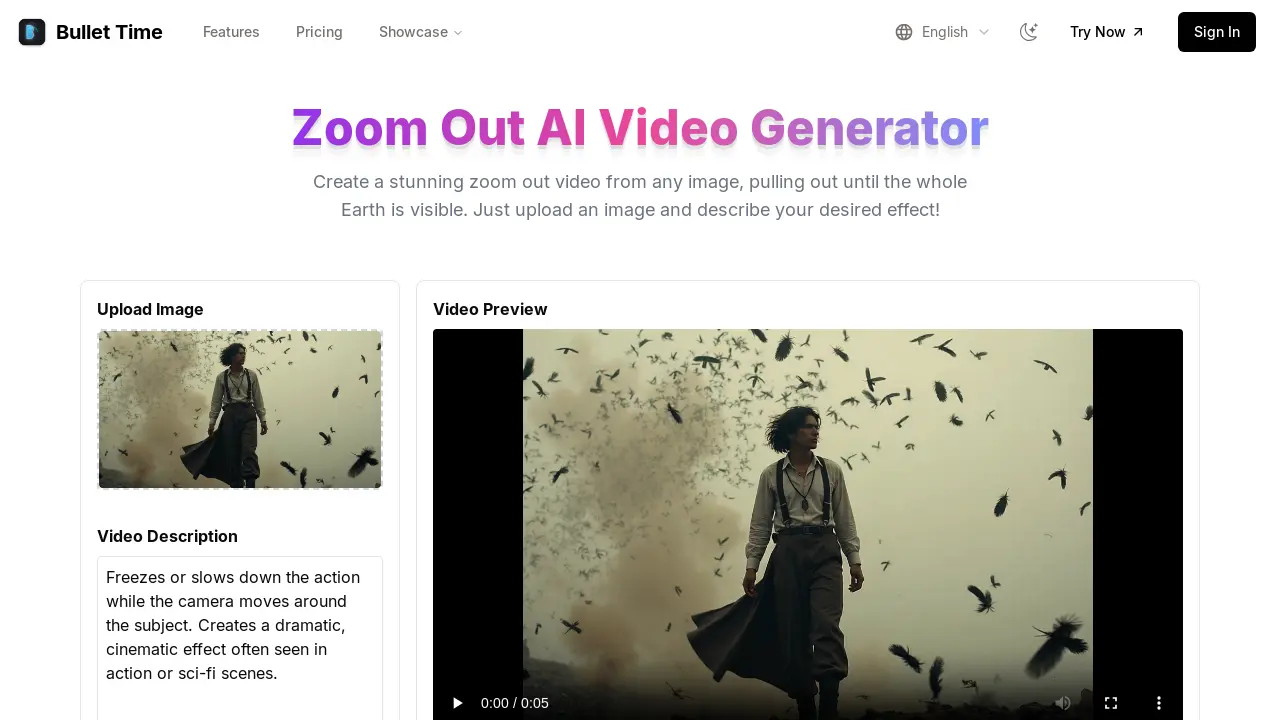
Bullet Time helps create bullet time videos from a single image. Users upload images to generate unique bullet time effects, ideal for cinematic and dramatic visuals.

FAQs of Bullet Time
Is Bullet Time free?
Bullet Time provides users with a free trial and offers flexible paid plans to suit different needs. The free option allows users to explore the basic functionalities, while paid plans unlock more advanced features and greater usage.
Do I need to sign up?
A sign-up is not required to use Bullet Time's basic features. However, creating an account is necessary to save generated videos and gain access to premium functionalities. Registration provides a more personalized experience.
Is my image safe?
Bullet Time prioritizes user privacy and image security. The platform processes images securely and does not store them without explicit permission, ensuring that user data remains protected throughout the bullet time video generation process.
What image formats are supported?
Bullet Time supports JPG and PNG image formats, which are common and widely used. Users can upload images in either of these formats to create their bullet time videos and stunning zoom out videos.
Is there a limit to video length?
The video length for bullet time videos generated by Bullet Time is dependent on the specific plan the user has selected. Detailed information regarding video length limits for each plan can be found on the pricing page of the Bullet Time website.
How can I contact support?
For any questions or assistance, users can contact the Bullet Time support team via email at support@bullettime.online. The support team is available to help with any issues related to the Bullet Time video generator.
What is a bullet time effect?
A bullet time effect, offered by Bullet Time, freezes or slows down the action while the camera appears to move around the subject. This technique is frequently used to create a dramatic and cinematic feel, commonly seen in action and science fiction movies. It enhances visual storytelling.
Can Bullet Time create a zoom out video from any image?
Yes, Bullet Time can create a zoom out video from almost any image. The AI powered tool is designed to pull the camera out from a close up of the uploaded image until the whole earth is visible, creating a dramatic effect for social media or other visual projects.
What are some use cases for Bullet Time?
Bullet Time is useful for a variety of creative projects. It is perfect for creating dramatic effects for social media, enhancing presentations, and other creative projects where a cinematic video is needed. The bullet time effect adds a visual flair to content.
How to use Bullet Time
- To begin, upload the image intended for the bullet time effect. Supported formats include JPG and PNG.
- Next, select your preferred bullet time style. Choose from various zoom-out styles and speeds to achieve the desired effect.
- Click "Generate Zoom Out Video." Bullet Time's AI engine will then create the cinematic bullet time video.
- Review the generated bullet time video preview. Ensure the effect meets your expectations before downloading the final output.
- If satisfied, proceed to download the high-resolution bullet time video. Share your creative bullet time masterpiece.
- Consider exploring Bullet Time's pricing plans for advanced features like premium video quality and custom zoom paths for content creation.
- For assistance or inquiries, contact Bullet Time support. Email support is available at support@bullettime.online for prompt resolution.
- Experiment with different images to master the bullet time effect. Refine your approach to create impactful visual content.
- Explore the "Showcase" section for inspiration. See how other users utilize Bullet Time's functionalities for their creative projects.
- Review the FAQ section for common questions. Gain further insight into Bullet Time's capabilities and functionalities.
