
AI Song Generator FAQs
AI Song Generator creates custom royalty-free songs in 30 seconds for videos, gifts, and brands, with 20+ styles, lyrics, vocals, and commercial license.

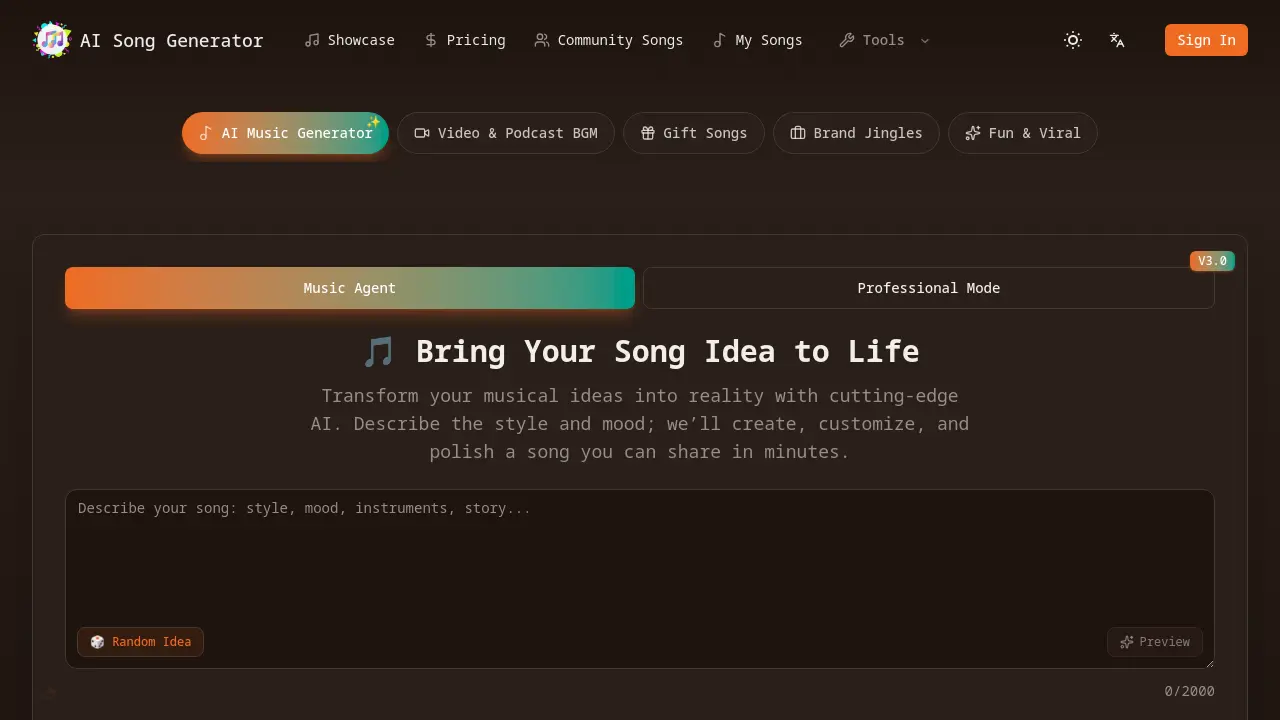
FAQs of AI Song Generator
What is AI Song Generator?
AI Song Generator is an online platform that uses artificial intelligence to create complete songs from text descriptions or lyrics. It supports various use cases including video background music, gift songs, brand jingles, and viral content. Users can generate, customize, and download royalty-free music quickly without requiring musical expertise.
How does AI music generation work?
The process involves three steps: users input a lyrical description or direct lyrics, customize elements like genre and mood, and the AI composes a full track with melody, lyrics, and vocals in approximately 30 seconds. The system handles composition, mixing, and polishing automatically based on the provided parameters.
Do I need any musical knowledge to use this?
No prior musical training is necessary. The platform is designed for beginners, featuring intuitive controls and AI assistance for lyric generation. Users only need to describe their desired style or mood, and the system handles technical aspects like chord progression and arrangement.
Can I use the generated music commercially?
Yes, all generated music includes a commercial license that grants 100% royalty-free rights. Users may employ the tracks in YouTube videos, podcasts, advertisements, or other commercial projects without additional fees or attribution requirements.
What music styles are supported?
The AI supports over 20 music styles, including pop, rock, classical, jazz, hip-hop, EDM, and country. Users can select specific genres during customization to match their project's aesthetic or emotional tone.
Can I customize the lyrics?
Users can modify lyrics directly in Lyrics Mode or use the AI lyric generator to refine or create new lines. The system allows adjustments to wording, structure, and thematic content before final generation.
How long does generation take?
A complete song is generated in about 30 seconds, regardless of whether it includes vocals or is instrumental. This duration applies to most scenarios, though complex customizations may slightly extend processing time.
What formats can I download?
Downloads are available in MP3, WAV, or FLAC formats at studio quality. Tracks can be up to 4 minutes long, providing sufficient length for most video, podcast, or presentation needs.
Is my generated music private?
Users can set privacy preferences during creation, choosing between public sharing or private storage. The platform includes history management tools to control access and visibility of personal projects.
How many songs can I generate for free?
The free tier allows 8 generations per day without cost. Additional uses require credits or a paid subscription, with credit packs available for purchase beyond the daily limit.
Can I cancel my subscription anytime?
Yes, subscriptions can be canceled through account settings or by contacting support. Cancellation takes effect at the end of the current billing cycle, with no further charges applied afterward.
Is my payment information secure?
Payment processing uses industry-standard encryption and secure gateways. Detailed security practices are outlined in the Privacy Policy, ensuring compliance with data protection regulations.
What if I'm not satisfied with my purchase?
Refund eligibility and procedures are specified in the Terms of Service. Users may contact support within a defined period for assistance with unsatisfactory results or technical issues.
Do you offer discounts for annual plans?
Annual plan discounts are available and listed on the pricing page. These prepaid options typically offer a reduced monthly rate compared to monthly billing cycles.
Can I upgrade or downgrade my plan later?
Plan modifications, including upgrades or downgrades, are permitted through account management. Prorated charges or credits may apply depending on the timing of the change relative to the billing cycle.
What is the maximum duration for generated songs?
Generated songs can be up to 4 minutes long in high-quality download formats. This limit accommodates most common use cases like video soundtracks, jingles, or full-length demos.
In which languages can I generate lyrics?
The platform supports multiple languages for lyric generation as part of its global language support feature. While specific language options are not enumerated, the system accommodates diverse linguistic inputs for international audiences.
How does the credit system work for generating songs?
Each generation consumes 4 credits from the user's balance. Free daily allocations provide 8 credits initially, and additional credits can be purchased via credit packs or through subscription plans that include monthly credit allowances.
Can I edit or extend my generated songs after creation?
Yes, the Edit & Extend Songs tool allows users to modify specific sections, adjust length, or create alternate versions. This feature enables refinement of initial outputs without full regeneration.
How do I manage my song history and privacy settings?
Song history is managed via the Smart History Management system, where users can view, organize, and set privacy levels for past creations. Options include private storage, public sharing, or deletion of unwanted projects.
How to use AI Song Generator
The AI Song Generator converts textual descriptions or lyrics into original, royalty-free music across multiple genres, enabling users to create custom tracks for videos, gifts, and commercial projects without musical expertise.
- Users access the platform and select a predefined scenario like video background music or brand jingles to tailor the AI's generation parameters.
- Input is provided via Lyrics Mode for direct text or Description Mode, where users detail musical style, mood, and instrumentation using natural language.
- Customization includes genre and mood selection, title assignment, and vocal preference choices, with options for instrumental-only output and commercial licensing.
- Initiate generation by clicking the appropriate button; the AI composes a complete song typically within 30 seconds, processing the provided creative direction.
- Preview the generated track, then use editing tools to modify sections, extend duration, or adjust elements before finalizing the version.
- Download the final master in high-quality formats such as MP3, WAV, or FLAC, with the included commercial license permitting monetized use.
- Apply the royalty-free music to intended projects like YouTube videos, social media content, personalized gifts, or business branding materials.
- Manage generated songs through platform history features, allowing for reorganization, private storage, or public sharing as needed.
- Utilize auxiliary tools like vocal remover or music video generator to further adapt the track for specific workflow requirements or remixing.
- For advanced control, Professional Mode offers additional parameters for fine-tuning arrangement, mix, and structural elements of the composition.
