
Video Compressor Introduction
Video Compressor is a free online tool that compresses videos locally with GPU acceleration, shrinking files up to 90% while preserving quality and privacy for Discord, WhatsApp, email.

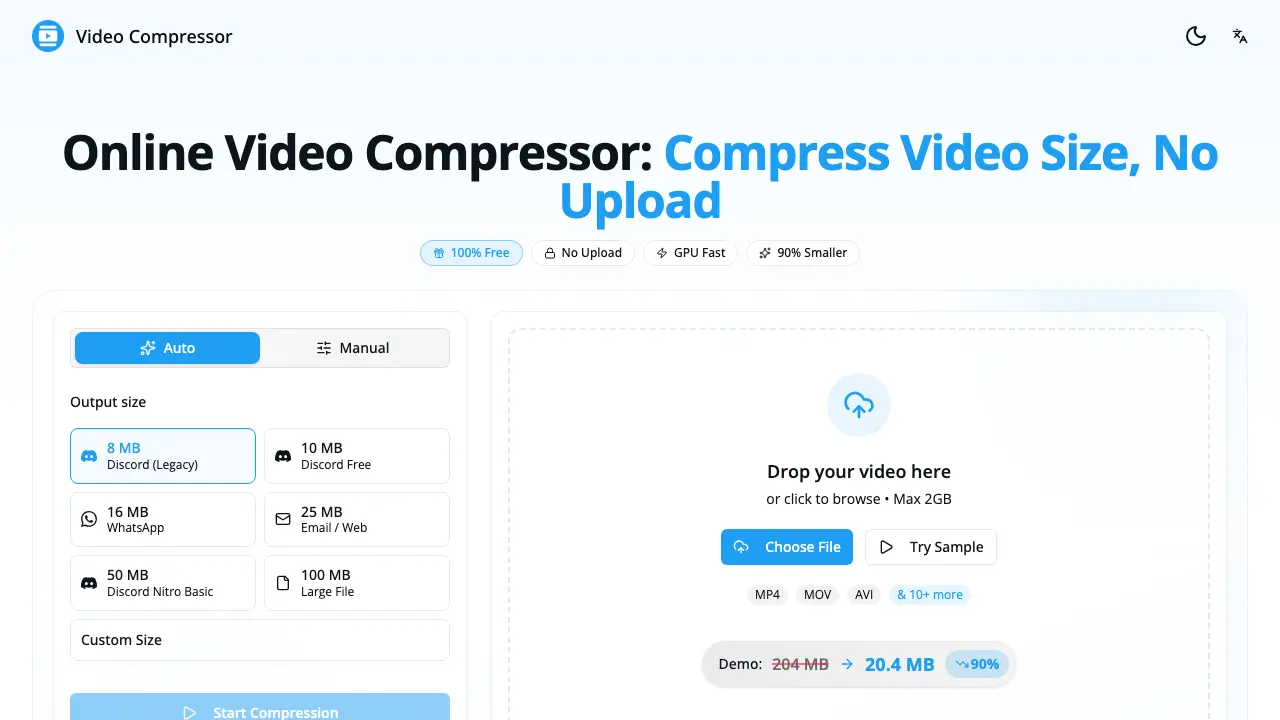
What is Video Compressor
Video Compressor is a browser‑based utility that reduces video file size by up to 90 % without uploading any data. The entire compression process runs locally, leveraging the device’s GPU through the WebCodecs API for speeds up to ten times faster than CPU‑only methods. Users can drop an MP4, WebM, MOV, MKV, AVI or other common format into the interface, select a preset (Discord, WhatsApp, Email, etc.) or fine‑tune resolution, bitrate and frame rate, and download the optimized MP4/H.264 output in seconds. Because no server interaction occurs, privacy is guaranteed—files never leave the user’s device and no watermarks are added. The tool is free, requires no registration, works on modern browsers across desktop and mobile, and supports unlimited file sizes, making it suitable for creators, gamers, and anyone needing quick, secure video compression.
How does Video Compressor work
The Video Compressor runs entirely in the user’s browser, loading the source file, then applying WebCodecs‑based GPU acceleration to re‑encode the video into an H.264 MP4 output. After the file is dropped or selected, the tool reads the media stream locally, adjusts resolution, bitrate and frame rate according to a preset (Discord, WhatsApp, Email) or custom targets, and processes the data on the device’s graphics hardware, achieving compression up to 90 % faster than CPU‑only methods. Once encoding finishes, the compressed file is offered for download, with no server upload, ensuring privacy and unlimited use.
Benefits of Video Compressor
The Video Compressor provides a completely browser‑based solution that reduces file size by up to 90 % while keeping visual quality intact. Because all processing occurs locally, no data is uploaded, ensuring 100 % privacy and eliminating watermarks. GPU acceleration makes compression up to ten times faster than CPU‑only tools, and the WebCodecs API supports a wide range of formats—including MP4, WebM, MOV, MKV, and AVI—with automatic H.264 output. Users can select presets for Discord, WhatsApp, Email, or fine‑tune resolution, bitrate, and frame rate, all without registration or file‑size limits.
Pros and Cons of Video Compressor
Pros
- No file uploads, full local privacy.
- GPU acceleration yields up to 10× faster compression.
- Supports all major video formats (MP4, WebM, MOV, MKV, etc.).
- Unlimited free use, no watermarks or registration.
- Built‑in presets for Discord, WhatsApp, email, and custom settings.
Cons
- Quality depends on user‑selected bitrate; aggressive settings may degrade.
- Performance limited on devices without modern GPU or WebCodecs support.
- Browser‑based processing may consume significant RAM on large files.
- No offline desktop application for batch processing.
- Lacks advanced editing features such as trimming or audio control.
