
Video Compressor FAQs
Video Compressor is a free online tool that compresses videos locally with GPU acceleration, shrinking files up to 90% while preserving quality and privacy for Discord, WhatsApp, email.

FAQs of Video Compressor
How to compress video online?
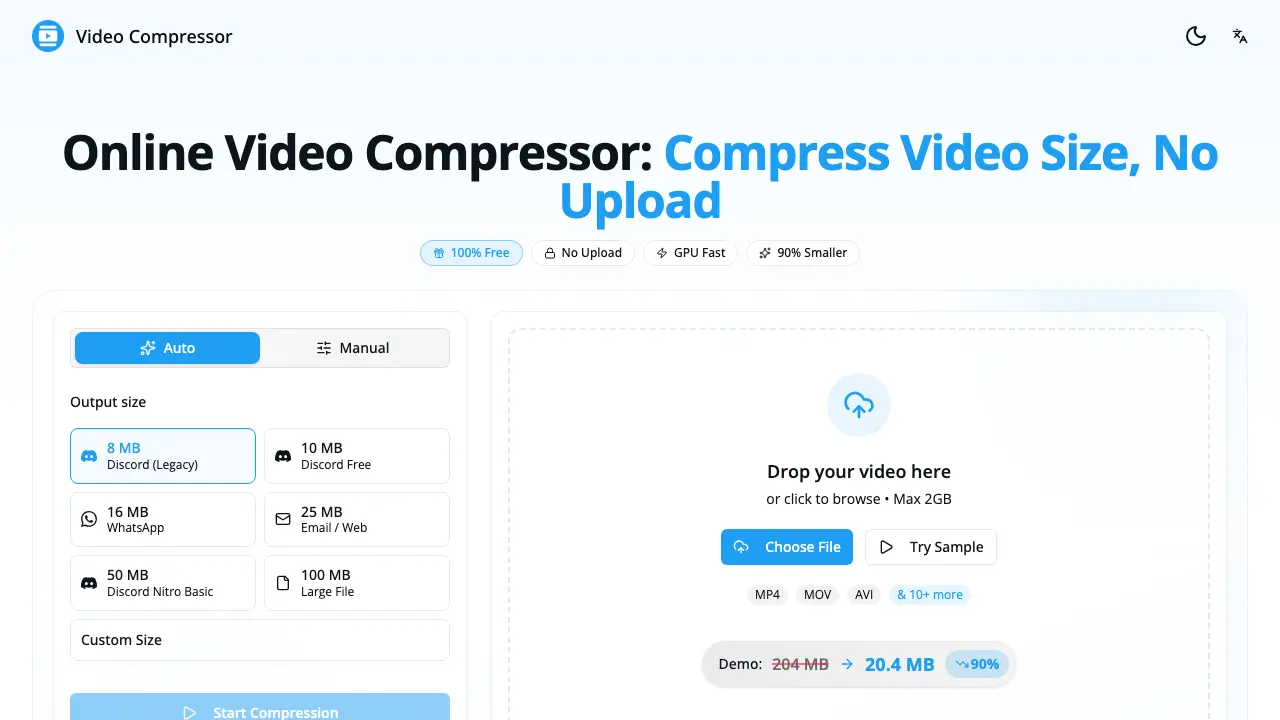
The online video compressor works entirely in the browser: users upload or drag‑and‑drop a file, select a target size or preset, start the compression, and then download the reduced file. All processing is performed locally, so no data is transmitted to external servers.
How to compress video file size without losing quality?
To maintain visual quality while shrinking file size, the tool’s “Auto” mode automatically balances bitrate and resolution. Users can also keep the original resolution, choose the H.264 codec, and set a bitrate between 5–8 Mbps for high quality or 2–4 Mbps for moderate quality.
How to reduce video size on iPhone?
iPhone users open the site in Safari, tap “Choose File,” select a video from the Photos library, pick a preset such as “25 MB Email” or “16 MB WhatsApp,” start compression, and finally save the compressed video back to the device.
Is there a file size limit?
There is no imposed file‑size ceiling; the compressor can handle videos from a few megabytes up to several gigabytes. The only practical limitation is the amount of RAM available on the user’s device, because all processing occurs locally.
Do I need to download or install anything?
No installation is required. The compressor runs in any modern web browser (Chrome, Safari, Firefox, Edge) on desktop or mobile platforms. Users simply navigate to the website and begin compressing immediately.
What video formats are supported?
The service accepts a wide range of containers, including MP4, WebM, MOV, MKV, AVI, WMV, and FLV. Output files are generated as MP4 encoded with H.264 to ensure broad compatibility across devices and platforms.
How long does video compression take?
Compression time varies with video length, resolution, and hardware. With GPU acceleration, a typical 5‑minute 1080p video finishes in 30–60 seconds on a modern computer; longer clips or older devices may require additional processing time.
Can I compress videos for Discord?
Yes. The compressor provides built‑in Discord presets such as 8 MB for legacy uploads, 25 MB for Nitro Basic, and larger sizes up to 100 MB for Nitro users, ensuring videos meet the platform’s file‑size restrictions.
Why is my compressed video still too large?
If a result exceeds the desired size, users should try a smaller preset, lower the resolution (e.g., from 1080p to 720p), reduce the bitrate, or trim unnecessary footage before running the compression again.
Is it safe to compress videos online? Is my video private?
The tool guarantees privacy by performing all operations locally in the browser; no video data is uploaded to external servers, stored, or accessed by the service. Consequently, the process is safe and fully private for every user.
How to use Video Compressor
The Video Compressor provides offline, GPU‑accelerated compression, reducing file size up to 90 % while preserving visual quality; it supports MP4, WebM, MOV, MKV and other common formats.
Drag and drop the source video onto the web interface or click Choose File; the file loads locally, guaranteeing 100 % privacy with no server upload.
Select a preset such as Discord 8 MB, WhatsApp 16 MB, or define a custom target size, bitrate, and resolution to match the intended platform or storage constraint.
Click Start Compression; the GPU‑powered engine processes the video in the browser, delivering the compressed output within seconds for typical 1080p clips.
After processing, preview the compressed video alongside the original size indicator (e.g., 145 MB → 29 MB, –80 %); verify that resolution and frame rate meet the required quality level.
Download the resulting MP4 file, then upload it to the target service (Discord, email, social media) or replace the original to free local storage, confirming the size reduction matches the preset goal.
